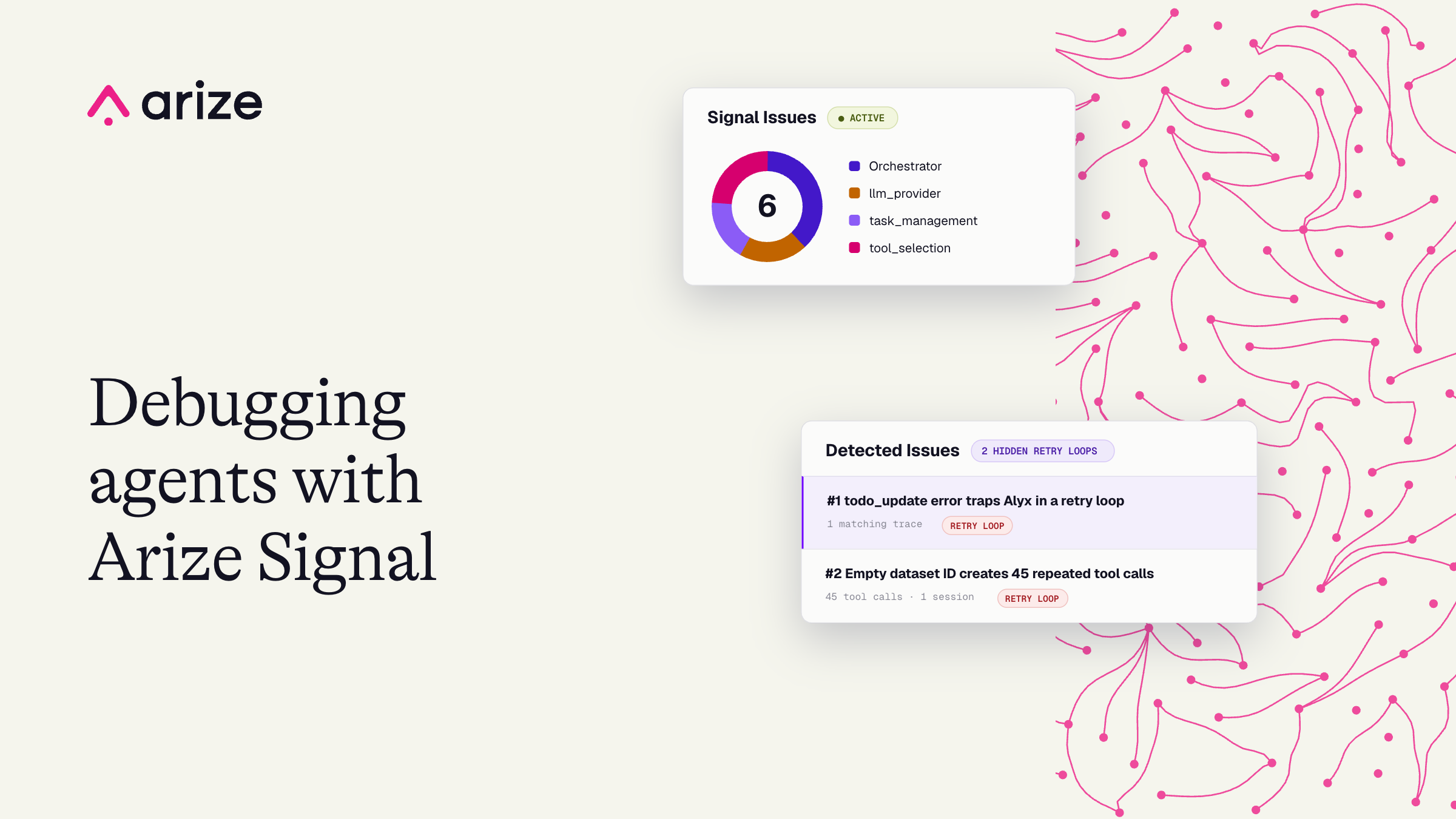
We ran Signal on Alyx, the AI engineering agent built into Arize AX. It surfaced a duplicate task-state loop and a 43-call dataset retry that appeared as valid tool activity or an OK root span.
Key takeaways
- In AI systems, bugs rarely show up as errors. They show up as behavior: a loop that looks like progress, a valid tool call that does the wrong thing, a root span that is still OK.
- Finding that behavior by hand is slow. You cannot grep for it the way you grep for an exception, and inspecting one trace at a time does not scale.
- Signal reviews production traces at volume, groups recurring behavior into ranked issues, and turns each one into an investigation with evidence, impact, and a next step.
- We ran it on Alyx, our own production agent. It caught a todo loop and a dataset lookup retry that traditional monitoring would have treated as healthy runs.
- The code changes were small, but Signal did the expensive part: finding the pattern and making the fix path obvious.
When it came to our AI engineering agent Alyx, built into Arize AX, we wanted to know what its production traces could tell us that ordinary monitoring might miss.
So we used Signal, a new built-in managed agent in Arize AX, to examine Alyx. It quickly found one answer in a run that lasted 227 seconds, generated 192 spans, and called the same tool 43 times. The root span still reported OK. Alyx hadn’t crashed, but an empty optional field had pushed it into the wrong validation path and the resulting error message kept sending the agent back to the same tool.
That was one of two retry loops Signal surfaced in Alyx that looked, at first glance, like valid agent activity. In both cases, the eventual code fix was small. But finding the behavioral pattern hidden across production traces was something we missed before using Signal.
What is Arize Signal?
Signal is a capability in Arize AX that reviews production traces for recurring agent behaviors, groups related patterns into ranked issues, and creates investigations with supporting evidence, estimated impact, and a suggested next step.
That next step might involve changing a prompt, code, configuration, or evaluation. Enterprise teams can also connect a GitHub repository so Signal can carry an investigation into the codebase and open a pull request or scoped issue for review.
We used Signal to analyze Alyx, the AI engineering agent built into Arize AX. Over a 30-day period, Signal surfaced 34 issues in Alyx’s production traces, including the two behavioral failures explored in this article.
What Signal found in Alyx
The two Alyx findings shared the same basic shape: the agent received a tool response that suggested an action had failed, then repeated an operation that could never improve the state.
Issue |
What monitoring showed |
What the agent was actually doing |
Fix |
|---|---|---|---|
| Todo state retry loop | Repeated valid tool activity | Retrying a state transition that had already succeeded | Treat duplicate same-state updates as a successful no-op |
| Empty dataset ID retry | Root span marked OK | Repeating get_datasets 43 times because an empty optional field entered the wrong code path |
Normalize empty optional values to None at the tool boundary |
Neither issue began with an engineer searching for a known exception. Signal found the recurring behavior, grouped the relevant traces, and surfaced the evidence needed to understand the failure.
**Finding 1: How a **todo_update
error trapped Alyx in a retry loop
todo_update
error trapped Alyx in a retry loopAlyx uses a task list to coordinate multi-step work. It can create or restore a plan, move tasks through states such as pending
, completed
, and blocked
, and call finish()
when the turn is ready to close.
The normal trajectory looks roughly like this:
- Restore or create the todo plan.
- Select the current task.
- Call the tools required to complete it.
- Update the task state with
todo_update
. - Call
finish()
when the plan is complete.
In the evidence trace, finish()
was rejected because the plan still contained blocked work. Alyx then attempted to update the blocked task.
A duplicate call to todo_update(id=0, status="blocked")
returned a recoverable error instead of confirming the existing state. Because every tool response is appended to the model context, the agent interpreted that error as evidence that its action had failed.
It tried the transition again. Sometimes it alternated between todo_update
and finish()
. Neither action changed the underlying state, so the agent continued looping until the stream was cancelled.
The code change was straightforward. When the requested status already matches the current status, todo_update
now returns the current task list as a successful result. Errors remain in place for genuinely invalid cases, such as a missing task list or an unknown task ID.
The team also added a regression test covering the duplicate state transition. The time-to-fix was driven by discovering and reconstructing the behavior. So, once the pattern was visible, the patch was small.
Finding 2: How an empty dataset ID created 43 repeated tool calls
The second issue occurred in get_datasets
, a tool with two operating modes:
- When
dataset_id
is omitted, the tool lists datasets in the current space. - When
dataset_id
is provided, the tool previews the selected dataset.
Alyx intended to list available datasets. The production payload, however, supplied an empty string in the optional dataset_id
field.
At the typed tool boundary, an empty string still counted as a provided value. Validation therefore treated it as a candidate dataset ID and rejected it with the following message:
Dataset ID is invalid. Make sure you are getting the id from get_datasets().
The recovery guidance sent Alyx back to the same tool it was already calling. With no better corrective action available, the model retried.
One affected run contained:
- 192 spans
- 227 seconds of runtime
- 50 orchestrator iterations
- 43 repeated
get_datasets
calls - A root span whose status remained OK
The fix moved empty-string normalization into the shared tool boundary. Optional fields that permit None
now convert empty strings to None
before entering tool-specific validation.
A regression test recreates the production payload and verifies that get_datasets
enters list mode rather than returning an invalid-ID error.
Again, the code change was limited. The difficult part was identifying that an apparently healthy trace contained a repeatable behavioral failure.
Why behavioral debugging changes the cost of fixing agents
These incidents illustrate a common production pattern. The agent’s implementation bug may be small, while discovering it requires a broad view of runtime behavior.
A human investigating either issue manually would need to:
- Notice that a long trace contained little meaningful progress.
- Reconstruct the sequence of model decisions and tool responses.
- Determine whether the pattern appeared in other traces.
- Identify the shared mechanism.
- Locate the code boundary responsible for that behavior.
- Create a reproducible test case.
Signal performs much of the expensive discovery work before an engineer begins debugging. It groups related traces, describes the recurring behavior, and packages the evidence into a reviewable investigation.
Some findings can move directly into pull requests. Others are better captured as GitHub issues with the relevant traces attached. In both cases, the team receives a scoped starting point instead of maintaining a full-time trace-review rotation.
This also changes how teams use observability data. Traces document what the agent did. Behavioral analysis helps determine whether those actions moved the system toward the intended outcome.
How to monitor production AI agents with Signal
Teams can use Signal as a continuous production feedback loop:
Signal begins reviewing new traces for recurring behavioral patterns.Enable Signalon a production project.Review ranked issues. Each issue includes a description of the behavior, affected traces, impact, and supporting evidence.Inspect the full trajectory. Follow the model decisions, tool calls, tool responses, and state transitions that produced the issue.Choose the appropriate intervention. The finding may point to a prompt, code, configuration, tool-schema, or evaluation change.Create a regression case. Convert the production payload or trajectory into a test that prevents the behavior from returning.Carry the investigation into GitHub. Enterprise teams can connect a repository and turn findings into pull requests or scoped issues.
To see the workflow in practice, follow the Signal tutorial or watch the webinar walkthrough. Production agents will continue to produce failures that look healthy at the span level. The practical advantage comes from turning those traces into a repeatable engineering loop: detect the pattern, inspect the evidence, ship a change, add a regression test, and watch production again.
For the two Alyx issues, the fixes were small. Signal handled the expensive part by finding where the agent’s behavior had gone wrong.