Billing a client used to mean rebuilding a whole period at the end of it. Someone went back through commits, calendars, email and chat, weeks after the work, and turned it into hours. It was slow, and the result depended on how well someone could piece together work from weeks before.
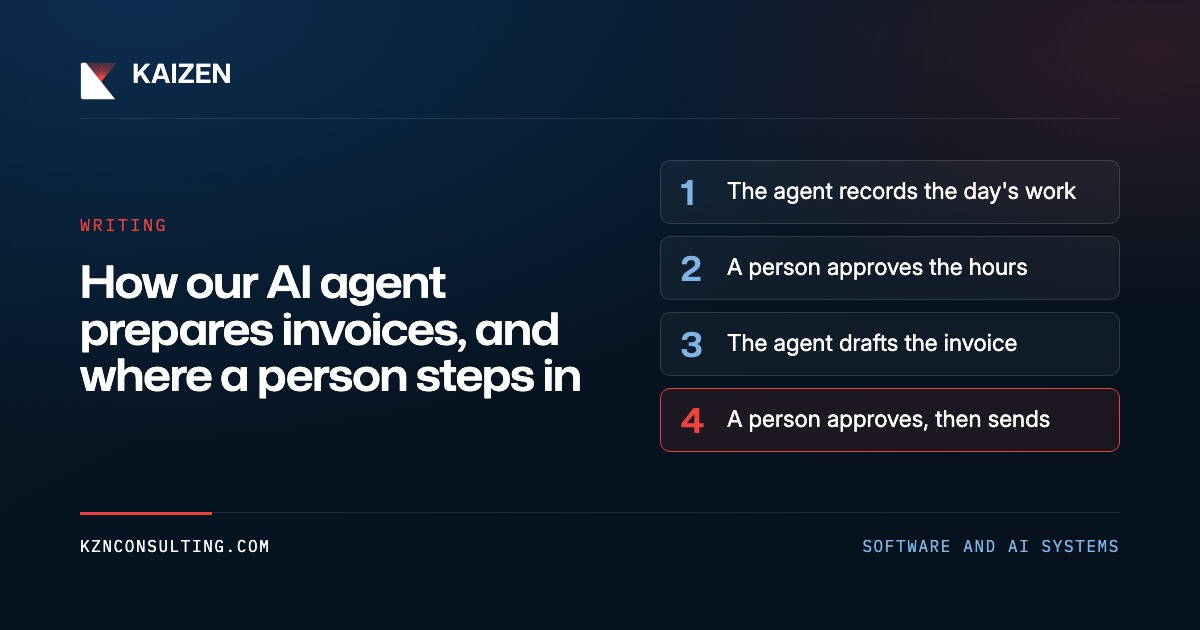
Now Kai, our internal operations platform, does most of that as the work happens, in four steps:
- Every weekday evening, it records the billable work that happened that day.
- Every Friday, it turns the week's records into proposed hours, and a person approves them.
- When a contract's billing period closes, it drafts the invoice from the approved hours.
- A person approves the invoice, and then a person sends it.
The rule behind it: let the agent prepare everything, and put a person's tap, plus a check in code, at each step where money moves or a client sees something.
Record the evidence the day it happens #
At the end of each workday, the agent that writes our daily recap also records billing evidence. Each record is one signal, tied to a client and a project: an AI coding session, a pull request, a meeting, a message we sent or a ticket that moved.
Three rules keep the records honest:
- A record is never a time entry. It's a sign that work happened. A coding session's length is only an upper limit, because a session can sit idle. A meeting's scheduled length is exact.
- Each signal is recorded once. Records are keyed by their source, such as a meeting's calendar ID. Running the same day twice updates the record instead of adding a second one.
- If the agent can't tell which client a signal belongs to, it drops it. It doesn't guess.
If a run fails or a day is skipped, the next run starts from the last day it recorded, so nothing falls through.

If you're automating billing, capture the evidence while it's fresh, and keep it separate from hours. Evidence says what happened. Hours are a judgment, and a person should make it.
A person approves the hours every Friday #
On Friday afternoon, a job gathers each client's new evidence, and the agent proposes time entries: one per person, per day, per project, each listing the records behind it. They appear on a review card. A person can change the hours, rewrite a description or delete a row, then taps Approve.
Approval does three things at once. It records the time entries. It marks the evidence behind them as used. And it marks the records the reviewer chose not to bill as reviewed, so they don't come back next week.
If the time already logged for that period, or anyone's rate, changed after the card was prepared, approval is refused until the card is refreshed. The agent has no step in this flow that records time by itself. The tap is the only way an hour gets onto the books.
Code builds the draft #
On the first of each month, a job looks at every active contract. Each contract bills on its own schedule: monthly, quarterly, once a year or by milestone. The job drafts an invoice only when a billing window has closed.
- A window that is still open, even with hours waiting to be billed, gets a line in the morning briefing. It isn't drafted early.
- A milestone contract never gets a draft built from hours. A finished milestone with no invoice becomes a note for a person.
- If a draft for that client is already waiting, the job extends it to the new end date instead of deleting it and starting over.
The lines come from code. Approved hours are grouped into one line per role, such as Developer Hours, with a few bullets taken from the entry descriptions. People's names stay off the invoice. Each time entry is linked to the invoice that bills it, and a new draft only picks up entries with no invoice yet, so the same hour can't be billed twice.
The agent can still adjust a draft. It can add a monthly hosting line, apply a note such as "add the newsletter to the next invoice" or fix a description. It can change dates and amounts only while the invoice is a draft. After that, its tools refuse the change.
Two taps, each checked in code #
The draft appears on a card with the client's name and the total. When a person taps Approve, the server checks four things before anything happens:
- The invoice is still a draft.
- The client is linked to our accounting system, QuickBooks.
- The total is more than zero.
- The lines add up to the total, to within a dollar.
If a check fails, the tap is refused and the card says why. If all four pass, the draft goes to QuickBooks, which gives it an invoice number. Approving doesn't send anything. It opens a second card, Send, that says exactly who will receive the invoice. Tapping Send has QuickBooks email the invoice, with the PDF attached, to the client's billing contacts, and marks it as sent. Both cards accept a tap only from the account's human owner. The same request made with an agent's credentials is refused. The agent has no tool that pushes an invoice to QuickBooks, sends it or marks it as sent.
When you build this for your own team, run the checks on the server at the moment of the tap. A card can be out of date by the time someone taps it, and the server reads the invoice as it is now.
Bills we pay work the same way #
Contractors send us their invoices by email. A daily job reads the attached spreadsheet or PDF, logs the hours from its lines at the rate we agreed with that contractor, and records a bill linked to those hours. Code then compares the hours times the rate with the total the contractor wrote.
- If they match to within a dollar, the bill is approved when it arrives and waits for the next pay run.
- If they don't match, or no hours are linked, the bill gets its own Approve card, and the tap runs the same comparison again.
Money moves only after a person confirms the pay run. Confirming marks the approved bills as paid and drafts a short "payment processed" note to each contractor, each on its own Send card.
Our finance inbox is sorted like the rest of our email, as described in How we triage email with rules, AI and checks in code. Receipts are archived. A bill we owe, or a client's question about an invoice we sent, becomes a work item, and the client's question gets the higher priority.
Mark where money moves #
Write down every step of your billing process, from the first sign of work to the payment. Mark each step where money moves or a client sees something. Those steps need a person's tap and a check in code that runs at the tap. Everything else, such as gathering evidence, proposing hours and building the draft, is work an agent can prepare.
That list is where our AI Workflow Review starts. Everything else our agent does, and the rules it follows, is on How we run Kaizen on AI.