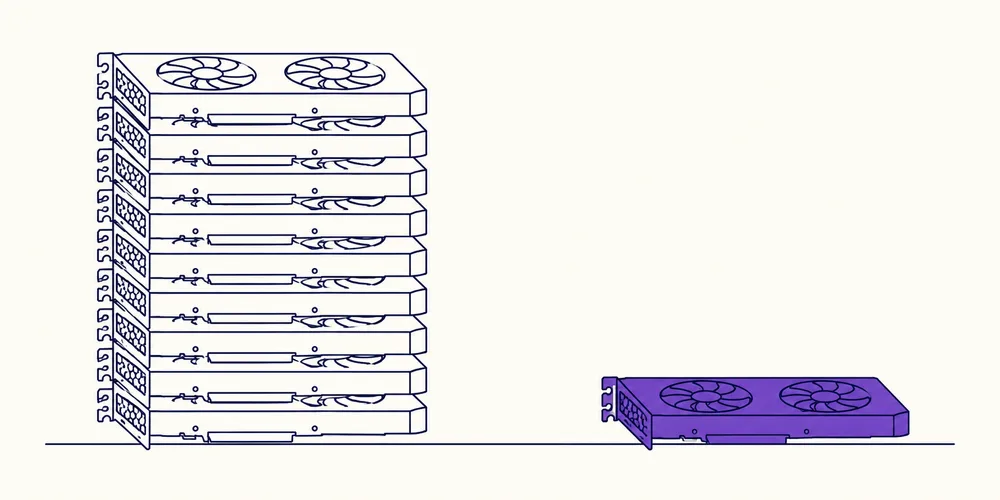
When you do a full fine-tune, every parameter needs multiple copies in memory. Weights, gradients, AdamW moments, plus activations in the forward pass. For a 7B model in fp16 that's roughly 14 GB just for the weights, then you multiply by 3–4 for everything else. That's why people reach for 80 GB or 120 GB cards for even "small" models. It's not overkill — it's math.
At the other end, parameter-efficient methods like LoRA and QLoRA freeze the original weights and only train tiny adapter matrices. QLoRA goes further by quantizing the frozen base model down to 4-bit, which lets you fine-tune a 7B model on a single consumer card with 12–16 GB. The tradeoff is that you're not updating the original weights directly, and you need to merge or use adapters at deployment time. For most real-world use cases, that's an acceptable price.
Here's how the main options compare, based on what I've actually run:
Full fine-tune (7B, fp16):~80–120 GB. Maximum control, full weight updates, but you need a datacenter card or multi-GPU setup. This is for serious domain adaptation where you want to bake data into every layer.LoRA (7B, fp16):~24–32 GB. You load the model at full precision but freeze it. Adapters are small, so memory drops drastically. Great on a single 4090 or A6000.QLoRA (7B, 4-bit):~12–16 GB. The beginner-friendly option. I've run a 7B fine-tune on a laptop 16 GB GPU without touching a cloud instance. It's slower, but it works.Gradient checkpointing + QLoRA:~8–12 GB. You trade compute for memory by recomputing activations. If you're on a 12 GB card and getting OOM errors, this is the first lever to pull.
The practical tutorial part: don't start with the biggest model you can find. Start with a 1–3B model on QLoRA, get the pipeline working, then scale up. A complete guide to fine-tuning from scratch on limited hardware looks something like this:
-
Quantize the base model to 4-bit using bitsandbytes.
-
Add a LoRA adapter layer (rank 8–16 is usually enough).
-
Use gradient checkpointing and a small batch size (1–2) with gradient accumulation.
-
Monitor memory with
nvidia-smi
while training; your bottleneck will show up fast. 5. Save the adapter, not the whole model, and merge only when you're ready to deploy.
[Open-Weight Models Now Match Proprietary Titans 3d ago](https://promptcube3.com/en/news/4392/)

[Next Machine Unlearning: From Data Deletion to Verifiable Forgetting →](https://promptcube3.com/en/news/4749/)