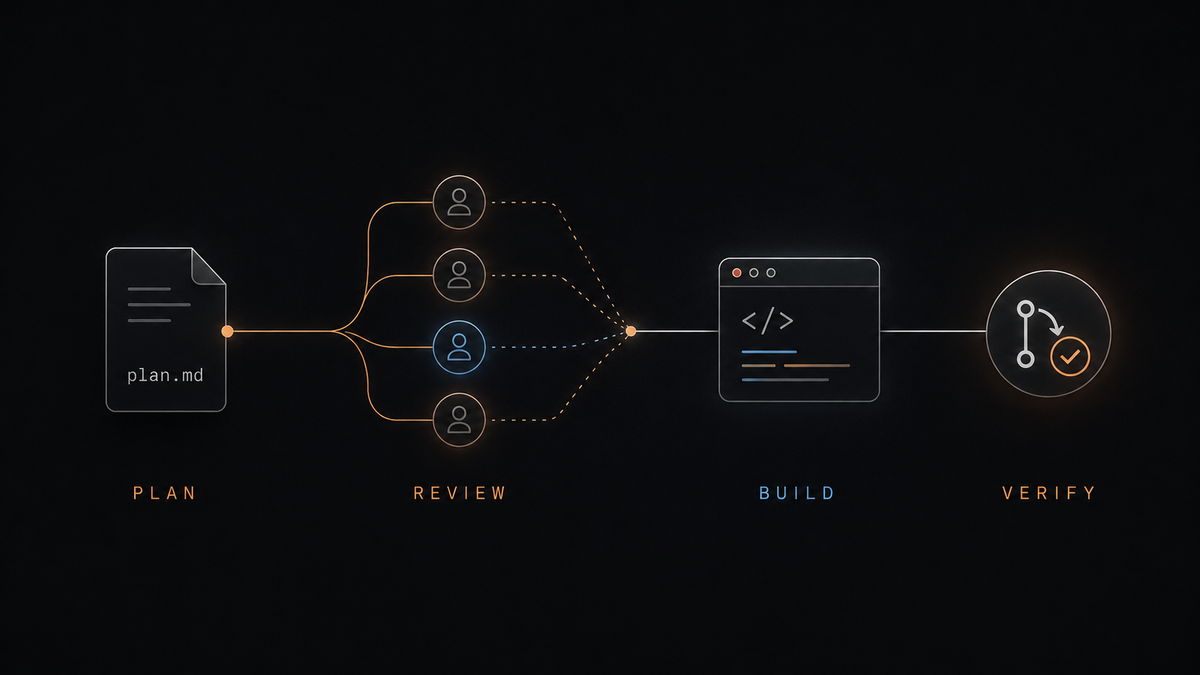
I have been coding with Claude Code for over a year now, and somewhere along the way I have developed a fairly repeatable workflow for getting the most out of a coding session.
I did not sit down and design this process upfront. It has mostly emerged through trial and error, after seeing where Claude tends to do well, where it goes off track, and where I still need to slow down and apply my own judgement.
The main change in how I work is that I now spend much more time on the plan before asking Claude to write any code.
I start with the strongest model and plan mode #
When I am planning a new feature or investigating a bug, I usually switch to the most powerful model available and set the effort to extra high
(or max
if available). I type up the requirements and give it as much useful context as I can. That might include links to an existing spec, Jira tickets, architecture documents, previous pull requests or particular parts of the codebase.
I then use Shift + Tab
to enter plan mode and ask it to investigate the problem and write an implementation plan to a temporary Markdown file.
I normally include a few specific instructions:
- Break the work into small phases.
- Make each phase small enough to become its own pull request.
- Include assumptions, risks and anything that still needs a decision.
- Use ASCII diagrams wherever they help explain the design or flow.
- Do not start implementing yet.
I like having the plan written to a file because it gives me something concrete to inspect and edit. I am not relying on a long conversation that becomes harder to follow as the session grows.
I also ask for small implementation phases because I do not want Claude producing one enormous change that is difficult to understand or review. Smaller batches make it easier to catch a bad decision before it spreads across the codebase.
I ask multiple agents to red-team the plan #
Once the first plan is complete , I Shift + Tab
out of plan mode and I ask Claude to launch multiple agents to red-team it.
I explicitly say multiple agents because, in my experience, it otherwise tends to launch one agent to review the plan. That is useful, but I want different reviewers looking at it from different angles.
I might ask one agent to look for architectural problems, another to examine security and failure handling, another to check whether the plan matches the existing code, and another to look for over-engineering or missing tests.
I ask them to write the findings to a separate Markdown file rather than editing the original plan directly.
Another option here is to open Codex (or use the[Codex plugin]for Claude Code) and give it the Claude-generated plan. A different model will sometimes challenge assumptions that Claude’s own reviewers miss, particularly when the original plan already looks internally consistent.
I do not treat the red-team output as automatically correct, though. Agents are very good at producing convincing criticism, including criticism based on things that are not actually true.
I make Claude verify the red-team findings #
Once the red-team review is complete, I ask Claude to go through the findings and verify them against the codebase, the requirements and the original plan.
I want it to check whether each criticism is valid before changing anything. Some findings are useful, some are partially right, and some come from the reviewing agent misunderstanding the code.
Claude then updates the original plan with the findings that hold up.
This usually produces a much better plan than the first pass, but I still do not start the build immediately.
I read the plan myself #
I open the updated Markdown file and read it carefully, line by line.
This is probably the most important part of my workflow because it is where I apply the wider context that Claude may not have.
I am mainly checking three things.
First,** does the plan actually solve the original problem?** It is possible for Claude to come up with a sensible technical solution that has quietly drifted away from the requirement.
Second,** is it over-engineering or under-engineering the change?** Sometimes it wants to introduce new abstractions, interfaces and patterns that are not needed. Other times it goes too far in the opposite direction and proposes the smallest code change without thinking enough about testing, observability, compatibility or future maintenance.
Third, **does the plan make sense within the wider project and company context? **There are often constraints that are not fully represented in the repository, such as upcoming work, team ownership, deployment limitations, existing architectural decisions or areas of the system that we deliberately do not want to touch.
I will usually ask Claude a few questions while reviewing the plan and get it to make some final changes.
After this, I am normally confident enough to move into implementation.
I build it in phases #
For the build, I will often switch to a slightly less powerful model but keep the effort setting at extra high or maximum. I do not have a scientific explanation for why this works better for me. It is simply based on the quality of the output I have seen. The stronger model tends to be more useful during planning and investigation, while a slightly cheaper or faster model is often perfectly capable of implementing a well-defined plan.
My build instructions are fairly simple:
- Work through one phase at a time.
- Write or update the tests before implementing the behaviour.
- Run the relevant tests after each change.
- Check the implementation against the plan.
- Add tests for important edge cases.
- after each phase.
- Create a pull request before moving to the next phase.
Where the phases depend on one another, I ask it to stack the pull requests using GitHub’s stacked PR functionality.
I have found that this works much better than asking it to build the whole feature in one go. Each phase has a clear boundary, the pull requests stay reviewable, and I can stop or redirect the work without having to untangle a huge change.
I still test it myself #
Once the build is complete, I always do a manual local smoke test where possible.
I test the happy path myself and make sure the feature actually behaves as expected.
This has caught issues that the automated tests missed, particularly where the tests were written around Claude’s own assumptions. A test suite can be green while the real workflow is still broken, awkward or simply not doing what the requirement intended.
I do not skip this step just because Claude tells me everything passes.
I finish with a regression check #
Claude normally runs tests during the build, but I still explicitly ask it to run the relevant test suite again once the implementation is complete.
I also ask it to run any linting, type checking and static analysis used by the project, check neighbouring functionality for regressions, and compare the final implementation with the plan.
I want it to call out anything that changed during the build, anything that was deferred, and any part of the plan that was implemented differently.
Once I have smoke-tested it, the automated checks are green, and the implementation still matches the intent of the plan, I assign the pull request to someone else for review.
That is roughly how I use Claude today. It is still vibe coding, but there is a lot more structure around it than there was when I started.
The model does a large amount of the investigation, planning, coding and testing, but I am still making the important calls about scope, architecture, trade-offs and whether the finished result is actually good enough.
A note on “ready-made” skills
I am cautious about dropping ready-made skills from an influencer on X or Substack straight into my coding setup. A skill is not just a clever prompt. It can shape how the agent reasons, which files it reads, what commands it runs, and what changes it is willing to make.
Even when the author is well intentioned, the skill may contain assumptions that do not fit my codebase, rely on outdated tooling, encourage unsafe permissions, or optimise for a workflow that looks good in a demo but falls apart on real work.
I treat third-party skills the same way I would treat an unfamiliar dependency or shell script. I read the whole thing, understand what access it expects, check the commands it can trigger, remove anything I do not need, and test it in a disposable environment first.
Popularity is not a security review, and a large following is not evidence that the skill is appropriate for my project.
No spam, no sharing to third party. Only you and me.