Heeey you all, missed some technical topics? After some time off the active agentic development, I am back and I’m trying out local models.
I’m sure many of you have gone through these steps already, but just in case you are a bit late to the local models party, for example because you were maybe waiting on some hardware to arrive, or maybe just didn’t have time, or got too much used to proprietary models then let’s go through this together.
I’ve been using Claude Code (subscription) heavily so far, automating feature creation, exploring how far I can go with the task delegation, and how I can make agents learn on their own, etc. (you don’t need to read any of prior articles for this one)
I’ve been hearing a lot of good things about local models, how capable they are in the hands of a knowledgable person (and I’d like to think of myself as such #sarcasm) so I thought it’ll be nice to move to a local model and give those a spin.
Choices choices choices #
As usual when starting to try something new there are a lot of decisions to make with not a lot of information at hand. First things first - we need to run the models locally somehow. We need the flexibility of trying different models, and we of course need them to expose an API for all the different harnesses to be able to connect and use. As I can judge the landscape is ollama, mlx-lm, LM Studio, omlx - the last one being a convenience over mlx-lm.
oMLX as I understood leverages the Mac hardware the best so I went with that.
I have to be honest things have gotten so much easy that it’s ridiculous. You just do a couple of clicks and get any model of your choice up and running - that’s it. Gone are the days were you had to sweat a bit to get something running. No, I’m not happy about it.
Next - harnesses. Here paranoid me kicks in. I don’t want to give them access over my whole filesystem, and I’m even not sure I want to give them access to network. So naturally I thought of containerising at least to control the filesystem and some network access.
You have to excuse me, I haven’t been a mac user for a very long time, so I missed the fact that there’s a separate Containers on Apple now, optimized for the Apple hardware - great I’ll go with that and leave Docker aside.
There’s no need imho to run the model itself in a container - first I’m sure it won’t be able to leverage the hardware well, second - the model just acts as a text-in-text-out so “danger” comes from tool usage and file modification(which is also tool usage) - and that’s harness territory. So we’ll create a Conatiner image where we will be able to install different harnesses, control filesystem mounts and network accesses.
I think at this point, it’s useless to give code in an article, since all of you can generate something they are comfortable with themselves. I’ll give you a prompt I used to get those files instead
I want to try different harnesses on my local mac with a local LLM running on oMLX

I want those harnesses to run isolated in Apple container so I am safe
“isolation” means I can decide which directories get mounted and the network isolation level as well (what else?...)
I want to build a reusable apple container image and a shell script that will help me try different harnesses for example

claude code
opencode
qwencode

etc

The container must use a good fresh image , installations must follow latest best practices.

Ask questions if you have and then let’s build this
I know I know, it’s quite the lazy prompt, but the result(from Claude-subscription) was a decent set of scripts that allow me to run different containerized harnesses and control the directories that are mounted, and the network that is allowed - either the oMLX only, so essentially private, “dev” mode - where I could additionally specify which hostnames exactly I allow and the all mode that had no internet restriction.
Don’t trust the result, give it a couple of tests - ask it to fetch the weather on the private mode, dev mode with and without whitelist. Ask it (in a controlled manner) to write into folders you didn’t allow to be mounted.
Now that we have the container and the wrapper script to launch it, we’ll run several of those with different harnesses - give them the same task and see the result. I know it’s not a “real benchmark” - but it’s better, it’s my benchmark.
Side findings #
Qwen3.8-Flash - tends to overthink. I asked it a simple thing and it went into half an hour of thinking. A simple fix is to set thinking effort to “medium” in the chosen harness. I think playing with thinking token limits will help fine-tune it further.
Claude code auto-mode needs something that local model is not giving it?
I noticed that in auto-mode claude code attempts to do something(well, categorize the request in respects to safety to execute) that are not available in the claude-over-omlx, or I’m missing some more configuration.
oMLX-cli itself has modes to launch claude and opencode - etc. it looks like this
omlx-cli launch claude and I assume it just sets some env variables so claude code plays nice with the local endpoint. The “harness” script we discussed above does that PLUS puts it all into a container.
Results #
I launched all three harnesses in their own containers with only access to the LLM - no other internet access, all in “auto-mode” and gave them all the same task(cause there can never be enough taskboards in the world):
Build a Kanban board in plain HTML/CSS/JS (same constraints as above: no
frameworks, no external resources, works from file://, logic in board.js
testable with node:test). Columns: To do, Doing, Done, plus user-added columns
that can be renamed and deleted (asking before deleting a non-empty one). Cards
have a title, optional description and a colour label; add, edit inline, delete
with undo. Drag and drop cards within and between columns, with a keyboard
alternative. Search filters cards live. Everything persists in localStorage,
with JSON export and import. Follows light/dark mode and works at phone width.
Write and run tests until they pass; note your choices in README.md.
Results #
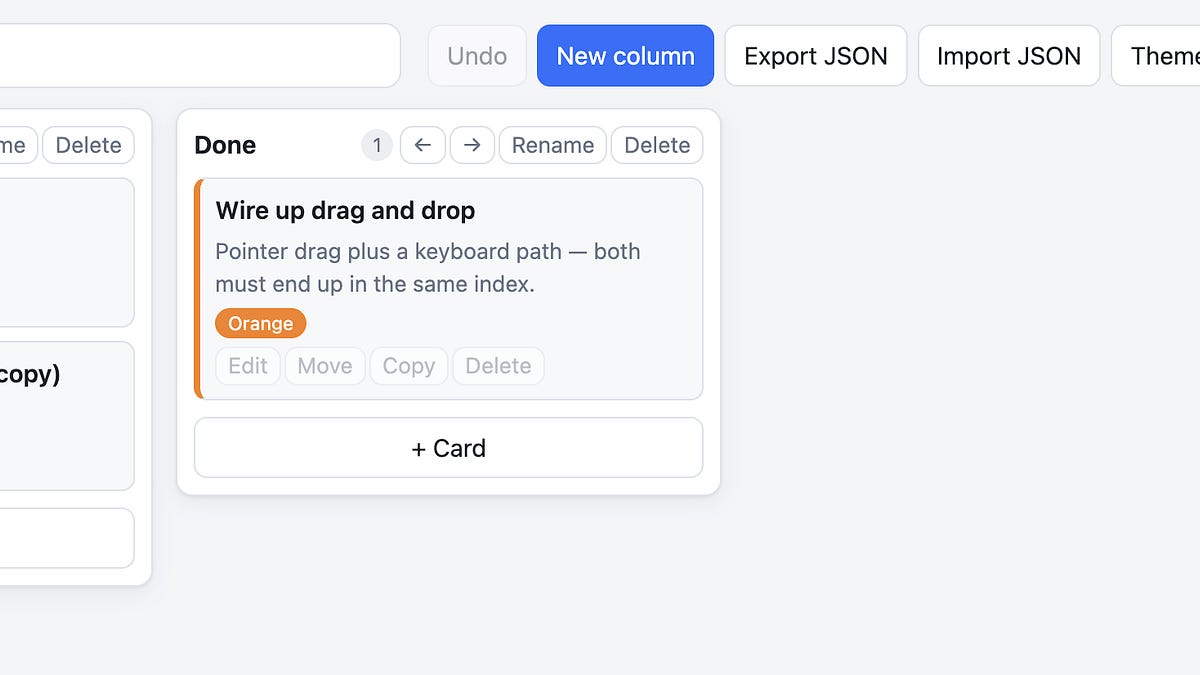
All three created a decent codebase, with tests, and a normal-looking dashboard. With a upsetting caveat that qwencode left a bug in a form of not being able to create tasks (maybe it’s the fact that I opened it with brave, maybe it’s something else…), and it also didn’t “just” find it when I prompted it.
Qwencode - looking best, working worst
Opencode - looking worst, working fine
Claudecode - looking fine, working fine
Some performance results
Soo first raw results are - claudecode thinks long, does well. qwencode just explodes the token usage, thinks fast, leaves bugs. And opencode seems to be a good middle-ground with decent quality.
I am sure if I tune one or the other harness I’ll get better results (and what’s up with qwencode really…)
BUT #
I think this kind of task rather showcases the LLM capabilities and doesn’t do much justice to the harness. We need something that would require reasoning → acting → reasoning → acting, something that would need to go out to the internet, search documentation, act upon that. Dispatch subagents and orchestrate them. Or maybe that’s just custom harness territory.
My hands are itching to build my own “harness” - something that would orchestrate work, and use one of these “coding” harnesses as a tool/delegation channel.
I liked before how AWS Strands framework is built, I grok it. (don’t you just hate the fact that Elon Musk ‘violated’ the word grokking? I used to associate it with Heinlein, with one of his most disturbing books. And now when I use it, I am actually worried people think I refer to Elon…sigh)
So yeah I liked AWS Strands, and now I checked it and it has gone through the roof with features and even has it’s own harness building SDK. So I’m thinking, shall I use one of these harnesses to build a harness with strands? Or shall I use claude code subscription I still haven’t cancelled to do that? and then I won’t even need these harnesses?
choices, choices, choices…
How’s your local model journey going?
Cheers,
Nune