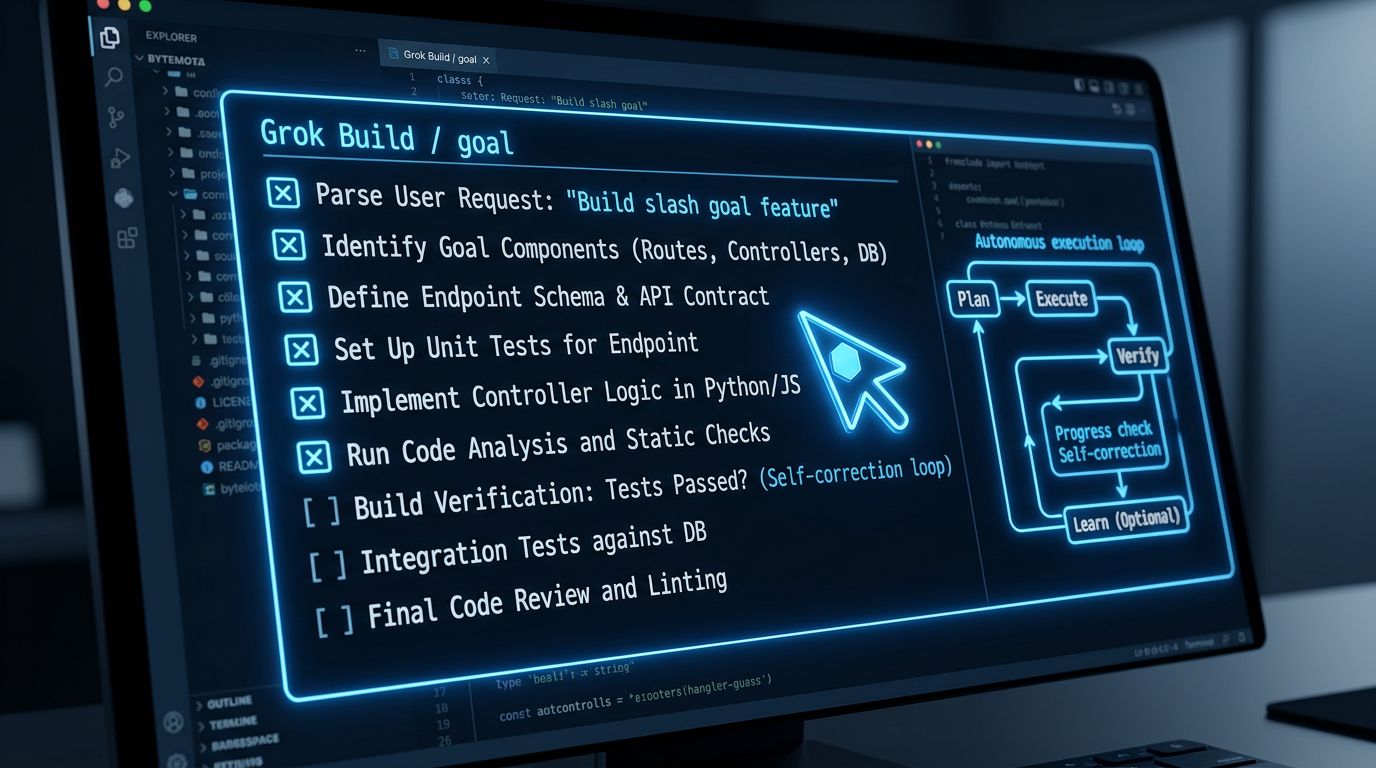
xAI shipped /goal
inside Grok Build on June 22. You type one sentence — “migrate the auth module to the new OAuth 2.1 provider” — and the agent plans a task checklist, executes every item, and verifies the result before it stops. No prompting each step. No mid-run approvals. No babysitting. That’s the core pitch: a terminal coding agent mode built to run until the job is provably done.
This is a meaningful shift from how Grok Build has worked since its May launch. Standard Grok Build is an agentic CLI — you prompt it, it responds, you review, you continue. /goal
removes the review loop entirely. The agent drives, and you check in only if you want to.
What /goal Actually Does #
Triggering the mode is a single command inside the Grok Build TUI:
grok-build

/goal Migrate the auth module from JWT v1 to the new OAuth 2.1 provider
From there, the agent generates a structured task graph — a checklist of sub-tasks with dependencies mapped — and starts executing. Items run in sequence (or in parallel on independent branches, if you’re on SuperGrok Heavy). You don’t need to be watching. You can add instructions mid-run without interrupting it, or just leave it alone.
When /goal finishes each task, it doesn’t just move on. It verifies in one of three ways: reviewing its own code changes, inspecting a webpage to confirm behavior, or executing validation scripts. xAI calls this “three-form verification” — the agent only closes a checklist item when the output checks out.
Control is minimal but deliberate:
/goal status
— open the live progress panel/goal
— halt execution without losing state/goal resume
— continue from where it stopped/goal clear
— abandon the goal entirely
The Two-Model Pipeline Behind It #
/goal
runs on a dual-model architecture. Composer 2.5 handles planning and complex instruction-following. Grok Build 0.1 handles code generation and execution. xAI’s stated reasoning: separating planning intelligence from execution speed brings higher intelligence to each stage.
That’s a reasonable architectural choice — agent research consistently shows that planning and execution benefit from specialized models. There’s one honest caveat: independent verification only works if the two models were trained differently enough to catch each other’s blind spots. xAI hasn’t published training separation details for this pipeline, so treat the claimed “verification” as informed self-review until more data emerges.
How It Compares to Claude Code and Codex CLI #
Three serious contenders now live in the same shell prompt. Here’s where /goal fits:
Claude Code is deliberate. It shows its plan before touching a file, gets approval, then executes. Strong on complex multi-file reasoning where component relationships matter. Not fire-and-forget — that’s by design.
Codex CLI leads on raw benchmarks. GPT-5.5 scores 88.7% on SWE-bench Verified, the highest of the three. Background task support exists, but there’s no equivalent to /goal’s status//resume loop or built-in three-form verification.
Grok Build /goal is the only one with a named, purpose-built autonomous execution mode. You define the goal, the agent verifies its own output, and you get a completed deliverable — or a clear explanation of what it couldn’t finish.
One thing to flag honestly: xAI hasn’t published a SWE-bench Verified score for the production grok-build-0.1
model. The older Grok coder scored 70.8%. xAI’s argument is that the right metric for /goal isn’t single-pass benchmark performance but whether the final deliverable works after autonomous verification — a reframe that’s defensible, but also convenient when you’re behind on benchmarks.
The Pricing Math #
Access to /goal requires a paid xAI subscription:
SuperGrok ($30/mo)— full /goal access** X Premium Plus ($40/mo)— full /goal access SuperGrok Heavy ($300/mo, $99 intro for 6 months)**— /goal plus full parallel multi-agent architecture
There’s a cost trap worth knowing before you run a long /goal on a large migration: tool calls — web searches, code execution, x_search — are billed separately at approximately $5 per 1,000 calls on top of the subscription. A multi-hour autonomous run on a large codebase can add up quickly. Watch the status panel to estimate usage before leaving it unattended overnight.
How to Get Started #
Install takes one command:
npm install -g @xai/build
macOS and Linux are fully supported. A PowerShell installer for Windows dropped on May 25, 2026. First launch opens a browser for authentication — your SuperGrok or X Premium Plus account. In headless environments (CI, remote hosts, containers), authenticate with an API key. Navigate to your project directory, run grok-build
, and type /goal <your task>
.
You can also switch to Composer 2.5 for the planning phase explicitly via the /models
menu if you want to verify which model is handling which stage.
When to Use /goal (and When to Skip It) #
/goal
is strongest for isolated, well-scoped tasks where the verification surface is clear: migrate a module, bump dependencies and fix breakages, hit a coverage threshold on a specific package. For those cases, autonomous execution with built-in verification is genuinely useful — you can hand it off and do other work.
It’s not the right tool for complex, cross-cutting changes that require deep reasoning about how components interact across a large codebase. Claude Code still wins there. And if raw accuracy on benchmarks matters most, Codex CLI is still the leader.
/goal
adds a third mode to the terminal coding agent menu: not step-by-step, not background-task-with-polling, but autonomous execution with built-in verification and real task-management controls. For the right class of tasks, that’s a better fit than anything available before June 22.