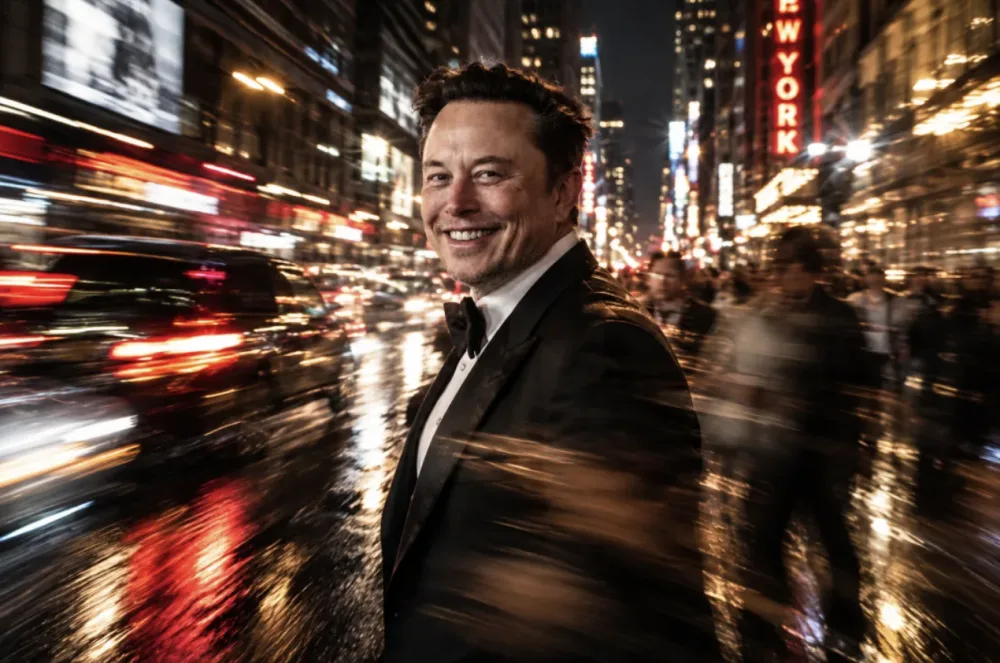
OpenAI just dropped GPT Images 2.5, and the biggest win is that it stops hallucinating new faces every time you ask for a wardrobe change. It's now available for ChatGPT, Work, and Codex users across web and mobile. The main shift here is from "generate and pray" to actual iterative editing, including a new Sketch feature for layout control and a progress percentage indicator so you aren't staring at a blank screen wondering if it crashed.
Why the editing feels different this time #
In version 2.0, if you asked to change a background, the AI often tweaked the subject's facial features or lighting, effectively giving you a different person. 2.5 seems to have a much tighter grip on "identity preservation." I tested this by attempting a high-def creative shot using a reference person; it managed to swap the environment and clothing while keeping the facial structure consistent.
I even tried a "behind the scenes" selfie style with Elon Musk and The Godfather—a task that usually results in warped proportions or melted faces—and the 1:1 aspect ratio held up surprisingly well. It’s not perfect, but the stability of the subject across multiple prompts is a massive jump.
Testing complex logic and art styles #
I pushed the model with some recursive prompts to see if it actually understands spatial nesting. I asked for an orange cat sitting in an office chair holding an iPad, which shows the same cat holding the same iPad in a loop. It actually nailed the visual recursion, which is a high bar for most diffusion models.
On the artistic side, it's moving away from just "stacking symbols." I tried a few styles:
- Black Myth: Wukong style: Looked like actual concept art rather than just a generic "Chinese fantasy" filter.
- Traditional Lianhuanhua: It captured the specific ink-wash lines and aged paper texture of classic Chinese comics, which is a nuanced detail it usually misses.
The Sketch tool and new workflow features #
The Sketch feature is the real MVP for anyone who can't describe spatial layouts in words. You can doodle a rough layout of a room or a clothing outline, and the AI uses that as a structural map. I drew a crude sketch of a notebook and pen, and it mapped the generated image perfectly to my scribbles. This also works for GIF creation, which opens up a lot of quick animation possibilities.
Other usable additions include:
- Templates: Pre-set starting points for posters or product shots so you don't have to write a 50-word prompt from scratch.
- In-image comments: You can now point to a specific area of a photo and tell the AI exactly what to change there.
API options and the "noise" problem #
For devs, there are now two distinct paths:
- GPT Image 2.5 Flare: The default. OpenAI claims a 50% reduction in latency compared to version 2, aimed at e-commerce and social content.
- GPT Image 2.5 Sunburst: High-end control for ad agencies and professional product design.
It's not all sunshine, though. The noise levels in some renders are still pretty bad—almost a disaster in certain high-contrast areas. Even in the official OpenAI demos, you can spot some weird artifacts if you look closely.
Overall, it feels less like a toy and more like a tool. Being able to iterate on one image instead of regenerating a hundred variations is the only way this becomes viable for actual design work.
[Next Telegram Search Bots are Getting Better →](https://promptcube3.com/en/news/9089/)

[these AI tool field notes](https://tanyan888.com/), with plenty of directly applicable cases.
All Replies (4) #
Doubtful it's actually free. I bet the API latency for these edits is going to be insane on the 4o-mini model.
Curious if that's even how it's routed. I'm seeing 400ms spikes on the playground, but maybe it's just my region?
So relieved. My last project was a nightmare because the face kept shifting. Does this actually work for DALL-E 3?
Finally! I'm so tired of fightnig with the seed values. Does this actually work for the 1024x1024 aspect ratio?