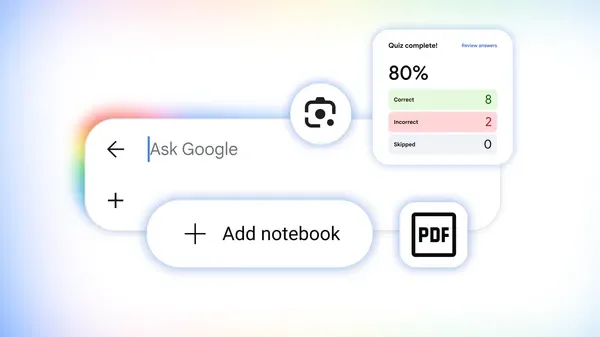
1. Practice problems appear inline now #
Search quadratic formula practice problems
or AP biology mitosis quiz
and you'll get interactive widgets — not links to Quizlet, not PDFs — actual multiple-choice and free-response questions with instant grading. Works for math, chemistry, physics, CS fundamentals. The explanations expand inline when you get one wrong. No account, no redirect, no paywall.
2. Step-by-step math solver that shows the reasoning #
Type `integrate x^2 sin(x)`

or `solve 3x^2 + 7x - 6 = 0`
and you get a "Show steps" button that breaks down substitution, integration by parts, quadratic formula — whichever method applies. It's not Wolfram Alpha's terse output; the steps read like a tutor wrote them. Use it to check your work, not replace doing the work.
3. "About this result" panel catches hallucinated sources before you cite them #
Click the three-dot menu next to any result → "About this result." You'll see when the page was first indexed, whether it's cited by other reputable sites, and a Wikipedia snippet if one exists. Saved me from citing a blog post that looked authoritative but was actually an SEO farm rewriting a 2014 paper. Do this reflexively now.
4. Reading-level filter hides the noise #
Tools → Search settings → Reading level → "Basic," "Intermediate," "Advanced." Set it to "Intermediate" when you're learning a new domain; "Advanced" when you're writing a literature review. Filters out both oversimplified explainer content and impenetrable jargon dumps. The slider remembers your preference across sessions.
5. Scholar + regular search unified view #
No more tab-hopping. Search transformer attention mechanism
and the top carousel mixes arXiv papers, blog posts with code, and YouTube lectures. Click "Scholar" chip to restrict, or "Videos" for visual explanations. The "Cited by" count shows directly in the snippet — huge for tracing seminal papers without opening each one.
What I still want: a "save to study set" button that exports marked results to Anki or Notion with one click. Currently you copy-paste URLs like it's 2010. Also the practice-problem coverage is spotty outside STEM — no LSAT logic games, no bar-exam MBE sets.
But for STEM? The friction between "I don't get this" and "here's a worked example + three practice variants" is now measured in seconds. That's the actual level-up.
Next AI agents just rebuilt Second Reality from scratch — no DOSBox →