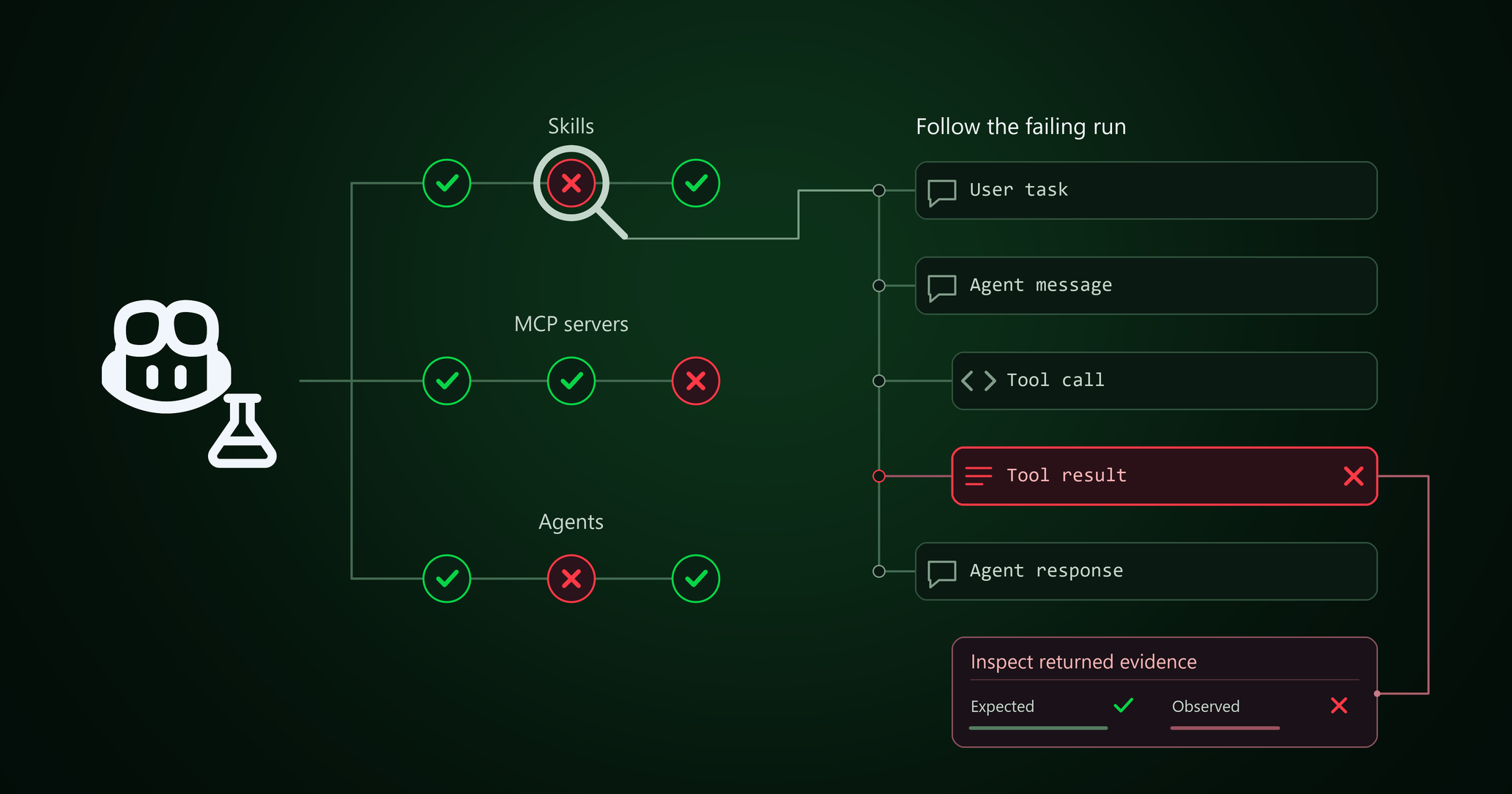
You can now use GitHub Copilot Evals to optimize GitHub Copilot for yourself. As your prompts, models, skills, and tools change, are you still getting the most out of Copilot? Evals helps you answer that question for the skills, agents, and MCP tools in your setup. Create an eval, inspect how they behave, and use the results to decide what to improve.
What’s an eval?
An eval is a repeatable test for AI behavior. You give an agent a realistic task, describe what a good result looks like, and check both the result and how the agent got there.
AI output can change from one run to the next, so one good answer doesn’t tell you whether a customization works well for you. After changing a skill, agent, or MCP in your Copilot setup, rerun the same eval to check the behavior you care about and catch regressions.
What you can do
Ask Copilot in your own words or use the /eval command to:
- Create an eval for a skill, custom agent, or MCP tool in your project.
- Run it and see which checks passed and failed. You approve each run before it starts.
- Find out why a check failed and decide what to change in your Copilot setup.
- Compare runs from before and after a customization change to see whether it helped.
GitHub Copilot Evals uses Vally, an extensible local eval tool, as its evaluation engine.
Get started
Install GitHub Copilot Evals where you already use Copilot:
- Visual Studio Code: Install theGitHub Copilot Evals extension from the Visual Studio Marketplace.
- Copilot CLI: Install the GitHub Copilot Evals plugin by following theinstallation instructions .
- GitHub Copilot app: OpenCustomize , add the
github/evalsmarketplace, and install the GitHub Copilot Evals plugin.
GitHub Copilot Evals is in public preview for Copilot Individual, Copilot Business, and Copilot Enterprise plans.
To learn more, see the GitHub Copilot Evals documentation. Share feedback by opening an issue or joining the discussion in GitHub Community.