We're building backends
When a coding agent ships an app today, it deploys the Neon backend - Lakebase Postgres (our database) plus Object Storage, Functions, Managed Better Auth, and AI Gateway. Every primitive branches with your data.
Neon now includes AI Gateway, our primitive for calling LLMs. You get frontier and open-weight models hosted by Databricks, billed through Neon at the labs' own prices (no markup).
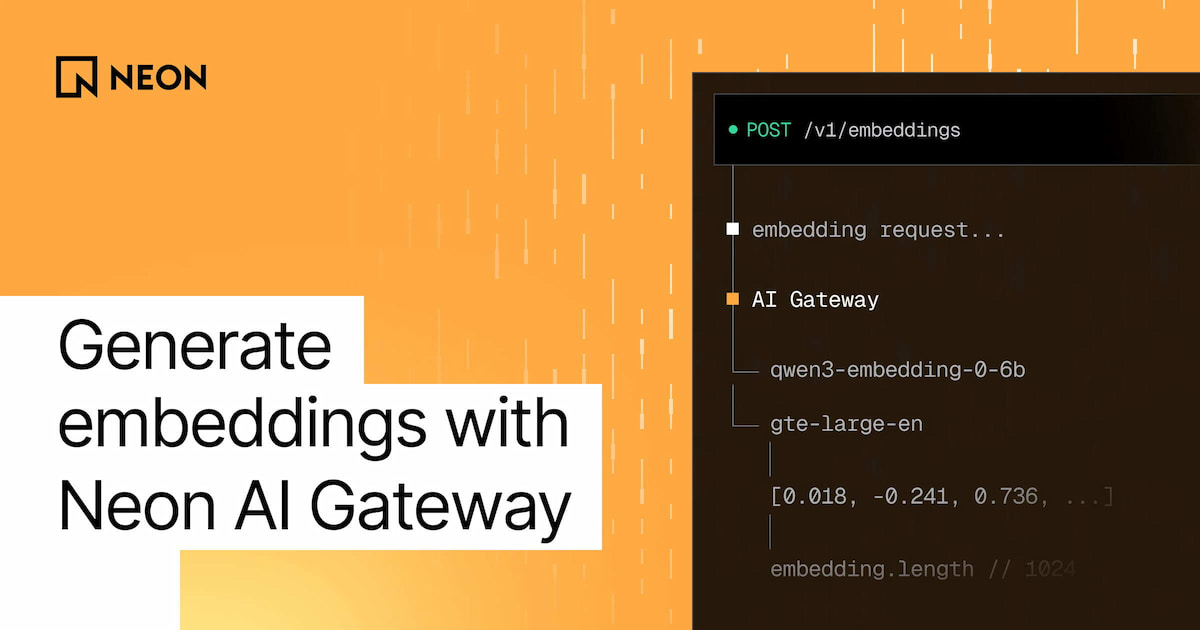
The latest addition to AI Gateway: it now serves embedding models on the same OpenAI-compatible endpoint and with the same credential you already use for chat. Point your SDK at /v1/embeddings, write the vectors into Lakebase Postgres, and query them with Lakebase Search. The whole retrieval pipeline, from the uploaded file to the generated answer, runs inside one Neon branch.
Ask your agent to set it up:
Or set it up yourself with the OpenAI SDK:
Quick intro on the primitives #
The pipeline above involves three pieces of the Neon backend: Lakebase Postgres (our database), AI Gateway, and Lakebase Search. In case you're new here, here's a quick primer on each.
Lakebase Postgres
Lakebase Postgres is the Neon database, the center of the Neon backend:
- It's 100% Postgres, but serverless: instant to provision, with autoscaling, and scale to zero, with usage-based pricing and agenerous free plan
- It's built on the lakebase architecture : compute is separated from versioned, copy-on-write storage
- Lakebase Postgres also branches: a branch is an isolated copy of your database that's ready in seconds and doesn't duplicate storage - teams use it to automate all kinds of workflows that would otherwise involve a "dev instance". The rest of the Neon backend primitives also branch, following the database
AI Gateway
AI Gateway lets you call models from Neon instead of collecting lab accounts:
- A Neon credential with the
ai_gateway:invokescope reaches the wholemodel catalog . Switching models means changing a string - Models are served on Databricks Foundation Model APIs , and we pass through each lab's published per-token price
- Chat completions and embeddings sit on an OpenAI-compatible
/v1path, so the OpenAI SDK works once you change the base URL and key - Every branch gets its own gateway host, and
neon env pullwritesNEON_AI_GATEWAY_TOKENandNEON_AI_GATEWAY_BASE_URLfor the branch you're on. Inside aNeon Function , both are injected for you
Lakebase Search
Lakebase Search is vector, keyword, and hybrid search inside Lakebase Postgres, delivered as two extensions:
lakebase_vectoradds thelakebase_annindex for vector similarity search. It uses the samevectortypes, distance operators, and query syntax aspgvector, so there's nothing to migrate, and a single index scales past 1 billion vectors.lakebase_textadds thelakebase_bm25index for keyword search, with real BM25 ranking and top-K pushdown on standardtsvectorcolumns.
Both indexes live in the same Postgres as your app data, so one query can combine them, join your tables, and filter by tenant. Lakebase Search is also built for scale to zero: indexes live in storage, so they're ready after a cold start and available on every branch with no rebuild.
Leading on price-performance
We recently ran VectorDBBench on LAION-100M, and Lakebase Search led the tested systems on price-performance. See the results in Lakebase Search: the retrieval primitive for agents on Neon.
What's new: embeddings on AI Gateway #
AI Gateway now exposes POST /v1/embeddings. It accepts a single string or a batch of up to 150 strings in one request, and returns vectors in the standard OpenAI response shape. Two models are available at launch:
| Model | Dimensions | Normalized | Price (as of Oct 2026) |
|---|---|---|---|
| `qwen3-embedding-0-6b` | 1024 (configurable) | Yes | $0.02 per 1M input tokens |
| gte-large-en | 1024 | No, use cosine distance | $0.13 per 1M input tokens |
Availability
AI Gateway is available on the Launch and Scale plans, paid with prepaid credits. If you'd like to try it for free, tell us on Discord: we have credits to give.
Choosing a model
If you're unsure what to choose, start with qwen3-embedding-0-6b, since it's the cheapest option. Use gte-large-en if you already have vectors produced by it and need new embeddings to match.
The Embeddings guide covers the request and response fields, Python and curl examples, the dimensions parameter, and how to use the embedding models with the Vercel AI SDK through @neon/ai-sdk-provider.
Build a complete retrieval pipeline on a Neon branch #
Having embeddings in AI Gateway is useful on its own, but it gets more interesting when you zoom out and look at the whole pipeline they're part of.
If you think about the features teams are constantly shipping these days (a support bot that answers from your docs, search across the files your users upload, an agent with memory), under the hood, they all have a similar shape. Content comes in → gets turned into vectors → gets stored → gets searched when a question arrives → the best matches go to a model that writes the answer. Now that AI Gateway serves embeddings, every step is backed by a Neon primitive:
- Ingest → Object Storage + Functions: e.g. a user uploads a file toObject Storage , and aFunction Trigger invokes aNeon Function to process it
- Embed → AI Gateway: the Function splits the file into chunks and turns each one into a vector with AI Gateway's
/v1/embeddingsendpoint - Store → Lakebase Postgres: the chunks and their vectors go into Lakebase Postgres, next to the rest of your app data, so they can be joined and filtered like any other rows
- Retrieve → Lakebase Search: when a question arrives, Lakebase Search finds the most relevant chunks with vector, keyword, or hybrid search
- Generate → AI Gateway: the matches go to a chat model through the same gateway and credential, and the model writes the answer
To build something like this, hand a prompt like this to your agent:
Branching is the connective tissue of this experience
Create a Neon branch and the whole pipeline follows: it reflects production exactly, it's ready immediately, and it stays lightweight, because none of your rows or files are duplicated.
For a retrieval pipeline, this makes it safe and easy to switch embedding models or vector sizes. On a branch, you can re-embed, run your evals against real production data, and keep the change only if it wins. The same loop works for all kinds of experiments: a new chunking strategy, a different hybrid-search weighting, or a different chat model.
Try it #
Generate, store, and search embeddings in one Neon backend. If you're building with a coding agent, start by setting it up with Neon: one command installs the Neon CLI, agent skills, and MCP server.
It's also good to point your agent to these docs:
- [Embeddings on AI Gateway](https://neon.com/docs/ai-gateway/embeddings) - for the endpoint, models, and request options
- [Lakebase Search quickstart](https://neon.com/docs/ai/lakebase-search-get-started) - for vector, keyword, and hybrid search
- [Trigger a function on object upload](https://neon.com/docs/compute/functions/triggers/object-storage) - to automate the ingest step
- [Tour the Neon backend](https://neon.com/docs/get-started/backend-overview) - for how the primitives fit together in one`neon.ts`
Every docs page is also available as markdown (add .md to the URL), and llms.txt indexes all of them, so your agent can read the exact reference.