This started as a NAS for family photos and movies. I wanted something compact that could run 24/7, provide enough storage for my media collection, and handle a few additional services.
I eventually decided to use FygoOS as the NAS operating system , and later added an RTX A3000 for local AI workloads. What started as a simple NAS gradually turned into a compact all-in-one home server.
- CPU: AMD Ryzen 7 5825U
- Motherboard: Custom ITX motherboard with 8 SATA ports
- RAM: 64GB DDR4
- GPU: NVIDIA RTX A3000 Laptop GPU, 12GB
- **Chassis:** UE-S6 6-bay chassis
- **System drive:** 64GB
- Application storage: 1.92TB Samsung PM863 SSD
- **Photo storage:** 4TB HDD
- **Media storage:** 16TB WD HC550 HDD
- **Networking:** Dual 2.5GbE
- **PSU:** 250W Flex ATX
- **Backup power:** UPS
The NAS runs FygoOS , which serves as the central platform for my storage and self-hosted services.
Most of my additional applications are deployed through Docker containers managed within the FygoOS environment. I currently have around 19 containers running, although I only use a smaller selection regularly.
Some of the main services include:
- Plex: Media library and streaming.
- qBittorrent: Download management.
- ComfyUI: Local AI image and video workflows.
- **Steam Headless:** Game streaming.
- **Self-hosted music service:** Personal music library.
- Homebox: Inventory and equipment management.
I like having these services running alongside my NAS instead of maintaining several separate machines. FygoOS provides the storage and application environment for this setup, keeping most of my everyday home server tasks in one place.
The local AI setup was not part of my original plan.
I added the RTX A3000 because I wanted to run ComfyUI locally without building another dedicated machine. With 12GB of VRAM, it gives me enough room to experiment with local image and video workflows.
Having the GPU, storage and other services in the same system is convenient. I can keep my media, files and applications together while using the same machine for local AI workloads.
It is not intended to be a dedicated AI server, but it has become a useful addition to my FygoOS-based home server.
I intentionally kept the storage layout simple. I’m not using RAID at the moment, and each drive has a specific role:
- 64GB system drive: System installation.
- 1.92TB Samsung SSD: Docker containers and application data.
- **4TB HDD:** Family photos.
- **16TB WD HC550:** Media library.

For backups, the photo drive is backed up to cloud storage daily, and I also keep snapshots of the system drive.
This setup is not particularly sophisticated, but it is straightforward to understand and maintain. I prefer having clear storage roles rather than introducing unnecessary complexity at this stage.
One of the things I wanted from this build was reasonable power consumption despite having a discrete GPU.
Current measurements are approximately:
- **Idle:** 40W
- **Full load:** Around 100W
-
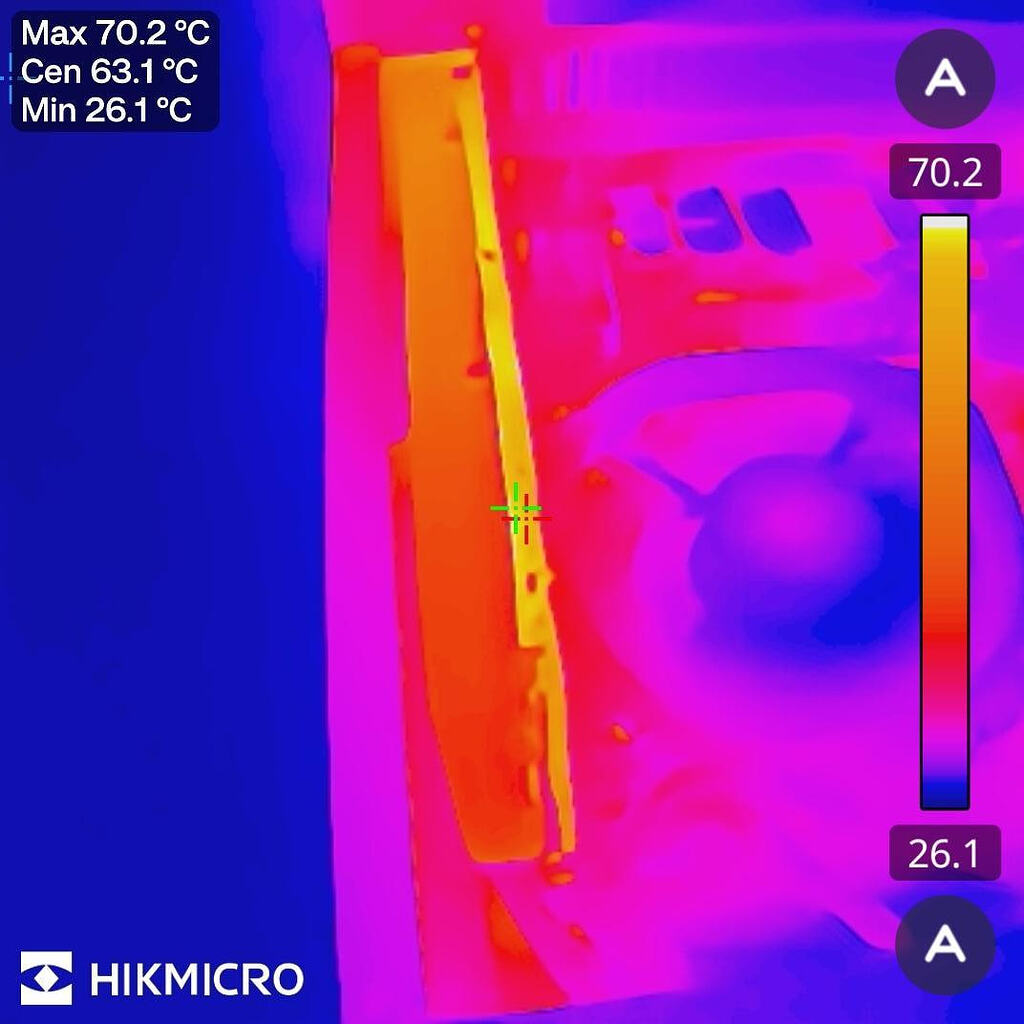
CPU temperature under sustained GPU workloads: Mid-40°C
-
GPU temperature: Around 80°C Since the RTX A3000 is installed in a relatively compact chassis, airflow was one of my main considerations during the build.
The system has been running continuously for more than a month now, and so far it has been handling its workload well.
What started as a simple family NAS has gradually become a compact home server.
With FygoOS handling NAS storage and Docker-based services , I can run media streaming, downloads, local AI workflows, game streaming and other personal applications on a single machine.
I like the flexibility of this setup. Instead of buying separate machines for every workload, I can make better use of the hardware I already have.
For those running a discrete GPU in a small home server or NAS chassis, how do you manage airflow during longer workloads? Also, if you had six drive bays but didn’t need RAID yet, would you keep separate drive roles with off-site backups, or move to a pooled storage setup?
I’d be interested to hear how others are building and managing their FygoOS-based home servers!