Summarize Content With:
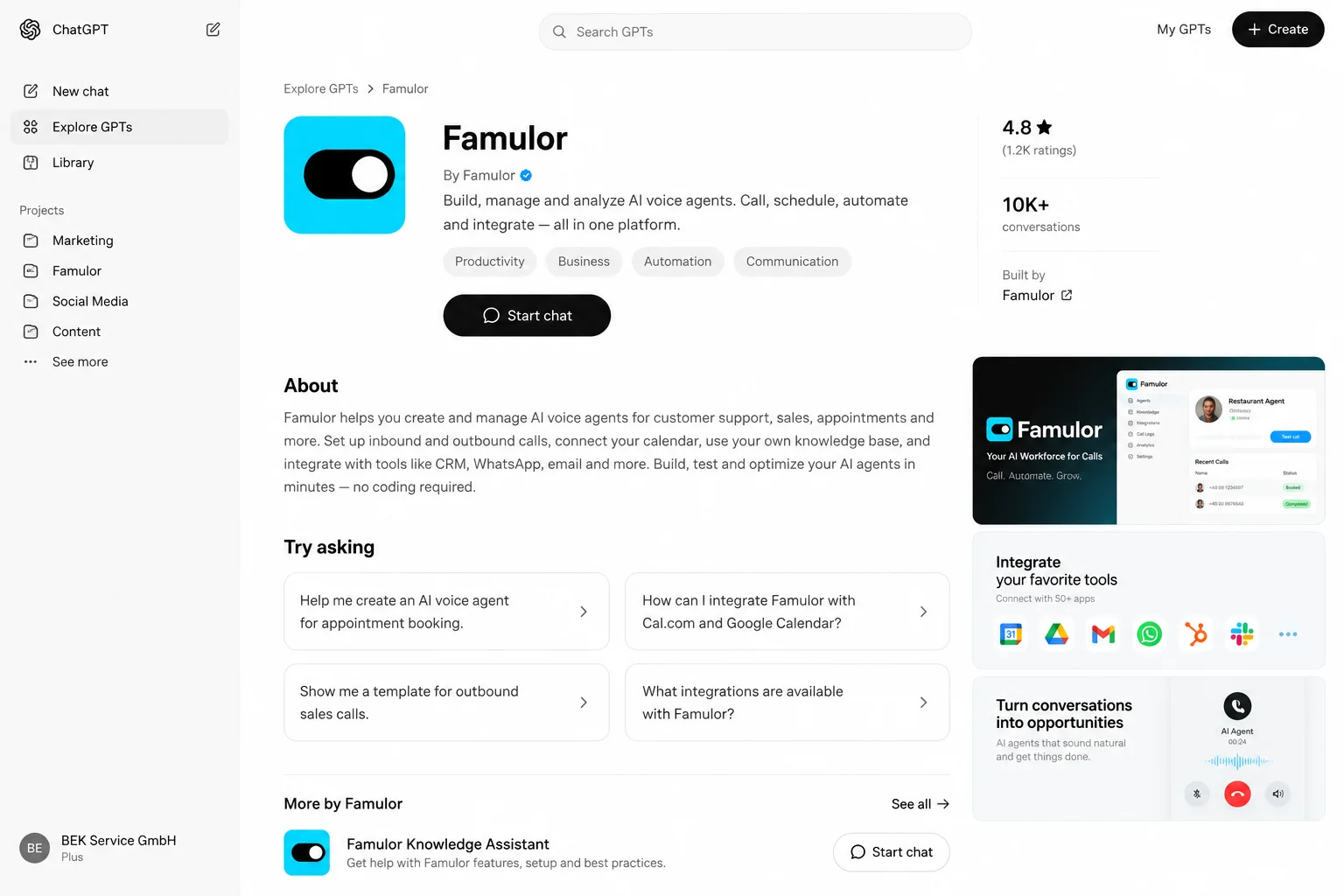
Famulor is now available as an official plugin on the OpenAI Marketplace for ChatGPT and Codex. Voice AI teams can review information about their Famulor assistants and previous conversations directly in a chat, summarize what happened, and turn observations into a structured improvement brief.
The marketplace listing is deliberately not an unrestricted administration connection. The official plugin uses a read-only profile. It can retrieve assistant information and conversation history, but it cannot change assistants, place calls, or launch campaigns. Broader actions require a separate custom MCP app with separately approved permissions.
Key points
- The official Famulor plugin is listed for ChatGPT and Codex.- The standard connection can read assistant information, configurations, saved versions, and available conversation history or transcripts.
- It cannot change workspace configurations, trigger calls, or launch campaigns.
- After installation, select Famulor from the app picker or mention
@Famulorwhere the product surface supports it.- For write actions, use a separate custom MCP app with narrowly selected scopes and its own approval process.
What the marketplace listing changes #
Connecting an AI client previously often meant entering a remote MCP endpoint manually. The public plugin listing shortens the onboarding path: open the product page, install the plugin, connect a Famulor account, and begin with a read-only analysis request.
OpenAI's current plugin documentation describes the flow as selecting a plugin in the directory, reviewing included apps and requirements, choosing Install plugin, and then selecting Connect when account authorization is required. The exact controls can vary by ChatGPT surface, account, and workspace policy.
The listing does not replace Famulor's own interface. It adds an analysis layer for teams already working in ChatGPT or Codex and reduces the need to copy workspace information manually.
Official plugin or custom MCP app? #
The two paths look related but serve different jobs:
| Connection | Main purpose | Permission model | Typical use |
|---|---|---|---|
| Official Famulor plugin | Fast marketplace onboarding | Fixed read-only profile | Review assistants, summarize conversations, prepare improvements |
| Custom MCP app | Broader, explicitly configured workflows | Selected read and potentially write scopes | Change assistants, launch campaigns, or perform other workspace actions |
According to the Famulor MCP documentation, the official plugin does not require you to create an MCP app or enable Developer mode. A custom MCP app is a separate connection. It uses the endpoint shown under Settings → API & MCP and requests its permissions independently.
This separation matters for governance and troubleshooting. A successful analysis does not mean that the plugin can—or should—implement the recommended change.
What the official Famulor plugin can read #
Famulor uses its documented Public Directory Profile for the marketplace listing. The profile is limited to assistant information and conversation history.
That access can support tasks such as:
- reviewing the visible configuration of a support or sales assistant;
- comparing saved versions with the active configuration;
- summarizing available conversation history and transcripts;
- grouping recurring questions, abandoned conversations, or unclear replies;
- converting observed patterns into a manual review and regression-test plan.
The data that appears depends on the connected Famulor account, its role, and the conversation data available in the workspace. The plugin cannot reconstruct a missing transcript or historical measurement.
What the plugin cannot do #
Famulor's current tools and scopes documentation says the public profile excludes areas including:
- creating, editing, or deleting assistants;
- placing outbound calls;
- starting or managing campaigns;
- sending messages;
- managing phone numbers;
- changing billing or integrations;
- discovering or enabling additional tool groups.
This is a product boundary, not an obstacle to work around. If a team needs write capabilities, it should configure a separate custom connector with the narrowest necessary permissions and test and approve that workflow independently.
Install Famulor from the OpenAI Marketplace #
The documented standard path has three steps:
- Open the Famulor plugin page and review the description and included app.
- Choose Install plugin if the control is shown, followed byConnect .
- Sign in to Famulor and approve the requested access.
Then start a new chat. Select Famulor from the app picker for the relevant message or mention @Famulor when that capability is available on your surface. OpenAI notes that plugin functionality depends on the ChatGPT or Codex surface, account, and workspace permissions.
You can reach the same starting point inside Famulor through Connect in the sidebar or Use with ChatGPT & Claude on the dashboard. The workspace plan must include Connect AI / MCP.
A useful first prompt #
The best first request is read-only, specific, and verifiable:
Review my support assistant and summarize the last ten available conversations. Separate observations supported by configuration or transcript evidence from your suggestions. State uncertainty and do not make any changes.
This prompt matches the permission profile and produces an output a person can verify in Famulor. A vague instruction such as “fully optimize my assistant” mixes analysis, decision-making, and implementation.
Other suitable requests include:
- “Which three customer needs appear most often in the available conversations, and how does the assistant respond?”
- “Which conversations deserve manual listening because the transcript and outcome do not clearly align?”
- “Compare the visible assistant versions and prepare a change summary without saving anything.”
- “Create a regression test from recent conversations with example utterances and expected behavior.”
These suggestions are inputs to a review, not automatically validated product changes.
Practical workflow: conversation QA after an outbound campaign #
A sales team has completed an approved outbound campaign with a Famulor assistant. Instead of editing the prompt immediately, the team first wants to understand which patterns are visible in the available conversations.
A controlled workflow looks like this:
- An authorized user connects the official Famulor plugin to their account.
- They ask ChatGPT to group the available conversations by objection, outcome, and observable uncertainty.
- The output includes supporting conversation segments without inventing performance figures.
- The team checks relevant transcripts and—where permitted and available—recordings directly in Famulor.
- ChatGPT prepares a proposed change and test list but does not implement it.
- An accountable team member applies an approved update in Famulor and tests it before the next campaign.
This is an illustrative process, not a measured customer result. The marketplace connector supports analysis; business judgment, telephony review, and approval remain with the team.
ChatGPT and Codex: two surfaces, two roles #
Famulor documents the plugin for both ChatGPT and Codex. The read-only workspace profile is the same, but the surrounding job differs:
| Surface | Suitable use | Example output |
|---|---|---|
| ChatGPT | Conversation analysis, summaries, QA briefing | prioritized observations and review plan |
| Codex | Analysis in a development or integration context | test cases, technical checklist, or documentation draft |
Using the plugin in Codex does not automatically grant shell access to Famulor or write permissions in the workspace. The plugin supplies read-only context; code or configuration changes remain a separate work and approval step. OpenAI also notes that plugin directory changes can take time to refresh in Codex. If the listing is missing, teams should check account, plan, and workspace rules before creating a broader connection.
When a custom MCP app makes sense #
A custom MCP app becomes relevant only when the intended workflow goes beyond analysis. Examples include changing assistants, campaign actions, or other write operations in the workspace.
OpenAI documents custom MCP apps through Developer mode. Availability, roles, and interfaces depend on the ChatGPT plan. Administrators can restrict use in managed workspaces. Setup scans the endpoint, authentication method, and available tools. OAuth is a separate authorization step and does not replace Famulor's permission selection.
Use this decision guide:
- Analyze and summarize only: official Famulor plugin.
- Change assistants: custom MCP app with assistant write access and an explicit approval path.
- Trigger calls or campaigns: separate permissions, target checks, telephony rules, and result verification.
- Persistent technical automation: evaluate the REST API or a dedicated server-to-server connection.
Do not choose a custom app simply because it exposes more tools. Additional permissions make sense only when a defined process requires them.
For the next stage, three existing guides add useful depth: the overview of Famulor MCP with ChatGPT and Claude, the governance model for MCP and mid-call actions, and the technical introduction to action-capable Famulor MCP workflows. Those articles cover broader operations and automation, while this post stays focused on the official Marketplace plugin and its read-only profile.
Privacy, permissions, and telephony #
OpenAI states that a plugin cannot access content beyond the permissions granted to the relevant provider account or administrator-managed source. Conversation history can still contain names, phone numbers, requests, and other personal or confidential information.
Before rollout, define:
- which Famulor roles may access conversation history and transcripts;
- which ChatGPT or Codex accounts are approved for the workflow;
- which time ranges and fields are necessary for the analysis;
- where summaries are stored, shared, retained, and deleted;
- how sensitive details are reduced before results are shared;
- who may approve custom apps and extra write permissions.
The marketplace listing and read-only profile are not blanket compliance guarantees. Recording, consent, retention, and telephony requirements still depend on the specific use case.
Controlled-start checklist #
| Check | Expected result |
|---|---|
| Plugin page opened | Title and provider match the official Famulor listing |
| Installation available | Account and workspace allow the plugin |
| Connect completed | Correct Famulor workspace and intended account are connected |
| First prompt | Read-only request with time range and output format |
| Result review | Claims can be checked against Famulor |
| Missing data | Uncertainty is stated rather than replaced with assumptions |
| Change proposal | Remains a draft until separately tested and approved |
| Access review | Unneeded connections are revoked |
Start with a small, familiar sample. Expand the analysis only after the output is traceable and useful.
Frequently asked questions #
Is Famulor available on the OpenAI Marketplace?
Yes. Famulor links to an official plugin page for ChatGPT and Codex. Visible installation controls can depend on the account, surface, and workspace policy.
Can the plugin change my assistants?
No. The official plugin uses the read-only Public Directory Profile. Changes require a separately configured custom MCP app with appropriate write access.
Do I need Developer mode?
Not for the official Famulor plugin. Developer mode is relevant to the separate custom MCP app path and can be subject to plan and administrator requirements.
How do I invoke Famulor in ChatGPT?
After installation and connection, select Famulor from the app picker for the relevant message or mention @Famulor where the ChatGPT surface supports it.
Does the listing also work in Codex?
Famulor documents the plugin for ChatGPT and Codex. Exact availability depends on the product surface, account, and workspace settings, and Codex directory changes may appear with a delay.
Can it automatically launch an outbound campaign?
Not through the official marketplace plugin. Campaign actions require a separate, appropriately authorized connection plus approval and verification controls.
Conclusion: analyze first, authorize actions separately #
Famulor's OpenAI Marketplace listing simplifies a focused workflow: read workspace context in ChatGPT or Codex, review conversation patterns, and prepare improvements in a structured format. The fixed read-only profile keeps the boundary to production changes visible.
That separation is the central benefit for teams: the official plugin supports analysis; a custom MCP app is a separate automation project with its own scopes, tests, and approvals. ChatGPT can become part of voice AI quality assurance without silently turning a review connection into a write-enabled production interface.
About the author #
Sarah Müller writes about voice AI, safe automation, and product workflows for service, sales, and operations teams.
Writer at Famulor