#
Ekorbia v0.6 & v0.7 — a built-in model engine, and a visual refresh
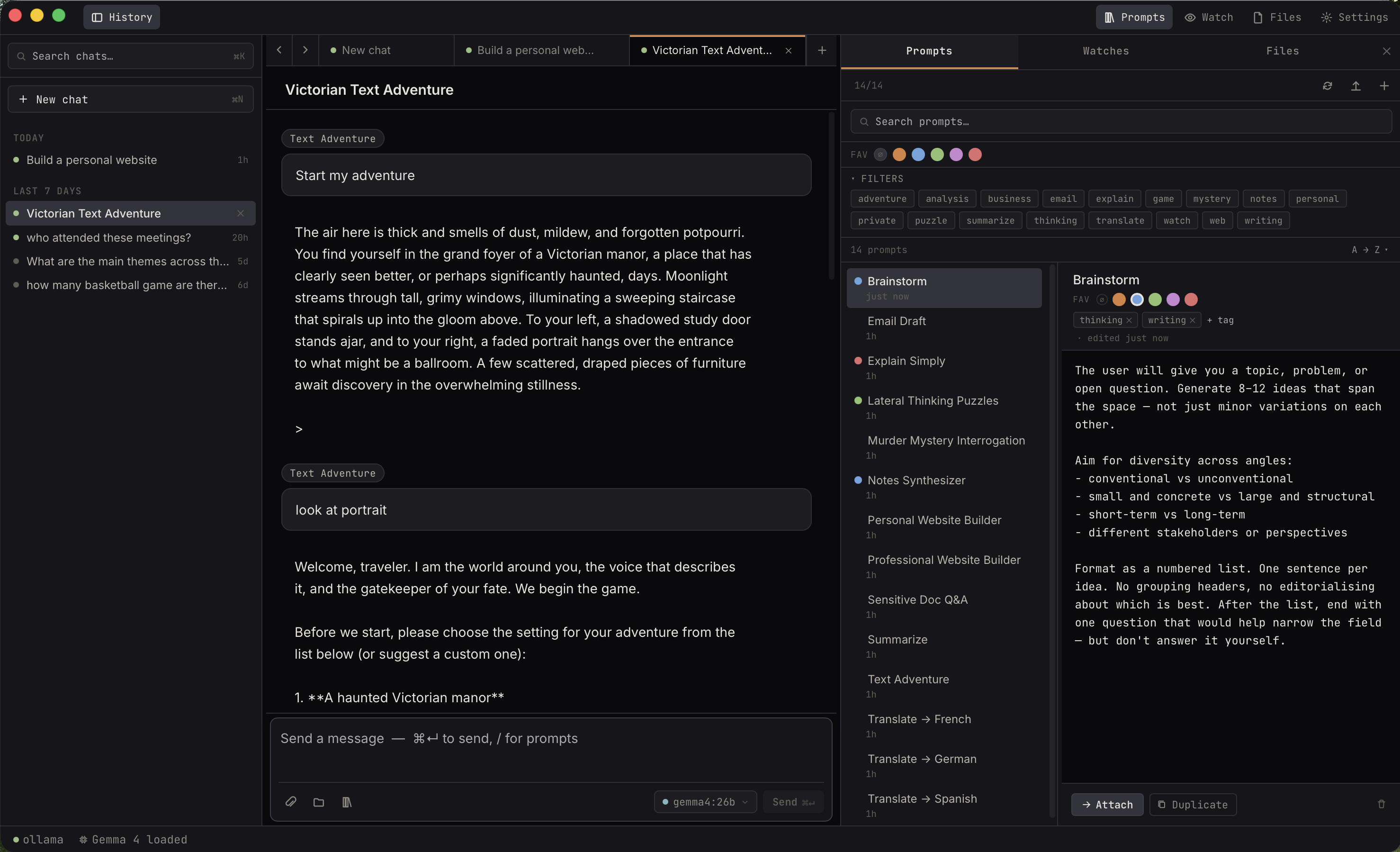
Two more releases have landed since the voice-enabled v0.5. v0.6 is the big structural one: Ekorbia now runs models itself, with an inference engine that ships inside the app — no Ollama and no terminal required. v0.7 builds on that with a warmer, calmer interface and an easy way to pull almost any model straight from Hugging Face.
v0.6 — Ekorbia runs models itself #
Up through v0.5, Ekorbia was a front-end for Ollama — you installed Ollama separately, and Ekorbia talked to it. v0.6 changes the default: a bundled inference engine ships with the app, so a fresh install can chat without installing anything else first.
A bundled engine, on by default
For new installs, the bundled engine is the default.
First launch looks at your Mac's memory, recommends a
model sized to fit, and downloads it with one click —
you're chatting a couple of minutes later. No separate
install, no ollama serve
, no terminal anywhere in the flow.
The engine is a statically-built
llama-server
that runs entirely on your machine, on a loopback address, and is supervised by Ekorbia so it starts and stops cleanly with the app. The bundled engine is macOS-only in this release; Linux and Windows continue to run against Ollama or a custom
endpoint (below).
Already on Ollama? Nothing breaks
If you were already using Ollama, upgrading doesn't rip it out from under you. You get a one-time offer to keep Ollama or switch to the bundled engine, and either way Ollama stays available under Settings → Backend. Your existing models, chats, prompts, and settings carry over.
A built-in model catalog
On the bundled engine, the model manager shows a curated catalog — Google's official quantization-aware
Gemma 4 builds (with vision) and the
`nomic-embed-text`
embedding model that folder search relies on. Downloads happen in-app with a live progress bar, are checksum-verified so a corrupted file never looks installed, and are resumable — cancel keeps what you've already pulled and picks up where it left off.
Bring your own backend
Prefer a different runtime? v0.6 adds support for any
OpenAI-compatible server — LM Studio, llama.cpp's
llama-server
, vLLM, and friends. Point Ekorbia at it under Settings → Backend and it speaks that server's API directly. Between the bundled engine, Ollama, and a custom endpoint, Ollama is now one option among several rather than a requirement.
One nicety under the hood: switching backends re-checks your document embeddings, since a different engine produces different vectors. Ekorbia flags attachments indexed on the previous backend and offers the usual one-click re-index, so folder search stays accurate across a switch.
A visual refresh — and some fixes
v0.6 also refreshes the look. The default One Dark theme moves to a slate palette with brighter accents (the previous look is preserved as a new Warm Dark theme), with polish across the chrome — a glowing model-status pill, tinted capability badges, softer rows, and gentler motion. Alongside that: the message footer now reports the model's real generation time (so a first message that had to load the model no longer shows an inflated number), the app no longer flashes between light and dark at startup, and the macOS Dock icon sits correctly on Apple's icon grid.
v0.7 — a friendlier, calmer app #
With the engine story settled, v0.7 is a pass over how the app feels: less jargon, quieter defaults, and more of the content you actually care about up front.
Less jargon, warmer defaults
Themes now have plain names (Midnight, Warm, Daylight, Slate, Dusk, Sand) plus a Match System appearance that follows macOS. The status bar and model pickers read Local · Private instead of raw engine names. And the per-message token and timing numbers — useful, but noisy by default — now live behind a Show technical details toggle, one click away on any message.
A content-forward sidebar and new-chat screen
Chat-history rows are now roomier cards that show the title, a one-line preview of the latest message, and a relative time — so you can find a conversation at a glance. An empty chat opens with a time-of-day greeting and starter cards that drop one of your saved prompts straight into the composer.
A simpler Settings panel
Settings goes from seven tabs to six. Keyboard shortcuts get their own Hotkeys tab (with a one-click Reset to defaults), and the separate Prompts, Memory, and Attachments tabs merge into a single Files tab. Input fields got clearer too — empty fields read as faint hint text, and settings that have a default show it as a "Defaults to …" helper instead of a real-looking value.
Browse Hugging Face for models
The catalog gained Qwen3.5 (4B and 9B builds), but
the bigger news is that you're no longer limited to the
catalog. Paste a repo id (org/model
) into Add from a link and click Browse: Ekorbia lists the repo's GGUF files with their sizes and quantization, flags a sensible default, pairs a vision projector automatically when one's present, and verifies each download against Hugging Face's published checksums — the same integrity guarantee as the built-in catalog. Adding a model you already have a link to is a single field now, too.
Polish, and a v0.7.1 follow-up
v0.7 tidied a lot of small things: the model catalog leads with the best pick for your Mac and folds the long list behind a filter, the Watches panel groups summaries under each watch, and the "thinking" waiting state got a little more alive. A quick v0.7.1 follow-up fixed a handful of rough edges in comparison chats and the sidebar — side-by-side columns no longer blank out when a reply finishes and now auto-scroll as they answer, list rows update the moment you send or receive a message, and the private-chat button is always available, even inside a Space.
How to get it #
The releases page has the latest bundles for macOS, Windows, and Linux. Existing users upgrade in place — your chats, prompts, and settings carry over, and if you're on Ollama you'll get a one-time choice to keep it or switch to the bundled engine.
The bundled engine is macOS-only for now; on Windows and Linux, Ekorbia runs against Ollama or any OpenAI-compatible endpoint, and everything else in v0.6 and v0.7 works across all three platforms.