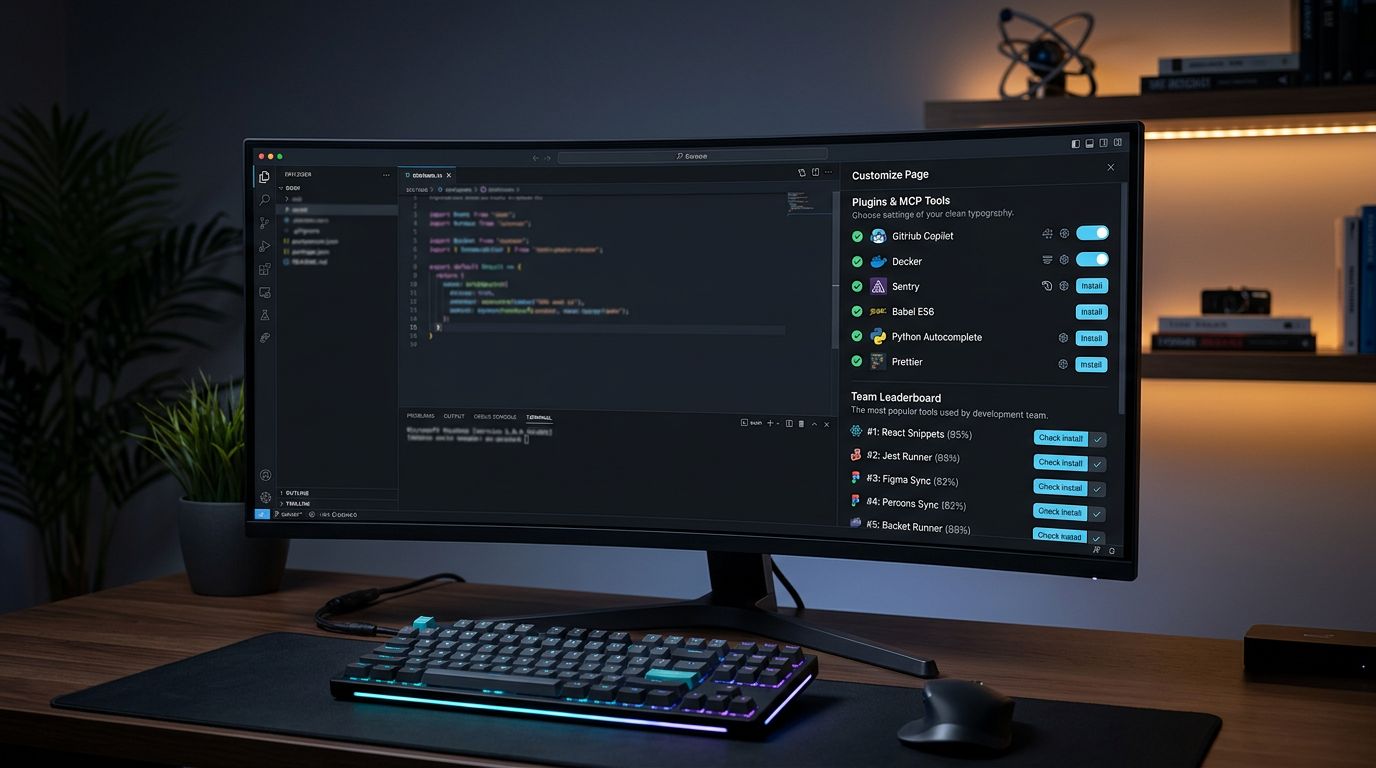
Cursor 3.9 shipped June 22 with one change that matters more than the three releases before it: a Customize page that replaces JSON config files for managing plugins, MCPs, skills, and hooks. For teams using Cursor — and with 7.5 million monthly active developers, that’s most teams — the “what MCP does everyone use?” Slack message is now obsolete. This is landing six days after SpaceX closed its $60B acquisition, and the pace of shipping has not slowed down.
Before 3.9: Config File Hell Was Real #
Managing MCPs in Cursor meant editing ~/.cursor/mcp.json
for your global config and `.cursor/mcp.json`

for project-specific servers. New team members would ask on Slack, receive a JSON snippet, paste it into the right file, and then discover the Windows path resolver had mangled the location. The bug was one of the most-upvoted issues on the Cursor forum. Onboarding took hours when it should have taken minutes.
The root problem was that Cursor’s extension ecosystem had grown fast — plugins, skills, MCPs, subagents, rules, commands, hooks — and there was no single place to manage any of it. The new Customize page fixes that.
The Customize Page: One Tab for Everything #
Settings → Customize is now the control center for everything that extends Cursor’s agent capabilities. You can manage at three levels: user (personal setup), team (shared across the org), or workspace (project-specific). The six categories in one place:
Plugins— First-party and marketplace integrations** Skills**— Agent capabilities and actions** MCPs**— Model Context Protocol servers, including custom ones you build internally** Subagents**— Sub-task delegation configurations** Rules**— Coding conventions and constraints** Commands and Hooks**— Custom slash commands and event hooks
Custom MCP support is included. If your team runs internal API servers or proprietary tooling as MCPs, they go through the same interface rather than requiring a separate JSON workaround.
The Team Leaderboard: The Actually Interesting Part #
The leaderboard shows which plugins, MCPs, and skills your teammates use most, ranked by adoption over the past 30 days. For skills, it also breaks down agent-initiated versus human-initiated usage — useful signal for understanding where automation is actually running in your org versus where people are still triggering it manually.
One-click install from the leaderboard. No asking around, no JSON snippets in Slack.
The practical change is most visible during onboarding. Before 3.9, the flow looked like this: new developer joins, asks Slack what MCPs the team uses, gets a snippet, manually edits the JSON config, hits the Windows path bug, debugs, re-asks, and is functional two hours later. After 3.9: open Customize, see “Linear MCP — used by 8 of 9 team members” at the top of the leaderboard, click Install, done in two minutes.
Plugin Canvases: Jira Inside Your Editor #
Plugins in 3.9 can ship prebuilt canvases — interactive workspace templates that pull live data from partner tools directly into Cursor. Two are available now:
Atlassian Canvas— Real-time view of Jira issues, Confluence documents, and sprint status without leaving the editor** Hex Canvas**— Connect a Hex workspace and query or visualize data from inside Cursor
The Atlassian canvas removes the context switch that breaks flow: checking Jira in a browser tab to confirm a ticket’s acceptance criteria, then switching back to code. It is not architecturally exciting, but it is the kind of friction reduction that adds up across a workday.
Enterprise Teams: GitLab and Azure DevOps Now Supported #
Team marketplaces in 3.9 accept plugin repositories from GitLab, BitBucket, and Azure DevOps, not just GitHub. This was the blocker for most large enterprises adopting the team marketplace feature. Many shops do not use GitHub internally. Before 3.9, they either maintained a GitHub mirror of their internal plugins or bypassed the marketplace entirely and fell back to JSON.
The workflow for internal tooling now: publish your custom MCP or plugin to your GitLab or Azure DevOps repo, add it to the team marketplace from the Customize page, and distribute it using the Required distribution mode. Required means it installs automatically for every team member — no manual action needed.
How to Get There #
Update Cursor to 3.9 and open Settings → Customize. The Customize tab is visible at the top of the settings panel. If you are on a Business or Enterprise plan, your team’s leaderboard will populate once multiple members have connected. The full changelog is on the Cursor Customize release page, and all available plugins are browsable at the Cursor Marketplace.
If you have internal MCPs that still live in mcp.json
, the Customize page does not automatically migrate them — re-add them through the UI or move them into your team marketplace. The TruFoundry MCP setup guide covers what to check when running custom servers.