The Proof · AI tool
- Who it's for
- A clear buy for solo creators and small teams selling real products who will feed it real listings and edit what comes back. Overkill for SaaS and service marketing, and the agent and ad-launch layers need their own budget and their own trust.
- Real cost
- Free tier: 10 credits a month, every frame watermarked. Starter: $39 a month. Pro: $99 a month for 300 credits, watermark-free, plus the ad-operations suite. Video renders cost 3 to 14 credits, four static image ads cost 2, one playable HTML ad costs 10, and one agent-built ad clone consumed 173 credits, more than half the monthly allowance. A done-for-you human tier (Studio) starts at $5,000 a month.
We bought the Pro plan and drove every tool in the box: URL-to-Video on a real Amazon listing, three custom avatars, static image ads, the ad-cloning agent, the playable-ad builder, and the credit meter. Turning a product page into a stack of usable ads is the real product. The custom-avatar side dropped a render without a word, and the ad-launch suite wants your live ad accounts before it does anything.
What's good
- URL-to-Video is the standout: paste an Amazon listing and it scrapes the page, writes a script, and returns a stack of ad variants with product b-roll, an avatar presenter, captions, and music.
- On the Pro plan every frame is clean. The free tier tiles the Creatify logo across the whole picture, so free output is for previewing only.
- The credit meter holds up under checking: every render shows its cost before you commit, charges only when the job finishes, and matches the transaction log line for line.
- Image Ad is the best value in the product: four distinct static ad formats for 2 credits, with accurate product facts and clean text rendering.
- Ad Clone hands off to a chat agent that shows its work: it decomposed a competitor's live ad into scenes, listed exactly what it would change for our product, and built a persona, music, and per-scene shots in the open.
- The editor lets you rewrite the script, swap the avatar, turn captions on or off, and re-render on the newer Aurora model for 3 credits.
- The competitor ad tracker pulled a rival advertiser's full library (over a thousand live ads) and broke down the hooks they run.
- Making a custom avatar from a text description is free and produces a convincing photoreal person.
Where it breaks
- One avatar render silently failed: no error, no project card, no charge. The only tell was a credit meter that never moved. Recoverable, but you have to be watching.
- Image-to-avatar refused our hand-inked portrait with "Not a real human, please check the photo again". It will invent a face from text but will not animate an illustration.
- The URL scraper degrades on non-retail pages: a SaaS landing page came back as a run-on wall of navigation text with the words jammed together, where the Amazon page came back cleanly fielded.
- The ElevenLabs voice mispronounced our brand name until we respelled it phonetically in the script.
- The ad-launch suite (the Claude-powered media buyer, the launcher, the tracker) is gated behind connecting live Meta, TikTok, or AppLovin ad accounts, which we did not do.
How we tested #
We did not watch a demo reel and call it a verdict. We bought the Pro plan, signed in on the Akira Sumi workspace, and drove every tool in the sidebar: URL-to-Video on a real Amazon listing, three custom avatars, a run of branded spots, static image ads, the ad-cloning agent, the playable-ad builder, the model-picker generation studio, the node canvas, and the competitor tracker, watching the credit meter after every job. Pro comes with 300 credits a month. Everything below is what we saw, and what it cost.
One note on the clips in this review. The people in them are not real. Creatify invented them, which is the whole point of the tool, and we are showing them here as specimens of what it produces, not as anyone’s endorsement.
The one feature that earns the plan: URL-to-Video #
Paste a product URL and Creatify does the work that usually takes a creative team a day. We gave it an Amazon listing for a Blue Yeti microphone. It scraped the page, pulled the product details, wrote a script, and came back with a run of ready ad variants: the actual product rendered as b-roll, an avatar presenter dropped into the corner, burned-in captions, and a music bed. From one link.
This is where the tool is genuinely strong. The variants are not all keepers, but several are close enough to run after a light edit, and generating another batch is a few credits. For a solo marketer who needs a dozen angles on a product by lunchtime, this alone can carry the subscription. The one full render we exported ran about 28 seconds on the Aurora model and cost 10 credits.
Where the scraper breaks #
The catch is that URL-to-Video is tuned for retail. The Amazon page came back cleanly fielded: title, price, features, image set. When we pointed it at a SaaS landing page instead, the scrape degraded badly. It returned a single run-on block of the page’s navigation and marketing copy, thousands of characters with the words jammed together and no structure to build a script from. The tool did not warn us; it just produced a weaker starting point.
The lesson: feed it a real product listing with structured data, not a marketing site. On the right input it is impressive. On the wrong input it quietly gives you less to work with.
The custom avatars: it will invent a person, but not animate a drawing #
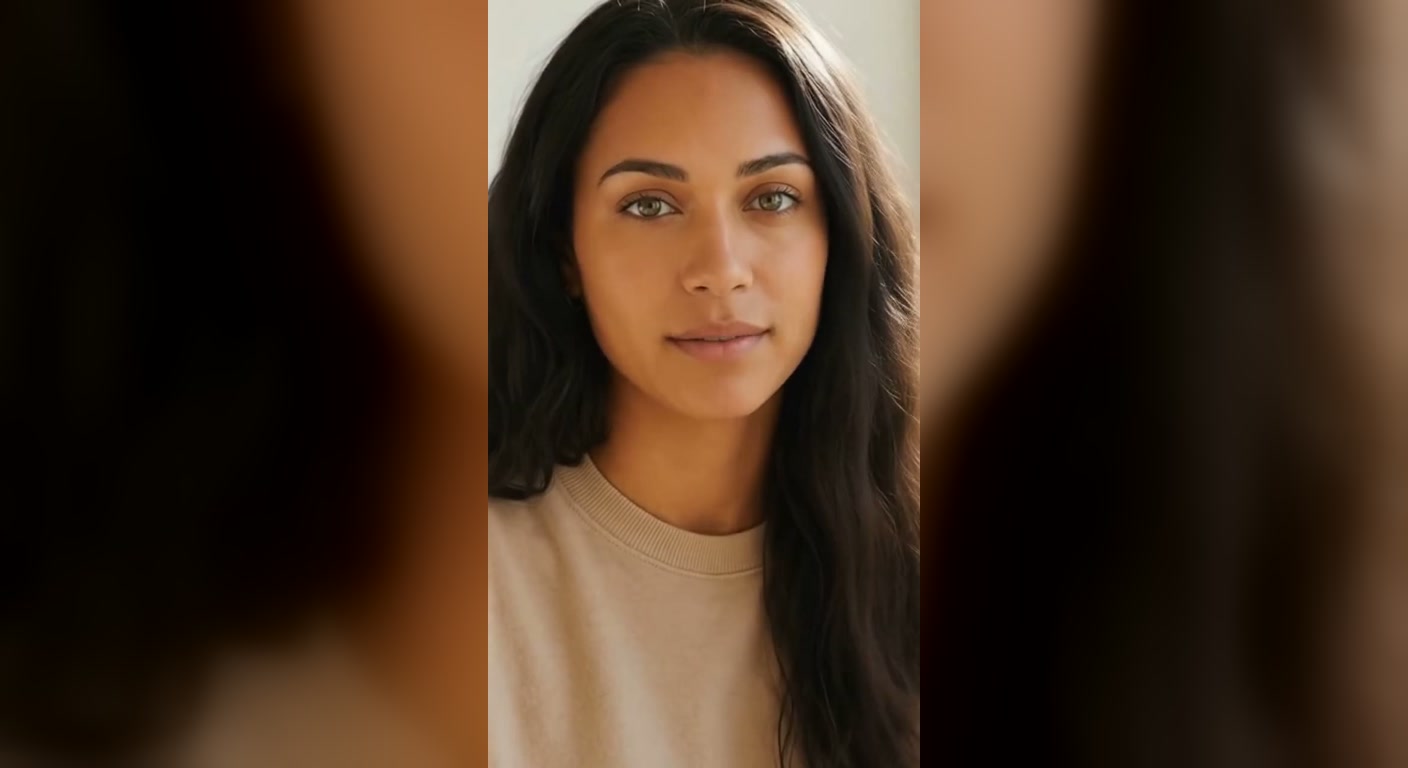
Pro includes three custom-avatar slots. Making one from a text description is free, and the results are convincing: we described a presenter and got back a photoreal person who reads as a real UGC creator on camera. Here is one of ours reading an Okane Land line.
Two things about that clip are worth the price of the review.
First, pronunciation. The ElevenLabs voice read our brand name wrong on the first pass. The fix was not a setting; it was respelling the word phonetically in the script so the voice would say it correctly, then paying to render again. If your brand, product, or founder has a name the model has never seen, budget a render or two to get it right.
Second, the guardrail. We tried to build an avatar from our own hand-inked house portrait using image-to-avatar. Creatify rejected it: “Not a real human, please check the photo again.” So the tool will happily fabricate a photoreal person from a sentence of text, but it refuses to animate a stylized illustration of one. That is a defensible safety line. It is also a limit worth knowing before you plan a campaign around a drawn mascot.
One more trick closes the loop: the avatar can hold the product. The stock b-roll our ads kept generating showed a man’s ringed hands on the mic, which clashes with a female presenter. The fix was the New look feature: describe her at the desk with the microphone in her hands, feminine hands, no rings, and it generates that scene for the same avatar. From there the simplest ad of the whole test was one render: her, the product, and the pitch in a single continuous take to camera. No cutaways, no music bed, and nothing to clash, which is closer to what real UGC looks like than the assembled cuts anyway.
The reliability tax #
A methods note first, because it changes the reading. We ran this test two ways: scripted browser sessions doing the heavy repetition, and ordinary by-hand use of the same tools. The two saw different things. In the scripted sessions, text-to-avatar jobs climbed to 99 percent and sat there for minutes, and the URL-to-Video preview step did the same. The identical text-to-avatar job run by hand completed in about a minute. So treat the stalls as something Creatify’s queue does under some sessions and loads, not as the everyday experience: our by-hand runs were quick.
One failure was real under any reading, though. We wrote a script, hit generate, and nothing happened: no error, no project in the queue, and no credits deducted. We only caught it because the credit meter had not moved. We reselected the avatar, fired again, and that time it landed. The tell is useful to know: a real submission drops a card into your Projects list immediately and charges you when the job completes. If neither happens, the click did not take.
On the credits themselves, the meter is trustworthy. A 15-second avatar render in the simple tool costs 5 credits; the same job re-rendered on the Aurora model through the editor costs 3; the 28-second URL-to-Video export cost 10. Every one of those showed its price before we committed and only came off the balance when the job finished.
The statics are the sleeper deal #
Image Ad takes the same stored product and returns static ad creatives instead of video. We pointed it at the Blue Yeti product it had already scraped and got four finished statics for 2 credits: a lifestyle desk scene, a spec-callout sheet, a feature infographic, and a clean product hero with a call to action.
The spec sheet is the one that surprised us. It listed all four of the Yeti’s pickup patterns, correctly labeled, with matching icons and a sensible one-line benefit under each. No garbled AI text, no invented features, correct brand logo. That is half a credit per usable static, and it is the best value-per-credit in the product.
Ad Clone: the agent shows its work #
Ad Clone is the tool that explains where this product is going. You pick your product, then a reference ad. The reference library is not canned examples: it is live trending ads, and when we selected the Blue Yeti it automatically surfaced competitor microphone ads, including a DJI Mic 3 UGC spot that had been running for 39 days. Clone a competitor’s proven winner with your product swapped in. That is the pitch, and it pairs with the competitor tracker as one workflow: find their winner, clone it, run it.
Selecting a reference does not open a form. It drops you into Creatify’s chat agent, which then works in the open. Ours analyzed the DJI ad into seven anchor scenes, then wrote out exactly what it would change: the DJI clip mic becomes the Yeti, and because the Yeti is a desk condenser rather than a clip-on, it rewrote the narrative around a desktop setup while keeping the ad’s form. It generated a presenter persona to match the reference’s casting, composed a 33-second music bed, rendered start frames for every scene, and dispatched the scenes to render in parallel, narrating each step.
It also self-corrects. Its first attempt at one scene drew a small handheld mic that looked suspiciously like the DJI it was cloning; the agent re-shot the frame with the actual Yeti, on its own, before rendering the scene. Watching a tool catch its own product swap failing is more reassuring than any accuracy claim.
And it takes revisions like a colleague. After the clone finished, we sent one follow-up message: make our own custom avatar the on-camera presenter, and re-voice the whole narration to match her. We attached a single 300-pixel photo of her. The agent locked her look from that one image, rebuilt only the talking-head scene around her, swapped the narration to a matching female voice without touching the other video tracks, and reassembled. She came back on camera with the product, indistinguishable from the rest of the ad.
The finished clone is real work. Forty seconds, seven scenes, and the swap held in every one of them: the correct Blackout Yeti in the hands-on shots, the burned captions in the reference’s style, the presenter at a desk with the actual product, and a branded end card. We would trim it and run it. The one flaw is the usual one: in tight close-ups the mic’s small control labels garble into almost-words, the kind of thing you only catch frame by frame, and the kind of thing that quietly marks a video as AI.
Now the bill. The half-credit lines in the transaction log are just the thinking. The scene renders behind them are full video generations, and by the time the final cut assembled, the run had consumed 173 credits. More than half a month’s Pro allowance, close to an hour of wall-clock time, for one 40-second ad. The presenter-swap revision, scoped as tightly as we could ask for, cost another 43. At the Pro rate that is about $57 for the clone and $14 for the revision, which puts Creatify’s own Studio tier, humans making your video for $100 to $200, in uncomfortable focus. There is no total shown up front; the agent spends as it goes and you find out in the log. The log also leaks something Creatify does not advertise: the line items carry Anthropic tool-call IDs, so the agent doing the cloning is Claude under the hood. Impressive engineering, but budget for it like a small production, not a render.
The rest of the box #
Three more tools round out the sweep, fast:
Asset Generator is the escape hatch. It is a raw generation studio for video, image, and audio where you pick the model yourself: Kling, Google’s Veo, Seedance, Wan, HappyHorse, and Gemini’s video model are all in the menu, priced in credits (a 5-second Kling image-to-video runs 14). If you want b-roll no ad template gives you, it is there, but at those prices a dedicated video-gen subscription beats it for volume.
Ad Flow is a node-based canvas, closer to n8n than to a video editor: product in, prompt nodes, generation nodes, run all. It ships template pipelines for the formats you see trending (challenge POV clips, product visual effects, UGC showcases). The prompt box names its model too: Claude Sonnet. Between this, the cloning agent, and the media buyer, most of Creatify’s intelligence layer is Claude with an ad-ops toolbelt.
HTML Interactive Ad builds playable ads: it read our product, pulled brand colors, and produced a phone-framed scratch-to-reveal unit with correct branding, feature chips, and a shop button, editable afterward in plain language. One playable costs 10 credits, the same as our entire 28-second flagship video, so it only makes sense if you are actually buying playable inventory.
And then there is Studio, which is not software at all. It is Creatify’s done-for-you agency tier: $100 to $200 per video, from $5,000 a month, with, in their own words, human QA on every asset and zero hallucinations. Read that twice. The company selling AI-generated ads prices the removal of AI mistakes as its premium product. That is the clearest statement in the whole app of where the self-serve tier’s limits are.
The suite we did not switch on #
Creatify is not only a video generator. It ships an ad-operations layer: a competitor ad tracker, an ad launcher, and an AI media buyer built on Claude. We opened the tracker and it pulled a rival advertiser’s entire live library, over a thousand ads, and laid out the hooks and formats they run most. As competitive research, that is a strong tool on its own.
The launcher and the media buyer are a different commitment. They want you to connect live Meta, TikTok, or AppLovin ad accounts so the tool can push creative and spend on your behalf. We did not connect any ad account, so we cannot tell you how well the automated buying works, and we would not hand an AI agent a spending account without a lot more testing than one review allows. Treat that half of the product as unproven here, and go in knowing the powerful parts are the ones that touch your money.
What it really costs #
At the time of testing, the plans ran: a free tier with 10 credits a month and the Creatify logo tiled across every frame; Starter at $39 a month; and Pro at $99 a month for 300 credits, watermark-free, with the ad suite. The credit menu, from our own transaction log: 5 credits per 15 seconds of avatar video in the simple tool, 3 for an Aurora re-render in the editor, 10 for our 28-second URL-to-Video export, 2 for four static image ads, 10 for one playable, 14 for five seconds of Kling through Asset Generator, and 173, spent half a credit at a time plus scene renders, for one agent-built clone. So 300 credits is roughly a few dozen finished spots a month, or one big clone and change, fewer if you iterate a lot. Custom-avatar creation is free, but only three slots are included, and each additional avatar is a paid add-on. Above all of it sits Studio, the human-service tier, from $5,000 a month.
The free tier is a preview, not a workspace. The tiled watermark makes free output unusable for anything real, which is a fair way to gate a paid tool but worth saying plainly: to get a clean frame, you pay.
The verdict #
Creatify is two products in one subscription. The first is the product-page machine: URL-to-Video, the 2-credit statics, the 5-credit avatar spots, and the cloning agent, all built on the same trick of reading a real listing and doing something disciplined with it. That machine earns the verdict. We fed it one Amazon listing and a $99 plan, and it gave back a month of creative: thirteen video variants from one URL, four clean statics, a competitor clone we would run after a trim, and a one-take UGC spot fronted by a presenter we invented from a sentence of text.
The scope on that verdict is tight, and the tight scope is the point. Creatify is worth it for someone selling real products who will feed it real listings and edit what comes back, and for that buyer the cheap tools carry the whole plan. The agent is the luxury option: brilliant to watch, and priced like a small production, so treat it as one. Two groups should hold off entirely: anyone marketing a SaaS or service site, because the scraper that powers everything degrades off retail pages, and anyone counting on the ad-launch suite, which asks for your live ad accounts before it proves anything. And keep the Studio tier in mind as the company’s own tell: when the vendor charges $5,000 a month to put humans back in the loop, plan on being your own quality check at $99. Buy it for the product-page machine, watch the meter, and it pays for itself in the first batch.
One email, when there's something worth sending
Get the receipts in your inbox. #
No fixed schedule, no filler. You get an email when we've tested something, run the numbers, or found a tool worth your time.
Free. Double opt-in, unsubscribe in one click.
Paying for Creatify yourself? Compare notes in the forum ↗
Sources #
Every outside quote in this review was re-fetched from its source before we used it.
| Source | Link |
|---|---|
| Creatify: official site | |