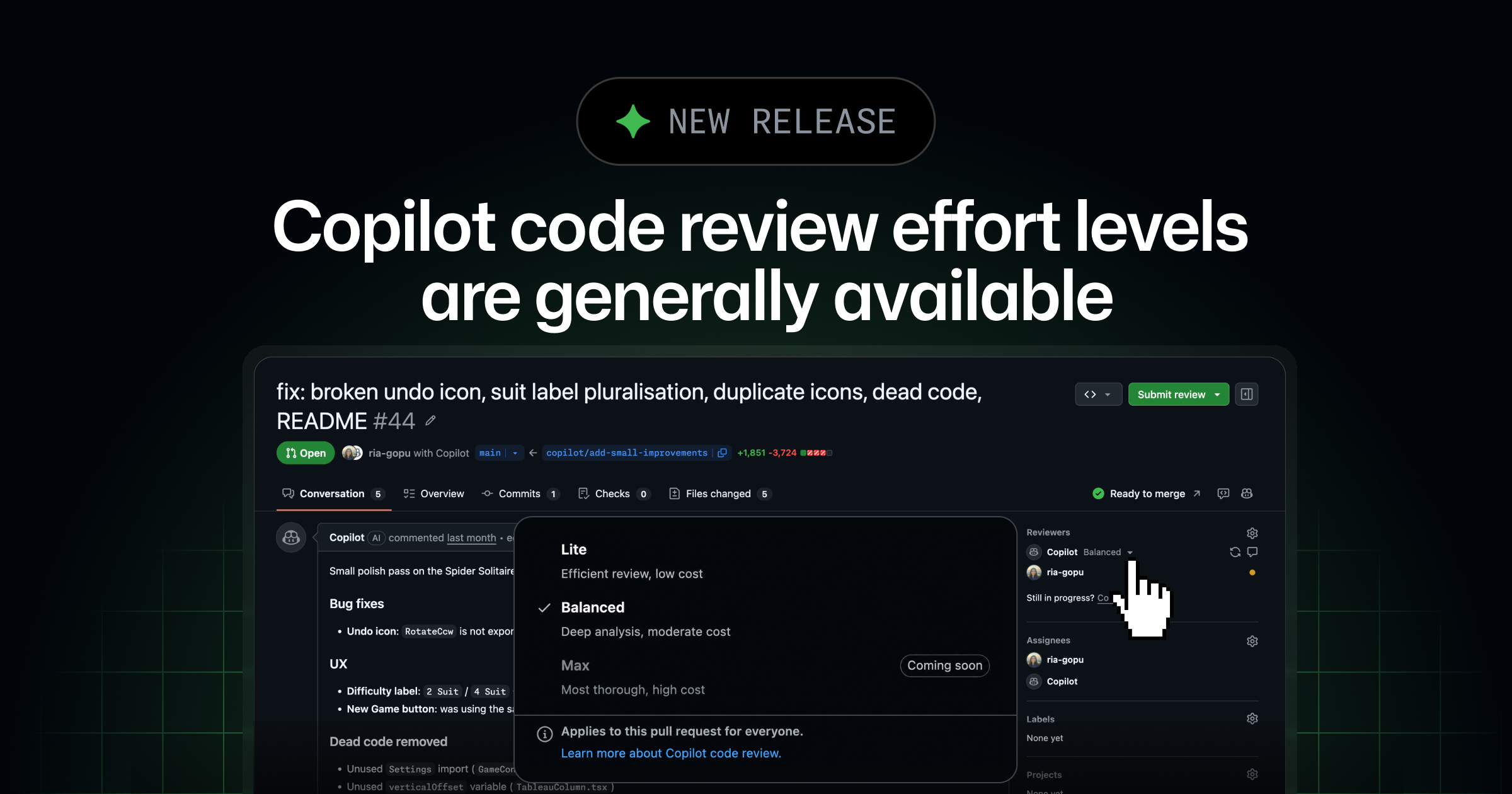
Lite and Balanced effort levels for GitHub Copilot code review are now generally available. They let you match the depth of a review to the complexity and risk of a pull request.
Not every pull request needs the same scrutiny. Documentation updates and small fixes may only need focused feedback, while complex logic, security-sensitive code, and cross-service changes benefit from deeper analysis. You can now:
- Choose Lite for feedback on straightforward changes. - Choose Balanced when a change warrants deeper analysis from a higher-reasoning model. - Set an organization-wide default that repositories inherit while retaining control over individual reviews.
Lite and Balanced are available with Copilot Pro, Pro+, Max, Business, and Enterprise plans.
Lite and Balanced replace Low and Medium The Low and Medium effort levels introduced during public preview are now named Lite and Balanced. If you previously configured an effort level, your configuration automatically carries forward under the new name.
Choose an effort level for each review When you request a Copilot code review, choose Lite for routine changes or Balanced for larger, more complex, or sensitive changes. Your choice only applies to that review and doesn’t change the repository or organization default.
⚙️ Organization-level defaults Organization admins can set a default review effort level that applies to all repositories in the organization. Repositories that haven’t configured their own effort level inherit the organization default.
To configure the default, navigate to your organization settings → Copilot → Copilot code review.
See which effort level was used Copilot code review now labels which effort level ran in both timeline events and the pull request overview comment. You can see at a glance whether a review ran at Balanced or Lite, making it easy to track review depth across your repositories.
📚 Find out more and share your feedback Learn how to tune review depth for your team in the Copilot code review documentation, and share your feedback in the GitHub community.