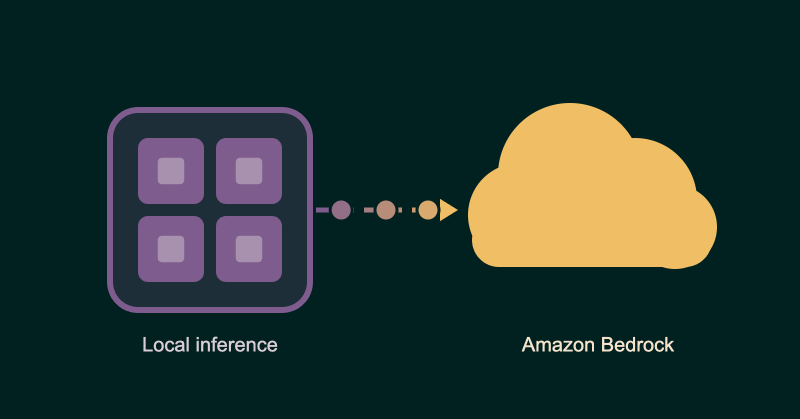
Local first inference — now with Bedrock #
As we've discussed a lot in the past few months, running your coding agents against local models is a killer way to keep token costs under control: you cut out the frontier bill almost entirely.
Sometimes, though, you might want to access a wider variety of models than you can run locally, or give a dev team access to an external provider for a particular job.
That was one of the requests we heard from customers and partners after launching PaletteAI Inference Launchpad earlier this summer: can we add our own external inference endpoints?
Well, yes, you can. In this demo I'll show you how to connect Amazon Bedrock. And if you prefer to watch instead of reading, check out the video:
It's all about choice #
If you're new to Inference Launchpad, it's a software appliance that runs open-weight models (like Qwen or Gemma) on GPU hardware you own or control. Your developers can keep using their familiar coding tools, while you manage model routing and track usage. Our introduction to Inference Launchpad covers the wider story.
You can use your own supported AMD or NVIDIA hardware, or explore AMD Instinct Coder, which brings together AMD GPUs, Supermicro systems and the Inference Launchpad software.
Out of the box, all inference traffic stays local by default: egress is OFF. But you can turn on external access and route some or all requests out of the appliance to a model running on Bedrock. That gives you a way to try hosted models while keeping other workloads local.
Let's connect it.
1. Get your Bedrock credentials ready #
You'll need a running Inference Launchpad appliance, operator access, a client to test with, and an AWS account with access to the Bedrock models you want to use. The appliance also needs network access to Bedrock, with egress permitted at the appliance level.
In the video, you'll see I open Bedrock in the AWS console, select Quick start, choose Generate text and click Generate API key.
The short-term key works for this test, but it expires after up to 12 hours, or sooner if the AWS session ends. If it stops working later, check the expiry before chasing a routing problem.
For ongoing use, plan how you'll refresh the credentials. AWS recommends short-term keys for production and reserves long-term keys for exploration. Its API key guide covers the current options.
2. Add Bedrock as an external inference endpoint #
Now head back to Inference Launchpad. Open Integrations and find External inference endpoints.
For this demo, I use:

- Endpoint ID: bedrock-uswest2
- Endpoint URL: https://bedrock-mantle.us-west-2.api.aws
- Key: the Bedrock API key we generated in step 1
This is Bedrock's OpenAI-compatible Mantle endpoint in US West (Oregon). Use the region that matches your setup and credentials. Enter the URL without /v1; Inference Launchpad adds the API path.
Click Probe models to check the connection and discover the models. My demo returns 49 different models — way more than you can realistically run simultaneously on a local box. Your list may differ, so use what your endpoint actually reports. Review the results, then add the endpoint and confirm the change.
3. Allow your test client to use Bedrock #
Adding the endpoint doesn't give every client permission to send traffic to it. In Access & Policy, select the user client you're testing with and open Egress.
Enable egress, add bedrock-uswest2 as an allowed provider and set a positive daily spending limit. The endpoint uses the credential you registered, so you don't need to paste the Bedrock key again. A $0 limit blocks access.
Keep this scoped to the client you're testing. You can find the full setup, including appliance-level egress requirements, in our external endpoint guide.
4. Point a model alias at the external model #
With access in place, open that user's Routing section. Find the alias prefix you want to test and change its model target to a model under bedrock-uswest2, then save.
In my example, I'm switching an alias from the locally served Qwen model to DeepSeek 3.2 through Bedrock. The coding tool needs no reconfiguration, and it still talks to Inference Launchpad; the alias determines which model handles its request on the back end.
5. Run a request and check where it went #
Now send a prompt from your coding tool using the alias you just changed. Open Usage and check the model breakdown to confirm the request was served by the external endpoint and counted as egress.
In the video, I compare Claude Code sessions before and after the routing change: some requests ran against the local Qwen model, and others went to DeepSeek through Bedrock.
It's worth checking the usage view even when the response looks right. A successful answer on its own doesn't tell you which model served it. Our client usage guide explains the available metrics.
Try it with a task you actually care about #
One useful test is a particularly awkward SQL query. Give your local model and a Bedrock-hosted model the same prompt: joins, subqueries, window functions, the works. Then compare whether the query is correct, how much editing it needs and how long the response takes.
You could also give a group of developers temporary access to an external model for an advanced reasoning task. Keep the access and spending limit specific to that group, and turn it off when the test is done.
External endpoints can also give you another place to send work when local GPU capacity is tight, as a kind of bursting mode. But note that this walkthrough shows an explicit routing change; automatic spillover needs its own routing configuration. Connecting Bedrock alone doesn't turn it on.
Anyway, that's the setup. You've got a local model for the work you want to keep on your own hardware, plus a Bedrock endpoint you can choose for other tasks.
Give it a go #
Already running Inference Launchpad? You can try this right now. Follow the external endpoint setup guide, pick one test client and compare a real task across two models.
If you're still exploring local inference, take a look at the Inference Launchpad product page or book a demo with us. Bring a coding workload you'd like to try.