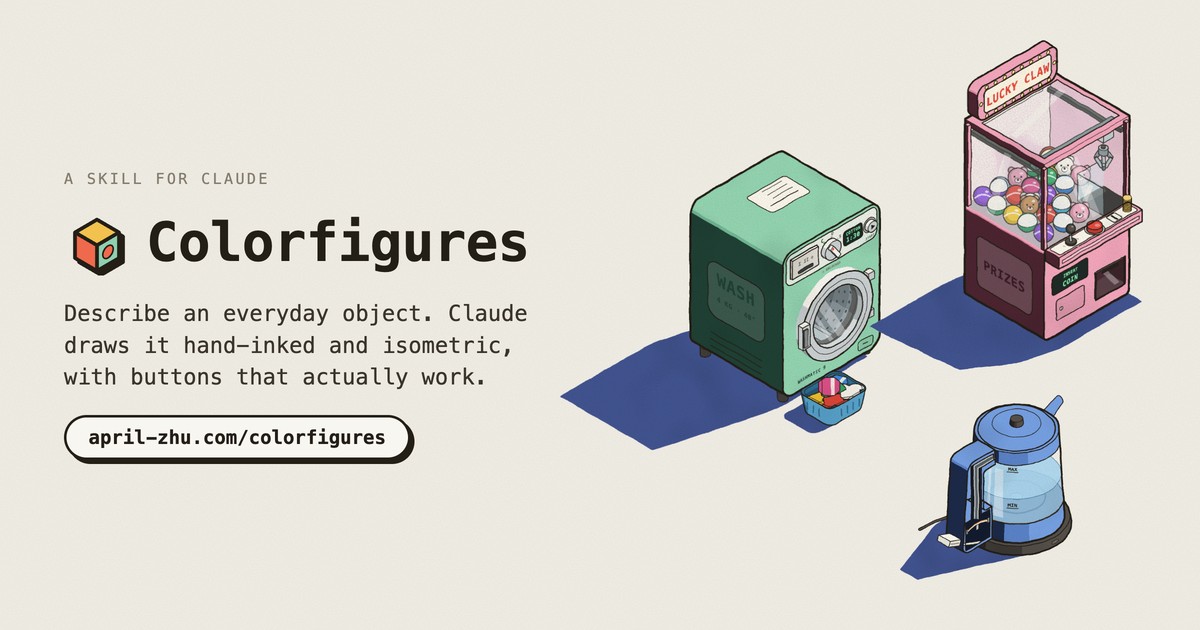
Describe an everyday object. AI draws it hand-inked and isometric, with buttons that actually work. Turn it all the way round and see inside.
mkdir -p ~/.claude/skills && curl -fsSL https://april-zhu.com/colorfigures/colorfigures.tar.gz | tar -xz -C ~/.claude/skills
Paste in Terminal for Claude Code. Using Claude.ai or Windows? Other ways to install.
Every figure turns all the way round: drag it. See-through shows the real machine at work inside, and Labels name each part, lighting up while it runs.
Each of these came from the prompt above it, in a fresh install of the skill. No code was written by hand.
Hover to see one move. Open any of them and press things.
Pick your AI. Three steps, about a minute.
Open Terminal (on a Mac: ⌘ Space, type Terminal), paste this and press Return.
Quit and reopen it so it picks up the new skill.
Describe an object in plain words, or start with /colorfigures. It saves an .html file; open it in your browser and press things.
Get the skill file.
colorfigures.skill ↓ In Claude.ai, open Settings → Capabilities → Skills, upload the file and switch it on. Skills need a plan that includes them.
Start a new chat and describe the object. Open the result in the preview or download the HTML file.
Works on Windows, macOS and Linux.
colorfigures.zip ↓
Put the colorfigures folder inside .claude/skills in your home folder (or in a project's .claude/skills). Create the folder if it doesn't exist.
Describe the object you want, or start with /colorfigures.
Get the skill as a zip. Don't unzip it.
In ChatGPT, open Skills, choose New skill → Upload from your computer and pick the zip. Skills need a plan that includes them; on a work account your admin may need to allow uploads.
Start a new chat and describe the object. Download the HTML file it makes and open it in your browser.
mkdir -p ~/.codex/skills && curl -fsSL https://april-zhu.com/colorfigures/colorfigures.tar.gz | tar -xz -C ~/.codex/skills
Quit and reopen the Codex CLI, app or IDE extension so it picks up the new skill.
Describe an object in plain words, or start with $colorfigures. It saves an .html file; open it in your browser and press things.
Put the colorfigures folder inside .codex/skills in your home folder. Create the folder if it doesn't exist.
Describe the object you want, or start with $colorfigures.
Get the Gemini version of the zip. Don't unzip it.
colorfigures-gemini.zip ↓ In Gemini, open Settings → Skills → Upload, pick the zip, check it and choose Create. Skills are still rolling out, so the menu may not show yet on every account.
Start a new chat and describe the object. Save the HTML it makes as a file and open it in your browser.
mkdir -p ~/.gemini/skills && curl -fsSL https://april-zhu.com/colorfigures/colorfigures.tar.gz | tar -xz -C ~/.gemini/skills
Quit and reopen it, then run /skills list to check colorfigures is there.
Describe an object in plain words and allow the skill when Gemini asks. It saves an .html file; open it in your browser and press things.
Put the colorfigures folder inside .gemini/skills in your home folder (or in a project's .gemini/skills). Create the folder if it doesn't exist.
Describe the object you want and allow the skill when asked.
Copy one, paste it into your AI, open the file it makes.
Need custom figures for your product or a commercial project?
A small folder of instructions and templates that teaches an AI how to do one job well. It isn't an app and doesn't run by itself; the AI reads it when you ask for something it covers.
Restart the app (Claude Code, Codex or Gemini CLI), then mention it by name: "use the colorfigures skill to draw a gumball machine". To check it's installed, run ls ~/.claude/skills/colorfigures (or ~/.codex/skills, ~/.gemini/skills); you should see SKILL.md, README.md, LICENSE, assets and scripts.
Everyday machines and devices with parts you can press: appliances, vending and arcade machines, toys, signs, kiosks. Every figure turns all the way round, and machines get a See-through switch that shows the real working parts inside, labelled and moving with the buttons. Soft, organic things (people, animals, plants) don't suit the style.
About 15 to 30 minutes and roughly 200,000 to 400,000 tokens per figure in Claude Code. Most of that goes on modelling the object from every side and building its see-through from how the real machine works; then the AI checks it from several angles, in see-through and on a phone, and fixes what it finds. On a fresh test run a parking meter with a see-through of about 20 labelled parts took around 15 minutes and 230,000 tokens; a dense machine or a scene with several objects takes longer. Changes you ask for afterwards in the same chat are much quicker. On a Claude plan this counts toward your usage; on the API it's billed per token.
Yes. Every figure has body-colour swatches (tomato, mustard, mint, cobalt, blush) and a hand-drawn wobble slider. You can also ask the AI for a particular colour.
It's eight small plain-text files (about 220 KB): the instructions, the drawing engine, three example figures, a build script, a readme and a licence. Installing only copies them; nothing runs, and there are no packages or dependencies. Each figure the AI makes is a single HTML file that runs in your browser like any web page, with no tracking, accounts or outside requests. Want to look first? Download the .zip and open SKILL.md in any text editor.
Yes. The skill is MIT licensed, and the figures you make with it are yours to use, including in paid and client work. For custom figures made for your product, email wjzhu.423@gmail.com.
No. Describe the object in plain words. If you want changes, say so in the same chat: "make the door open further", "add a coin return".