I got pissed at Chrome the other day. This is not the first user-hostile thing Chrome did – off the top of my head, I remember the updater fiasco from some years ago, and the more recent auto-installation of a 4GB file – but as you’ll see, this one is squarely in my wheelhouse.
The transgression: Chrome took over a shortcut on my Mac – Ctrl+G – and it used it to throw me into Chrome’s version of Gemini that I have never used or was interested in using. Moreover, it decided it’s okay for Ctrl+G to put me there even if I pressed the shortcut outside of Chrome.
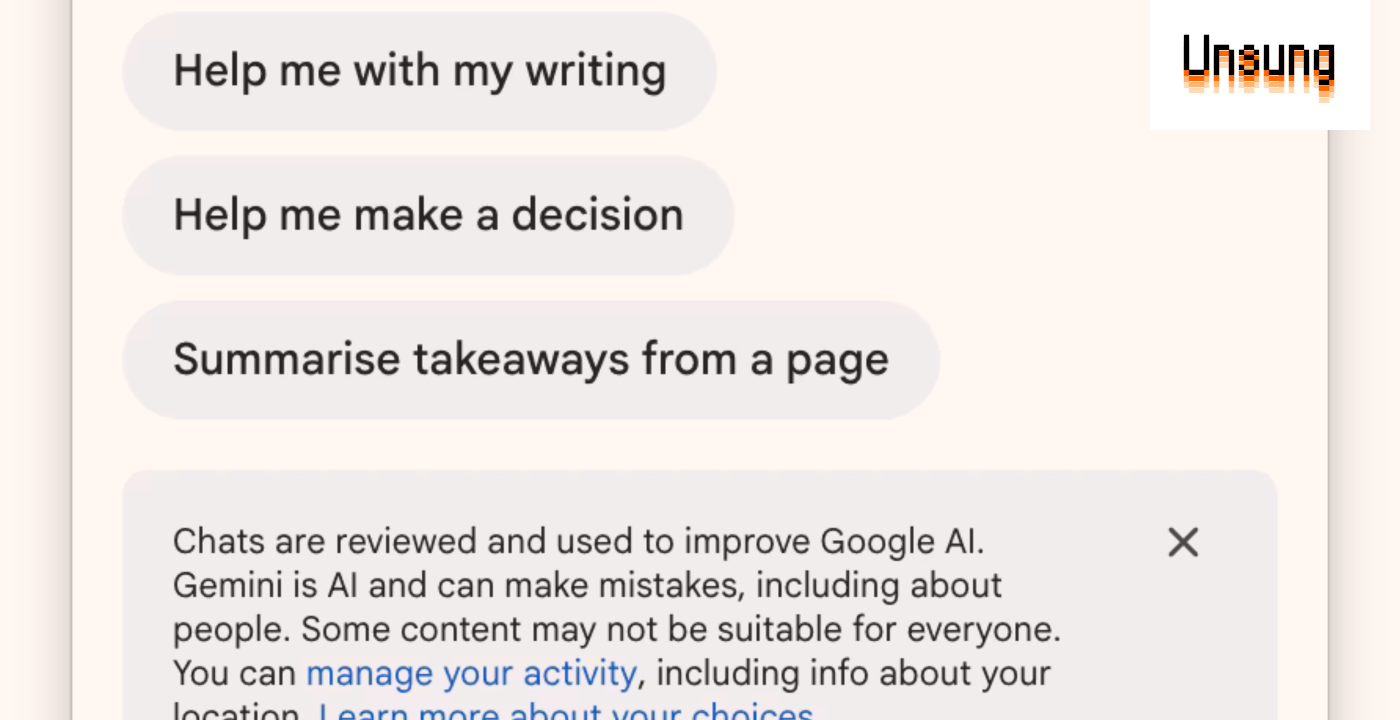
I was never asked by Chrome if it’s okay to do so. The way I found it’s installed it was in a very unpleasant way: I tried to use Ctrl+G in my coding editor to jump to a specific line, and I got this instead:
Stuff like that can make you feel like you lost your mind. I have no idea what this window is supposed to do, where did it come from, or even – initially – why it appeared. Note that it doesn’t even identify itself as either Chrome or Gemini, unless you read the scary caveat. It feels like the UI equivalent of breaking and entering.
Unsurprisingly, the pop-up doesn’t confess to stealing the shortcut, or allow you to toggle it off in any way:
It is possible to undo that behavior, but one has to connect it to Chrome first, and then go deep into its settings – first by clicking on “AI innovations,” and then by clicking on “Gemini in Chrome” – to find it:
Let’s not beat around the bush: This is effectively malware behaviour. It’s bullshit. It’s cancer. It’s deeply disrespectful toward the user. It’s prioritizing hollow metrics at the expense of everything else.
But I don’t want this blog to chase news of the day or feed the outrage machine, so let me try to turn my anger into something useful.
Let’s start here: There are some global keyboard shortcuts that are genuinely good. A video call mute shortcut, screenshotting, “next slide” if you’re presenting in Zoom. Everything related to computer operation – volume, brightness, media transport controls – needs to be available regardless of focus or context. (In my keyboard customization essay, I introduced my own global keyboard shortcuts, for example for scanning the next page.)
But, an app installing a global keyboard shortcut without user consent is bad. This can never be anything other than opt-in. At the very least, Chrome should have shown me a clear UI that said “We’re thinking Ctrl+G would be fun for you to use. You okay with that?” and a button for me to press to confirm.
(Note: Ctrl+G is the shortcut for Macs. As far as I can tell, on Windows it is Alt+G.)
From people’s reactions, it seems this shortcut is auto-enabled for a subset of users: perhaps people who used Gemini before, or people on a plan that happens to include it. No matter how specific or small that group is, or how useful they might find the Ctrl+G pop-up, the issue remains: I have never consented to the app doing this. I also partly blame macOS for ceding its responsibilities here. Mac’s keyboard customization features are a mess, and Mac doesn’t have a modern command repository. It’s not just that apps can register global shortcuts as they want, without the user knowing. It’s also that there is no shared inventory of them; if an app “swallows” a shortcut but does nothing noticeable with it, it can be really hard to figure out why a shortcut seemingly just stops working.
(Other apps that I remember having problems with “stealing” global shortcuts, and apps that a few readers posted are: 1Password, Notion, and Perplexity. I’d be curious if you have other examples!)
In light of macOS’s deficiencies, as an app, if you offer any shortcut customization – *especially *if you allow global shortcuts – I think it’s important to have a page that lists all of them shortcuts in one place. This is not what Chrome does, as various shortcut options are hidden on various pages in settings. Even Zoom, which is not generally known for having a great user interface, does better here:
And, since we’re back to Chrome, what a fall from grace! When Chrome started in the late 2000s, it felt like a browser that had user’s interest in mind, and protected people from ill-behaving websites. Today, it’s the operating system that needs to protect us from Chrome.
Also, don’t call a tab “AI innovations.” It’s tacky as hell. The market gets to decide what’s innovative and what is not.