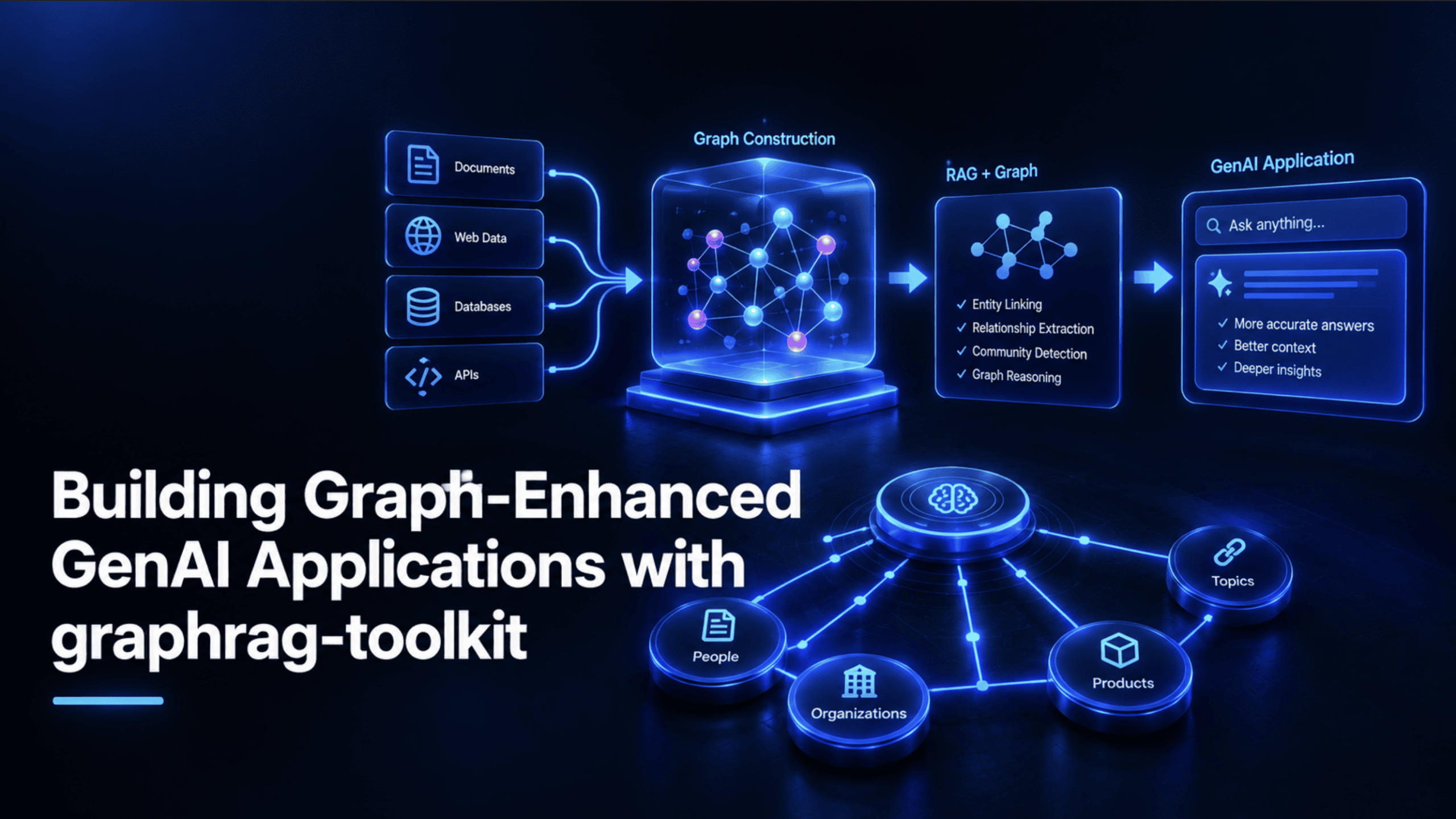
Learn how graph-enhanced RAG connects related facts that plain vector search misses, then build a multi-hop research assistant with AWS Labs' open-source graphrag-toolkit, Neo4j, and pgvector.
A standard retrieval-augmented generation (RAG) chatbot handles "what does the return policy say" without any trouble: it finds the chunk, hands it to the model, and it's done. Ask it something like "how does the return policy interact with the warranty terms for international orders," and it starts to wobble. That answer isn't sitting in any single chunk. It requires connecting two separate pieces of the document that were never near each other in the source text, and a vector search that only measures how similar each chunk sounds to the question has no way to make that connection on its own.
That specific gap — a system that finds relevant text but can't follow relationships between pieces of it — is exactly what graph-enhanced retrieval exists to close. This article walks through what that actually means, introduces AWS Labs' open-source graphrag-toolkit, and then builds a real, working graph-enhanced research assistant from scratch, with every piece of code checked directly against the toolkit's own documentation rather than assumed from memory.
What Graph-Enhanced Generative AI Applications Actually Are #
Graph-enhanced RAG, usually shortened to GraphRAG, is retrieval that queries a knowledge graph rather than a plain vector index, so an application can follow actual relationships between pieces of information instead of only finding text that sounds similar to the question. Neo4j's own explainer frames this as combining the retrieval strengths of a knowledge graph — explicit entities and the relationships between them — with the generative fluency of a large language model (LLM), so the model reasons over connected facts rather than isolated fragments of text.
This isn't a single vendor's marketing framing. Oracle's own write-up on the same idea makes essentially the same case from a completely different part of the database industry: standard RAG treats every chunk as an independent island, while a graph captures how those islands actually connect, which entities appear in multiple places, and how concepts relate across an entire document collection rather than within one paragraph at a time. Two major database companies converging independently on the same core argument is a reasonable signal that the underlying problem is real, not a talking point invented to sell graph databases.
Where Plain Vector RAG Actually Falls Short #
It's worth being precise about the mechanism here rather than just gesturing at "vector search isn't perfect." A standard vector store retrieves chunks purely based on semantic similarity between the embedded question and the embedded chunks, and it does that retrieval for each chunk in isolation. There's no representation anywhere in that process of how one chunk relates to another: whether they discuss the same entity, whether one provides context the other depends on, or whether they sit in a cause-and-effect relationship.
Multi-hop questions — ones that require two or three separate, connected facts assembled together before an answer makes sense — are exactly where this breaks down. And it's a structural limitation of the retrieval mechanism itself, not something better prompting or a larger context window can reliably fix. The problem isn't that the model can't reason once it has the right information; it's that plain vector search often never surfaces all the right pieces in the first place.
Introducing graphrag-toolkit #
The graphrag-toolkit is an open-source, Apache 2.0-licensed Python toolkit built by AWS Labs specifically to close that gap. It's made up of two components. The first, and the focus of this article, is lexical-graph, a framework for automatically building a hierarchical knowledge graph from unstructured documents and querying it. The second, BYOKG-RAG (Bring Your Own Knowledge Graph), is a separate approach for teams that already have a knowledge graph and want a multi-strategy question-answering layer over it, without re-extracting anything from scratch.
AWS introduced the toolkit publicly in its own launch blog post, and the design behind the hierarchical lexical graph model is documented in a dedicated research paper, "Hierarchical Lexical Graph for Enhanced Multi-Hop Retrieval." It's also not purely theoretical: Deloitte uses the lexical-graph inside its Amazon Neptune-based GenAI Security Intelligence Center, a real production deployment covered in a re:Invent 2025 technical session.
How It Actually Works #
This is the technical core worth understanding before writing any code. Per the toolkit's own graph model documentation, a lexical graph organizes extracted content into six connected levels: source, chunk, topic, statement, fact, and entity. Retrieval can hop between any of these levels rather than being stuck retrieving only at the chunk level the way a plain vector store is, which is the structural feature that makes multi-hop questions actually answerable.
Building that graph happens in two distinct stages, extract and build, and they're deliberately kept separate. The extract stage ingests raw source documents, chunks them, and uses an LLM to pull out topics, statements, facts, and entities. The build stage takes those extracted elements and populates the actual graph and vector indexes from them. Running these as two genuinely separate, micro-batched, resumable pipeline stages, rather than one monolithic process, means a large ingestion job can be d, inspected, or filtered partway through without losing progress.
One detail is worth knowing specifically, because it explains why extraction quality holds up as well as it does: the process makes two separate LLM calls per chunk rather than one. The first call cleans up the raw chunked text into a set of well-formed, self-contained propositions. The second call then extracts topics, statements, facts, and entities from those cleaned propositions rather than from the messier raw text directly. That extra step is optional (the second call can run directly against raw content), but per the toolkit's own documentation, extraction quality measurably improves when the proposition-cleanup pass runs first.
Querying: Traversal-Based Search #
Here's the actual query mechanism, sourced directly from the toolkit's querying documentation. A user's question first gets embedded, and that embedding runs a top-K similarity search against the vector store to find anchor points: statements or chunks that look relevant on the surface. Those anchors then seed one or more graph traversal queries, which pull in thematically connected content from across the graph, not just the chunks that scored highest on similarity alone. The retrieved content, grouped by topic and source, is then supplied to an LLM alongside the original question to generate the actual answer.
One genuinely current fact is easy to miss: the toolkit also ships an older semantic-guided search strategy, but the documentation states directly that it's likely to be retired in a future release. Traversal-based search is both the current default and the one worth building against today, which is exactly the approach used in the hands-on build below.
Before writing any code, it's worth knowing what's actually swappable in this toolkit and what isn't, since the choice affects both cost and setup complexity.
| Layer | Built-in options |
|---|---|
| Graph store | Amazon Neptune Database, Amazon Neptune Analytics, Neo4j,FalkorDB |
| Vector store | Amazon Neptune (DB and Analytics), Amazon OpenSearch Serverless ,Postgres (with**pgvector** ),Amazon S3 Vectors |
| Foundation model provider | Amazon Bedrock (the only built-in option; extensible to other providers with custom work) |
Neo4j and Postgres with pgvector are the two options that can run entirely locally in Docker at zero infrastructure cost, which is exactly why this tutorial builds around that combination. One small caveat on FalkorDB specifically: the toolkit's repository keeps FalkorDB support in a separate lexical-graph-contrib/falkordb package rather than bundling it into the core graphrag-lexical-graph install, so you need that additional package if you go that route instead of Neo4j. The one piece that can't currently be swapped out without extra engineering effort is the model provider: Amazon Bedrock is what the toolkit is configured to use by default, so an AWS account with Bedrock model access enabled is unavoidable for this build, even though the graph and vector stores themselves won't touch AWS at all.
Prerequisites
Exactly what's needed before starting:
- Python 3.10 or later
- Docker installed and running (for local Neo4j and Postgres)
- An AWS account with access enabled to at least one Amazon Bedrock foundation model, since that's the one dependency this tutorial genuinely can't route around given the toolkit's current design
Building a Graph-Enhanced Research Assistant #
The goal: a small research assistant that can answer questions spanning multiple real Wikipedia articles about human spaceflight — specifically, questions a single article alone can't fully answer, exactly the kind of multi-hop case this article opened with.
Step 1: Spinning Up Local Neo4j and Postgres
services:
  neo4j:
    image: neo4j:5
    ports:
      - "7474:7474"
      - "7687:7687"
    environment:
      - NEO4J_AUTH=neo4j/graphrag-password

  postgres:
    image: pgvector/pgvector:pg16
    ports:
      - "5432:5432"
    environment:
      - POSTGRES_PASSWORD=graphrag-password
      - POSTGRES_DB=graphrag
Run docker compose up -d and both databases are live: Neo4j on its standard Bolt port 7687, and Postgres, with the pgvector extension already included in the pgvector/pgvector image, on port 5432.
Step 2: Installing the Toolkit and Its Dependencies
pip install graphrag-lexical-graph
pip install psycopg2-binary pgvector
pip install llama-index-readers-web html2text
graphrag-lexical-graph is the actual PyPI package name for the lexical-graph library, confirmed directly on its PyPI page; it is currently in the 3.18.x release series and requires Python 3.10 or greater. The Postgres vector store specifically requires both psycopg2-binary and pgvector as separate dependencies, per the toolkit's own Postgres vector store documentation. llama-index-readers-web supplies SimpleWebPageReader, used to pull in the source articles below, and html2text is its own required dependency specifically when html_to_text=True is passed, per the reader's own source.
Step 3: Extracting and Building the Graph from Real Source Articles
from graphrag_toolkit.lexical_graph import LexicalGraphIndex
from graphrag_toolkit.lexical_graph.storage import GraphStoreFactory, VectorStoreFactory
from llama_index.readers.web import SimpleWebPageReader

neo4j_connection = "neo4j://neo4j:graphrag-password@localhost:7687"

postgres_connection = "postgresql://postgres:graphrag-password@localhost:5432/graphrag"

with (
    GraphStoreFactory.for_graph_store(neo4j_connection) as graph_store,
    VectorStoreFactory.for_vector_store(
        postgres_connection,
        index_names=["chunk"],
    ) as vector_store,
):
    graph_index = LexicalGraphIndex(graph_store, vector_store)

    docs = SimpleWebPageReader(html_to_text=True).load_data([
        "https://en.wikipedia.org/wiki/Artemis_program",
        "https://en.wikipedia.org/wiki/International_Space_Station",
        "https://en.wikipedia.org/wiki/Commercial_Crew_Program",
    ])

    graph_index.extract_and_build(docs, show_progress=True)
This is the same core pattern shown in the toolkit's own quickstart guide, with the graph and vector store swapped for the local Neo4j and Postgres setup from Step 1. GraphStoreFactory.for_graph_store() and VectorStoreFactory.for_vector_store() are factory methods that detect which backend to connect to directly from the connection string's scheme: neo4j:// routes to the Neo4j store, and postgresql:// routes to the Postgres store. index_names=["chunk"] tells the vector store which graph elements to build embeddings for. And extract_and_build() runs both pipeline stages described earlier in this article, extraction and graph construction, in one continuous pass, using Amazon Bedrock to perform the actual LLM extraction calls. Behind the scenes, the toolkit's SigV4 request signing and TLS 1.3 connections handle the Bedrock side of this securely without any extra configuration from you.
One structural detail is worth being explicit about: GraphStoreFactory.for_graph_store() and VectorStoreFactory.for_vector_store() both return context managers, and the with block is what keeps the underlying database connections open. Steps 4 and 5 below both still need graph_store, vector_store, and graph_index, so they have to run inside that same with block, not as separate scripts after it closes. The two steps below are written to continue directly from the code above, indented at the same level, rather than as standalone snippets.
Step 4: Inspecting What Actually Got Built
Still inside the with block from Step 3:
    stats = graph_index.get_stats()
    print(stats)
get_stats() is a real, documented method on LexicalGraphIndex that returns exact node counts across every level of the hierarchy — source, chunk, topic, statement, fact, and entity — alongside two connectivity metrics describing how densely linked the resulting graph actually is. Running this before querying anything is worth doing as a sanity check; seeing real numbers here confirms the extraction actually found and connected meaningful content across all three source articles.
Step 5: Querying It with a Genuine Multi-Hop Question
Still inside the same with block, using the graph_store and vector_store objects created in Step 3:
    from graphrag_toolkit.lexical_graph import LexicalGraphQueryEngine

    query_engine = LexicalGraphQueryEngine.for_traversal_based_search(
        graph_store,
        vector_store,
        versioning=False,
    )

    response = query_engine.query(
        "How does the Commercial Crew Program relate to crew transport "
        "for the International Space Station, and how might that "
        "connect to Artemis program crew logistics?"
    )

    print(response)
If you'd rather split extraction and querying into two separate script runs (reasonable, since extraction only needs to happen once), move the import statements to the top of a new file and wrap the querying code in its own with GraphStoreFactory.for_graph_store(neo4j_connection) as graph_store, VectorStoreFactory.for_vector_store(postgres_connection, index_names=["chunk"]) as vector_store: block, reconnecting to the same already-populated Neo4j and Postgres instances rather than rebuilding the graph from scratch.
LexicalGraphQueryEngine.for_traversal_based_search() is the current, recommended factory method per the toolkit's own documentation, taking the same graph_store and vector_store objects created in Step 3, plus versioning=False, since this tutorial isn't tracking document updates over time.
The question deliberately spans all three source articles: the Commercial Crew Program's role is described in one article, the International Space Station's crew transport needs in another, and Artemis's own logistics in a third. That's exactly the shape of question a plain vector search would struggle to answer fully, since no single chunk from any one article contains the complete picture. The traversal-based engine anchors on the most relevant statements from each article via vector similarity, then follows the graph's actual entity and topic links to pull the connected context together before generating a single coherent answer.
Two extra keyword arguments are worth knowing for tuning this further. Passing context_format="json" (instead of the default "text") returns the retrieved statements as a structured JSON array rather than plain text, which is useful if you want to inspect or post-process what the model actually saw. Passing verbose=False instructs the model to answer concisely rather than fully, which is worth setting for a production chat interface where a shorter answer is usually preferable to an exhaustive one.
What You Just Built, and Where to Go Next #
What's running at this point isn't a toy demo; it's a real, queryable hierarchical lexical graph with working traversal-based retrieval, built from real source documents, on infrastructure that costs nothing beyond Bedrock's per-call pricing. From here, the toolkit documents several genuine next steps worth exploring rather than reinventing yourself.
The lexical-graph can expose a tenant's graph as a callable tool through a Model Context Protocol server, letting an agent browse a catalog of domain-specific graphs and pick the right one for a given question automatically. Multi-tenancy lets you host several separate graphs — different document collections, different users — inside the same underlying graph and vector stores rather than provisioning new infrastructure per tenant. Metadata filtering lets you constrain both indexing and querying to specific document subsets based on tags you attach yourself. And versioned updates handle the real-world case this tutorial's one-shot build ignored entirely: re-ingesting a document that's since changed, archiving the old version automatically rather than leaving stale, contradictory information in the graph.
If you're starting from an existing knowledge graph rather than raw documents, BYOKG-RAG is the toolkit's other half, worth a look specifically because it skips the extraction process this article just walked through entirely. And for a more guided next step than working from documentation alone, AWS provides a full self-guided workshop of Jupyter notebooks, plus a ready-made RAG Explorer application that lets you compare graph-based and plain vector RAG responses side by side on the same questions. It's a genuinely useful way to see the difference this article has been describing in the abstract, made concrete on your own data.
Conclusion #
The distinction worth carrying forward from this whole article is a simple one: a vector index tells you what sounds relevant to a question; a lexical graph tells you how the underlying information is actually connected. Most RAG demos are built and tested against clean, single-fact questions specifically because those are the questions plain vector search already handles well.
Real users don't consistently ask such polite questions. The multi-hop one built and answered in this tutorial is a far better proxy for what a genuinely useful assistant needs to survive, and it's exactly the case graphrag-toolkit was built to handle.
[Shittu Olumide](https://www.linkedin.com/in/olumide-shittu/) is a software engineer and technical writer passionate about leveraging cutting-edge technologies to craft compelling narratives, with a keen eye for detail and a knack for simplifying complex concepts. You can also find Shittu on Twitter.