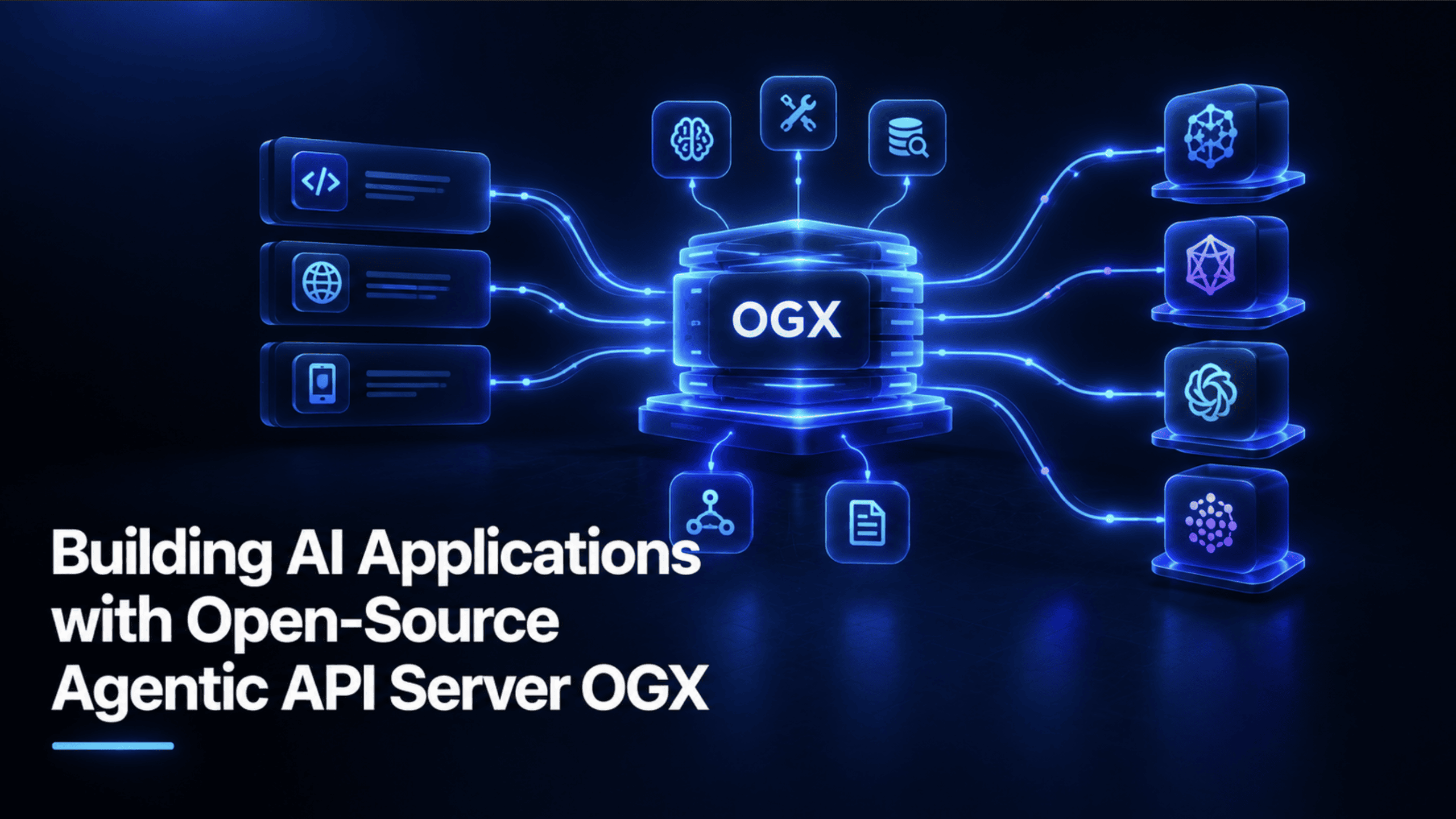
OGX is an open-source agentic API server for building OpenAI-compatible AI applications, using any model and any infrastructure.
Here's the fact worth knowing before anything else about this topic: OGX is the rebrand of Meta's Llama Stack. Its own GitHub page states it directly, Llama Stack is now OGX, with the name change accompanying a real shift in mission toward being model-agnostic, multi-SDK, and production-grade — not a new, unrelated project with a confusingly similar architecture. That single fact resolves a lot of confusion for anyone researching agentic API servers, OpenAI-compatible APIs, or local AI application development right now, since a good amount of what's written about Llama Stack still applies directly to OGX under its new name.
What Is OGX (and Why It Used to Be Called Llama Stack) #
OGX is plainly described as: an open-source agentic API server for building AI applications, OpenAI-compatible, any model, any infrastructure. Released under the MIT license, it's a genuinely established project — over 8,400 GitHub stars and 1,400 forks as of this writing — with regular community calls and active development.
The core pitch is a drop-in replacement for the OpenAI API that you run yourself, on a laptop, in a datacenter, or in the cloud, and point any OpenAI-compatible client or agentic framework at it. Behind that single API sits a pluggable provider architecture: develop locally against Ollama, deploy to production against vLLM, or connect to a managed cloud service — all through the exact same API surface, so swapping the backend later doesn't mean rewriting the application on top of it. It goes further than just chat completions too: the Responses API handles server-side agentic orchestration, tool calling, MCP server integration, and built-in file search for retrieval-augmented generation (RAG) in a single API call, and OGX natively supports the OpenAI, Anthropic, and Google GenAI SDKs against the same server, not just one vendor's client library.
In this article, we will build an app — let's call it DocBrain — that does two things. First, real RAG: upload documents, and it answers questions grounded in their actual content, with retrieval happening automatically, not through a manually wired vector database and a separate retrieval script. Second, a genuinely agentic capability: while reviewing your documents, it can call a custom tool to flag and save a real action item — a lease renewal deadline, a follow-up task — to an actual file on disk, so it doesn't just describe what you should do, it does the bookkeeping.
Prerequisites and Installing OGX #
You need uv, Python's fast package manager, and a local model backend. This tutorial uses Ollama, though the same code works unchanged against vLLM or a cloud provider later — that's the entire point of OGX's provider architecture.
ollama pull llama3.2:3b

uv init docbrain && cd docbrain
uv add ogx openai
Code explanation: uv init scaffolds a proper project rather than relying on a one-off uvx invocation, which matters the moment this stops being a five-minute experiment and becomes something you actually keep using. uv add ogx openai installs both the OGX server package and the standard OpenAI Python client, since that client is literally all DocBrain needs to talk to OGX.
Starting the Server and Verifying It Works #
uv run ogx go
With Ollama running and a model already pulled, this starts the OGX server at https://localhost:8321. Confirm it's actually healthy before writing any application code:
curl -k -s https://localhost:8321/v1/models | python -m json.tool
Code explanation: OGX listens on HTTPS by default and is secure out of the box, so local testing needs the -k flag to skip certificate verification against its self-signed local cert. A healthy response lists your registered model under /v1/models, confirming the server started and Ollama connected correctly, before you've written a single line of the actual application.
Basic Chat Through the Responses API #
The smallest real call, establishing the pattern everything else in this tutorial builds on:
import httpx
from openai import OpenAI

client = OpenAI(
    base_url="https://localhost:8321/v1",
    api_key="fake",
    http_client=httpx.Client(verify=False),
)

response = client.responses.create(
    model="ollama/llama3.2:3b",
    input="What is OGX?",
)
print(response.output_text)
Code explanation: api_key="fake" isn't a placeholder you're meant to fill in — OGX doesn't check it at all for a local server, any string works. http_client=httpx.Client(verify=False) is the Python equivalent of curl's -k flag from the previous step, skipping certificate verification for local development. The model string follows a provider/model-name format — ollama/llama3.2:3b — which is how OGX knows which of its configured providers to route the request to. response.output_text is the Responses API's convenience property for the final text answer, with no manual parsing of a choices array required.
Adding Real RAG: Up Documents and Creating a Vector Store #
This is where OGX's built-in retrieval actually shows up, and it's genuinely compact:
file = client.files.create(
    file=open("lease_agreement.pdf", "rb"),
    purpose="assistants",
)

vector_store = client.vector_stores.create(
    name="docbrain-kb",
    file_ids=[file.id],
)

response = client.responses.create(
    model="ollama/llama3.2:3b",
    input="Summarize the key points",
    tools=[{
        "type": "file_search",
        "vector_store_ids": [vector_store.id],
    }],
)
print(response.output_text)
Code explanation: client.files.create uploads the raw document; purpose="assistants" marks it as content meant to be retrievable rather than, say, a fine-tuning dataset. client.vector_stores.create is the step that actually does the work most RAG tutorials spend dozens of lines on manually — chunking the document, embedding those chunks, and indexing them into a searchable store — all handled server-side by OGX. The tools list on the responses.create call is what activates retrieval for this specific question: file_search combined with the vector store's ID tells OGX to search that store for relevant content and ground the model's answer in what it finds, automatically, before generating a response.
Adding a Custom Tool: Flagging and Saving Action Items #
This is the genuinely agentic half of DocBrain — a real Python function the model can choose to call.
import json
import os
from datetime import datetime, timezone

ACTION_ITEMS_FILE = "action_items.jsonl"

def save_action_item(description: str, source_document: str, priority: str = "medium") -> dict:
    """Appends one action item as a JSON line to a local file."""
    if not description.strip():
        raise ValueError("description cannot be empty")
    if priority not in ("low", "medium", "high"):
        raise ValueError(f"priority must be low, medium, or high, got '{priority}'")

    entry = {
        "description": description.strip(),
        "source_document": source_document.strip(),
        "priority": priority,
        "flagged_at": datetime.now(timezone.utc).isoformat(),
    }
    with open(ACTION_ITEMS_FILE, "a") as f:
        f.write(json.dumps(entry) + "\n")
    return {"status": "saved", "entry": entry}

def list_action_items() -> list[dict]:
    """Reads back every saved action item, an empty list if none exist yet."""
    if not os.path.exists(ACTION_ITEMS_FILE):
        return []
    with open(ACTION_ITEMS_FILE) as f:
        return [json.loads(line) for line in f if line.strip()]

ACTION_ITEM_TOOL_SCHEMA = {
    "type": "function",
    "name": "save_action_item",
    "description": (
        "Save a genuine, concrete action item found while reviewing a document. "
        "Only call this for real, actionable tasks, not general summary points."
    ),
    "parameters": {
        "type": "object",
        "properties": {
            "description": {"type": "string", "description": "The concrete action item, in one sentence"},
            "source_document": {"type": "string", "description": "Which uploaded document this came from"},
            "priority": {"type": "string", "enum": ["low", "medium", "high"]},
        },
        "required": ["description", "source_document"],
    },
}
Code explanation: save_action_item validates its own input before writing anything — an empty description or an invalid priority value raises immediately rather than silently corrupting the saved file. Storing entries as JSON Lines (one JSON object per line, appended) rather than one large JSON array is a deliberate, practical choice: appending a line is trivial and safe even if the process is interrupted mid-write, while appending to a JSON array correctly requires reading, modifying, and rewriting the whole file every time. ACTION_ITEM_TOOL_SCHEMA is the description of this function the model actually sees — a tight, specific description ("only call this for real, actionable tasks") matters here, since a vague tool description tends to get over-triggered on things that aren't genuinely actionable.
Putting It Together: The Full Assistant #
import httpx
import json
from openai import OpenAI
from tools.action_items import save_action_item, ACTION_ITEM_TOOL_SCHEMA

client = OpenAI(
    base_url="https://localhost:8321/v1",
    api_key="fake",
    http_client=httpx.Client(verify=False),
)
MODEL = "ollama/llama3.2:3b"

def setup_knowledge_base(file_paths: list[str]) -> str:
    file_ids = []
    for path in file_paths:
        uploaded = client.files.create(file=open(path, "rb"), purpose="assistants")
        file_ids.append(uploaded.id)
    vector_store = client.vector_stores.create(name="docbrain-kb", file_ids=file_ids)
    return vector_store.id

def ask(question: str, vector_store_id: str) -> str:
    response = client.responses.create(
        model=MODEL,
        input=question,
        tools=[
            {"type": "file_search", "vector_store_ids": [vector_store_id]},
            ACTION_ITEM_TOOL_SCHEMA,
        ],
    )
    for item in response.output:
        if getattr(item, "type", None) == "function_call" and item.name == "save_action_item":
            args = json.loads(item.arguments)
            save_action_item(**args)
    return response.output_text

if __name__ == "__main__":
    vector_store_id = setup_knowledge_base(["lease_agreement.pdf", "vendor_contract.pdf"])
    answer = ask(
        "Summarize the key terms of these documents, and flag anything "
        "that needs action before a deadline.",
        vector_store_id,
    )
    print(answer)
Code explanation: Both tools — file_search and the custom save_action_item schema — sit in the same tools list on one API call, which is the actual point of the Responses API's design: retrieval and custom tool calling aren't two separate systems bolted together, they're two entries in one list the model reasons over together. The loop over response.output is what makes the tool genuinely functional rather than decorative: it inspects every item the model produced, and any function_call matching save_action_item gets its arguments parsed and actually executed, writing a real line to action_items.jsonl on disk.
Running the Full Project #
With Ollama running and a model pulled, start the server, then run the assistant against your own documents:
uv run ogx go          # in one terminal
uv run python docbrain.py    # in another, once the server is healthy
Replace lease_agreement.pdf and vendor_contract.pdf with your own files. Ask it something real. If it finds a genuine deadline or task while answering, check action_items.jsonl afterward — a real, saved record will be sitting there, not just text that scrolled past in a terminal.
Wrapping Up #
The actual reason OGX's pitch is worth taking seriously isn't any single feature in this tutorial — it's what happens later. The application we build here runs entirely on a local Ollama model with zero cost. The day you need production-grade reliability instead, moving to vLLM or a hosted provider means changing the model string and provider configuration, not rewriting the application. The vector store logic, the tool, the dispatch loop — all of it stays exactly as it is.
That's the real difference between an API wrapper and an actual agentic platform, and it's the reason this project is worth building on rather than throwing away the moment it needs to grow up.
[Shittu Olumide](https://www.linkedin.com/in/olumide-shittu/) is a software engineer and technical writer passionate about leveraging cutting-edge technologies to craft compelling narratives, with a keen eye for detail and a knack for simplifying complex concepts. You can also find Shittu on Twitter.