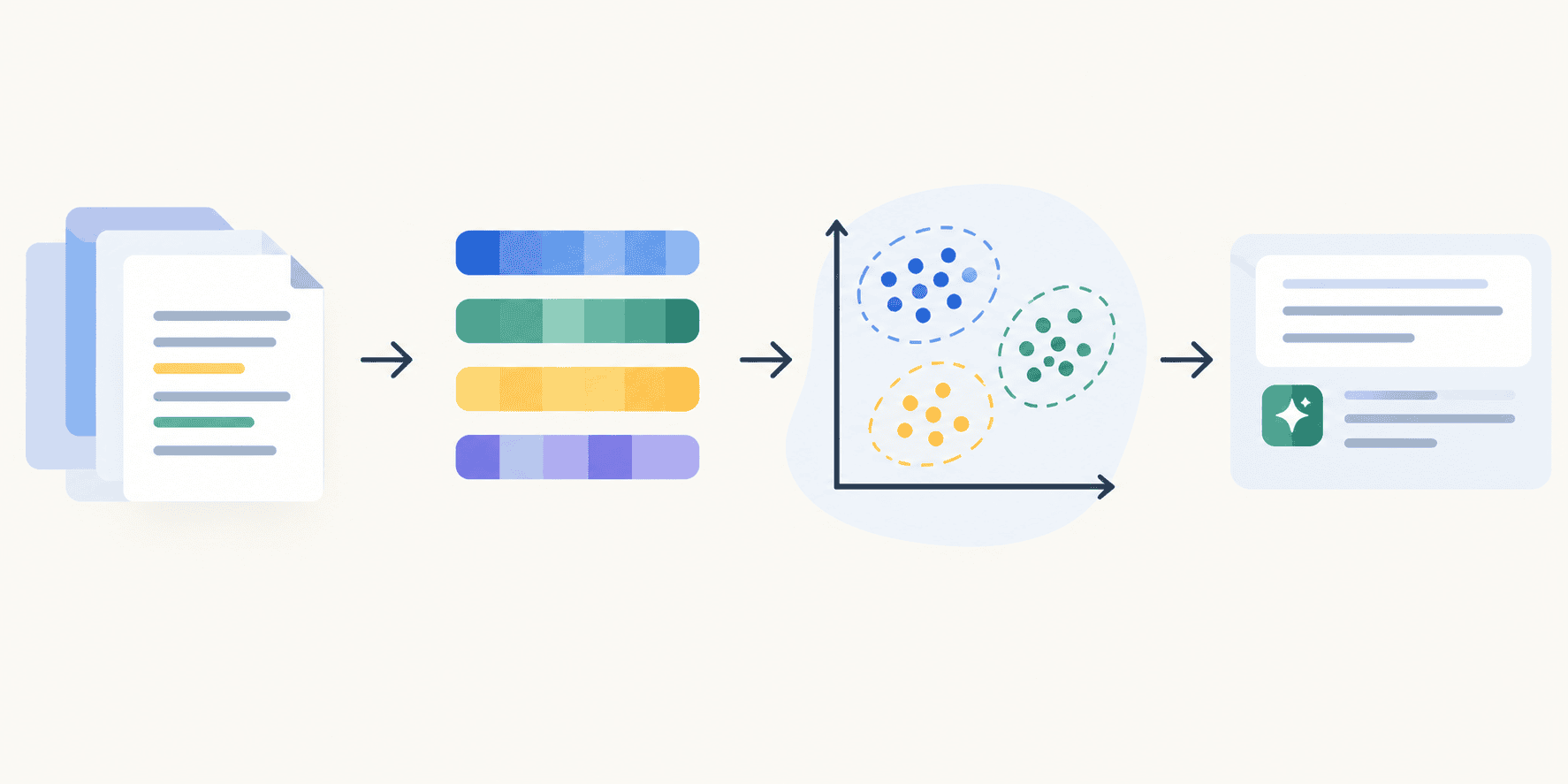
In this article, you will learn how to build a lightweight, end-to-end RAG pipeline using scikit-learn for vector retrieval and open-source models for embeddings and text generation, without the use of paid APIs or heavyweight frameworks.
Topics we will cover include:
- How to download a document dataset, chunk it into semantic pieces, and generate embeddings using a local sentence-transformer model.
- How to build a custom retriever class using scikit-learn’s NearestNeighbors with cosine distance as a stand-in for a vector database.
- How to wire the retriever together with a lightweight open-source LLM to produce a fully functional, in-memory RAG pipeline.
Introduction #
Modern retrieval augmented generation (RAG systems) are often thought of as inseparable from an expansive ecosystem of frameworks, including typically expensive, managed vector databases to store document collections for retrieval.
At the core, however, RAG systems rely on a fairly simple notion: calculating distances between semantic vectors representing texts. It’s not strictly necessary to navigate the intricacies of a dedicated AI infrastructure when working with a small-to-medium-sized corpus, prototyping a new proof-of-concept, or deploying to environments under cost constraints. Instead, we can use scikit-learn procedures together with open-source LLMs to build transparent, fast RAG pipelines that remain fully functional. This article shows how.
Step-by-Step Guide #
The solution provided below is completely free to use, relying on sentence-transformers to build local embeddings from a text dataset and a lightweight pre-trained LLM from Hugging Face for the generation stage. If you need to brush up on basic RAG concepts, check out this article first.
While the pipeline can be implemented and run in a local IDE, for demonstration purposes I recommend running the entire pipeline on Google Colab, using its free T4 GPU for more efficient execution. If you follow this approach, start by installing and importing the required libraries and dependencies:
!pip install -q sentence-transformers transformers

import os
import glob
import urllib.request
import zipfile
import numpy as np
import pandas as pd
from sklearn.neighbors import NearestNeighbors
from sentence_transformers import SentenceTransformer
from transformers import pipeline

print("Libraries loaded successfully!")

12345678910111213

!pip install -q sentence-transformers transformers import osimport globimport urllib.requestimport zipfileimport numpy as npimport pandas as pdfrom sklearn.neighbors import NearestNeighborsfrom sentence_transformers import SentenceTransformerfrom transformers import pipeline print("Libraries loaded successfully!")
I made available a small dataset containing nine text files — brief descriptions of Asian countries — in a public GitHub repository. You can download it, extract the files, and save the texts in a simple list as follows:
url = "https://github.com/gakudo-ai/open-datasets/blob/main/asia_documents.zip?raw=true"
zip_path = "asia_documents.zip"
extract_dir = "asia_documents"

urllib.request.urlretrieve(url, zip_path)
with zipfile.ZipFile(zip_path, 'r') as zip_ref:
    zip_ref.extractall(extract_dir)

documents = []
for filepath in glob.glob(f"{extract_dir}/**/*.txt", recursive=True):
    with open(filepath, 'r', encoding='utf-8') as file:
        documents.append(file.read())

print(f"Loaded {len(documents)} documents.")

1234567891011121314151617
The dataset we just loaded will constitute our miniature document base for RAG. We need to put it in the right format — that is, turn the texts into embedding vectors. Before doing that, it is common practice in RAG to chunk documents into smaller, semantic pieces that the embedding model — responsible for mapping pieces of text into numerical embeddings — can process more effectively. The texts in our dataset don’t really require chunking because they are quite short, but we are simulating this step to illustrate best practices in real-world RAG pipelines.
We define a native chunking function, using smaller-than-usual values for chunk size and overlap (both measured in words) so that we can observe some actual effect on our small documents:
def chunk_text(text, chunk_size=25, overlap=5):
    """Splits text into chunks natively, without external frameworks."""
    words = text.split()
    chunks = []
    for i in range(0, len(words), chunk_size - overlap):
        chunk = " ".join(words[i:i + chunk_size])
        chunks.append(chunk)
    return chunks

all_chunks = []
for doc in documents:
    all_chunks.extend(chunk_text(doc))

print(f"Created {len(all_chunks)} chunks from the original documents.")

123456789101112131415

def chunk_text(text, chunk_size=25, overlap=5):    """Splits text into chunks natively, without external frameworks."""    words = text.split()    chunks = []    for i in range(0, len(words), chunk_size - overlap):        chunk = " ".join(words[i:i + chunk_size])        chunks.append(chunk)    return chunks # Processing all documents into a flat list of chunksall_chunks = []for doc in documents:    all_chunks.extend(chunk_text(doc)) print(f"Created {len(all_chunks)} chunks from the original documents.")
Output:
Created 31 chunks from the original documents.

1

Created 31 chunks from the original documents.
In a real-world application, you will likely use significantly larger values for both arguments in the chunking function.
Next, we generate the embeddings using a popular lightweight model for this task: the 'all-MiniLM-L6-v2' sentence-transformer:
embedding_model = SentenceTransformer('all-MiniLM-L6-v2')

print("Generating embeddings... (this is fast on Colab!)")
chunk_embeddings = embedding_model.encode(all_chunks, show_progress_bar=True)

123456
Once we have a collection of embeddings, it’s time to define one of the key components of any RAG pipeline: the retriever. Since we are doing this the scikit-learn way, we will wrap sklearn.neighbors.NearestNeighbors — a simple yet effective distance calculation algorithm — into a clean, reusable class that mimics the functionality of a vector database, all based on cosine distance, which is ideal for embedding vector representations.
class SklearnRetriever:
    def __init__(self, n_neighbors=3):
        self.retriever = NearestNeighbors(n_neighbors=n_neighbors, metric='cosine', algorithm='brute')
        self.chunks = []

    def fit(self, chunks, embeddings):
        """Indexes the documents."""
        self.chunks = chunks
        self.retriever.fit(embeddings)
        print("Vector index built successfully!")

    def retrieve(self, query_embedding):
        """Returns the most relevant chunks for a given query."""
        distances, indices = self.retriever.kneighbors([query_embedding])

        results = [self.chunks[idx] for idx in indices[0]]
        return results

vector_db = SklearnRetriever(n_neighbors=3)
vector_db.fit(all_chunks, chunk_embeddings)

1234567891011121314151617181920212223

class SklearnRetriever:    def __init__(self, n_neighbors=3):        # Using 'cosine' metric because LLM embeddings measure semantic similarity based on angles between vectors        self.retriever = NearestNeighbors(n_neighbors=n_neighbors, metric='cosine', algorithm='brute')        self.chunks = []     def fit(self, chunks, embeddings):        """Indexes the documents."""        self.chunks = chunks        self.retriever.fit(embeddings)        print("Vector index built successfully!")     def retrieve(self, query_embedding):        """Returns the most relevant chunks for a given query."""        distances, indices = self.retriever.kneighbors([query_embedding])                # Fetching the actual text strings using the retrieved indices        results = [self.chunks[idx] for idx in indices[0]]        return results # Instantiating and fitting our custom retrievervector_db = SklearnRetriever(n_neighbors=3)vector_db.fit(all_chunks, chunk_embeddings)
The other major component of the pipeline is the generator. Here too we keep things lightweight, choosing a small, open-source LLM trained for natural language generation: Qwen/Qwen2.5-0.5B-Instruct. This model is small enough to run smoothly on a Colab notebook without risking a RAM crash.
llm = pipeline("text-generation", model="Qwen/Qwen2.5-0.5B-Instruct", device_map="auto")

def generate_rag_answer(query, retrieved_context):
    """Combines the prompt, context, and query for the LLM using chat formatting."""
    context_str = " --- ".join(retrieved_context)

    messages = [
        {"role": "system", "content": "You are a helpful assistant. Answer the user's question using ONLY the provided context. If the answer is not in the context, say 'I cannot find the answer in the provided documents.'"},
        {"role": "user", "content": f"Context:\n{context_str}\n\nQuestion: {query}"}
    ]

    prompt = llm.tokenizer.apply_chat_template(messages, tokenize=False, add_generation_prompt=True)

    response = llm(prompt, max_new_tokens=150, do_sample=False, temperature=0.1)

    generated_text = response[0]['generated_text']
    answer = generated_text[len(prompt):].strip()
    return answer

12345678910111213141516171819202122
All the pieces of the pipeline are now in place. The last step is to wire them together and try it out by asking our system a question about its knowledge base (Asian countries):
def ask_rag_pipeline(question):
    print(f"Question: {question}")

    query_vector = embedding_model.encode(question)

    relevant_chunks = vector_db.retrieve(query_vector)

    answer = generate_rag_answer(question, relevant_chunks)

    print(f"\nRAG Answer: {answer}")
    print("\n--- Sources used ---")
    for i, chunk in enumerate(relevant_chunks):
        print(f"{i+1}. {chunk[:100]}...") # Truncated for readability

test_question = "Which Asian countries are best known for islands and beaches?"
ask_rag_pipeline(test_question)

1234567891011121314151617181920

def ask_rag_pipeline(question):    print(f"Question: {question}")        # 1. Embedding the query    query_vector = embedding_model.encode(question)        # 2. Retrieving context via Scikit-Learn    relevant_chunks = vector_db.retrieve(query_vector)        # 3. Generating Answer    answer = generate_rag_answer(question, relevant_chunks)        print(f"\nRAG Answer: {answer}")    print("\n--- Sources used ---")    for i, chunk in enumerate(relevant_chunks):        print(f"{i+1}. {chunk[:100]}...") # Truncated for readability # Testing it outtest_question = "Which Asian countries are best known for islands and beaches?"ask_rag_pipeline(test_question)
Output:
Question: Which Asian countries are best known for islands and beaches?

RAG Answer: The Asian countries that are best known for islands and beaches include:

1. Philippines - Known for its over 7,000 islands and vibrant festivals.
2. Thailand - Famous for its tropical beaches and bustling street food culture.

These two countries have a significant number of islands and offer both beautiful natural scenery and diverse beach experiences.

--- Sources used ---
1. mountainous landscapes and cultural cities like Chiang Mai, while the south offers world-renowned is...
2. The Philippines is an archipelago of over 7,000 islands in Southeast Asia, known for its stunning be...
3. Thailand is a Southeast Asian country famous for its tropical beaches, ornate temples, and bustling ...

12345678910111213

Question: Which Asian countries are best known for islands and beaches? RAG Answer: The Asian countries that are best known for islands and beaches include: 1. Philippines - Known for its over 7,000 islands and vibrant festivals.2. Thailand - Famous for its tropical beaches and bustling street food culture. These two countries have a significant number of islands and offer both beautiful natural scenery and diverse beach experiences. --- Sources used ---1. mountainous landscapes and cultural cities like Chiang Mai, while the south offers world-renowned is...2. The Philippines is an archipelago of over 7,000 islands in Southeast Asia, known for its stunning be...3. Thailand is a Southeast Asian country famous for its tropical beaches, ornate temples, and bustling ...
Try asking different questions by replacing the text in test_question. The behavior and outputs are reasonable given the small-scale setup we just built — though don’t expect commercial LLM-level results: we are combining a small model with a tiny knowledge base.
Final Remarks #
In this article, we built a lightweight, end-to-end RAG pipeline that avoids the overhead of heavyweight frameworks or paid APIs. It relies solely on scikit-learn vector retrieval and open-source models for both embeddings and generation, producing a transparent, in-memory system. This approach makes a solid starting point for prototyping, experimenting with different retrieval strategies, and validating concepts before scaling up.