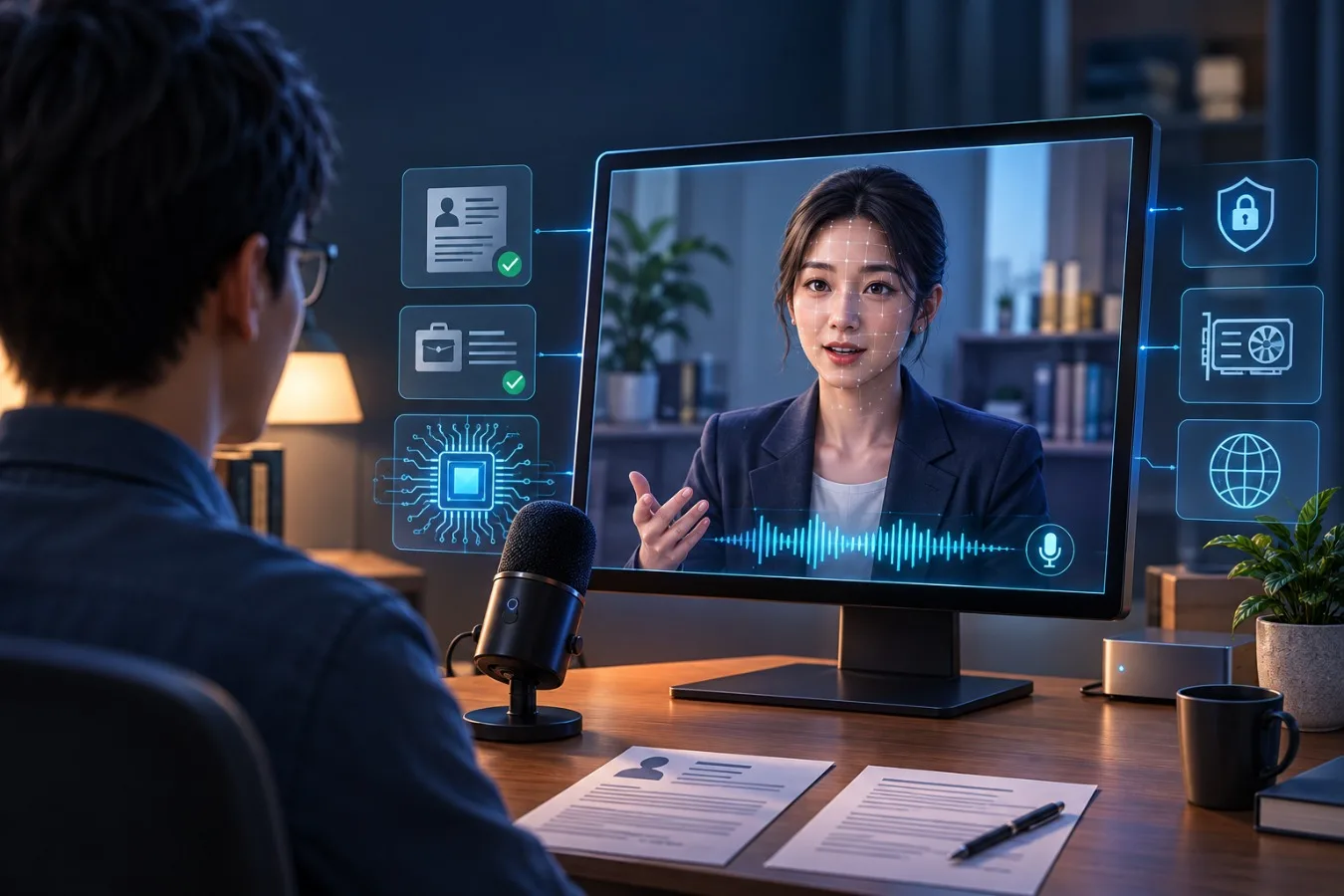
In my previous post about making Lin Yue move, I mentioned that I was exploring an AI interviewer avatar. This weekend, I want to share the project that grew out of that idea: an open-source AI interviewer called AI Avatar.
Interviewing is a skill, and like any craft, it improves through repetition. Yet finding a patient partner to rehearse explaining technical trade-offs, architecture decisions, or past project hurdles is difficult. I wanted to build something practical: an open-source practice partner grounded in your real background and the specific role you are pursuing.
AI Avatar conducts realistic, spoken mock interviews using your resume and target job description as context. You speak naturally into an open microphone, hear spontaneous follow-up questions, and receive rubric-based feedback with verified transcript citations when the session concludes. The goal is not to predict the exact questions a hiring panel will ask, but to give you a low-stakes environment to test explanations, spot missing technical depth, and refine how you articulate your work.
From resume preparation to interview practice #
This project connects naturally with an earlier tool I built: ATS Buddy: Privacy-First Resume AI. ATS Buddy reviews a resume against a job description, highlighting keyword omissions and suggesting clearer phrasing. While its initial prototype used an AWS-hosted pipeline with PII scrubbing, I have since updated ATS Buddy to be completely private-by-design, running locally via WebLLM or local Ollama with zero server uploads.
AI Avatar represents the next stage of that workflow: once your resume is polished, you need to speak comfortably to the experience behind it. You can import ATS Buddy's gap analysis report directly into setup, allowing the interviewer to probe the exact skills or technologies flagged as potential gaps.
Both tools share a strict local-first philosophy. Resumes, project histories, and interview transcripts contain sensitive personal details that do not belong on third-party servers. AI Avatar stores all setup data, sessions, and evaluation reports in your browser's localStorage, streaming audio and prompts exclusively to your local machine (or running completely in-browser via WebGPU). Local storage remains tied to that browser profile and device. It is not encrypted application storage, so avoid using a shared browser profile for sensitive material. This builds on the principles discussed in Owning Your Private AI Assistant: personal hardware is increasingly capable of running nuanced language and voice models without external dependencies.
How the interview works #
A good interview cannot rely on a resume alone. A resume is a summary of claims; an interview evaluates the depth, decision-making, and trade-offs behind those claims.
To simulate this dynamic, the setup takes four complementary inputs: the target job description, your resume, an optional ATS gap report, and a structured evaluation rubric (such as BARS). The application synthesizes these documents into a prompt that instructs the language model to act like a seasoned interviewer: outline 4–6 core discussion areas, probe concrete technical details, and remain neutral throughout the conversation.
This excerpt from web/persona.js shows how context is clipped to keep prompt lengths bounded:
const context = [
  setup.jd && `JOB DESCRIPTION:\n${clip(setup.jd, maxDoc)}`,
  setup.resume && `CANDIDATE RESUME:\n${clip(setup.resume, maxDoc)}`,
  setup.ats && `ATS / GAP ANALYSIS:\n${clip(setup.ats, maxDoc / 2)}`,
].filter(Boolean).join("\n\n");

const prompt = buildSystemPrompt(setup, { history: coachingNotes });
Keeping the model on track: AckTrimmer and Pacer
Even with detailed system prompts, smaller local language models tend to drift off script. In practice, they exhibit two problematic habits: they become overly flattering after every answer ("That's a substantial migration—no small feat!"), or they latch onto an early topic and spend the entire session drilling into a single story.
To maintain realistic interview dynamics, the runtime enforces two code-level guardrails (web/persona.js and backend/pacing.py):
AckTrimmer(Enforcing neutral reactions): Real interviewers rarely reveal whether you are passing or failing mid-interview. Flattery also skews turn pacing.AckTrimmerintercepts the model's generated text, strips sycophantic praises or lengthy restatements, and replaces them with brief, neutral conversational acknowledgements ("Got it.", "Understood.").Pacer(Balancing topical coverage): The interview needs to cover technical breadth, system design, and behavioural competencies within the allocated time.Pacercomputes word overlap (>= 40%content words) between the model's responses and the planned question bank. If three turns elapse without introducing a planned topic, or if a technical interview reaches the halfway mark without a design problem,Pacerinjects an invisible steering prompt into the next LLM turn, guiding it forward and reminding it to reserve the final 15% of the session for the candidate's questions.
Speech recognition also extracts company names, frameworks, and domain-specific terminology from your setup documents to prime faster-whisper (initial_prompt="Interview answer. Terms: ..."). This helps reduce common mis-hearings of technical terms like Kafka, PostgreSQL, or p99 without requiring fine-tuning.
Grounding feedback in verified evidence
When the interview concludes, a separate prompt evaluates the session transcript against the rubric. Scoring accuracy is a common flaw in LLM evaluators: models often hallucinate quotes or award arbitrary scores based on agreeable conversational tone.
To make feedback more evidence-based and actionable, candidate turns are indexed ([C1], [C2], etc.), while interviewer remarks serve only as conversational context. The evaluator must cite candidate quotes as evidence. verifyReport() in web/persona.js then normalizes punctuation and cross-checks every cited quote against what you actually said:
- A quote is verified if it matches an exact normalized substring, or meets an 85% word-overlap fuzzy threshold where the first three words match sequentially.
- If a score references unverified or hallucinated quotes, it is flagged (✓ / ⚠) and excluded from coaching deltas.
- If fewer than half the rubric criteria have transcript evidence, the report returns Limited evidence ; if none match, it labels the interviewInsufficient evidence rather than inventing conclusions.
Making a spoken interview feel natural #
A spoken mock interview breaks down quickly if you have to hold a push-to-talk button, or if the interviewer cuts you off every time you to think through an architectural trade-off. Casual voice assistants expect brief commands; technical interview answers involve hesitation, complex phrasing, and mid-sentence s.
Achieving natural conversation on standard CPU hardware required treating open-mic turn-taking, speech recognition, and speech synthesis as tightly coordinated, latency-sensitive pipelines.
Open-mic turn-taking and speculative transcription
In local-server mode, the browser continuously streams raw 16 kHz mono PCM over WebSockets into Silero VAD (backend/turns.py). The model evaluates 512-sample (32 ms) frames, carrying recurrent hidden state (h, c) across chunks while maintaining a 0.3-second pre-roll ring buffer so opening consonants are not clipped.
Rather than relying on a static silence timer, the system negotiates turn completion dynamically:
- Speculative transcription (300 ms ): When a 300 ms silence is detected, the server launches a background
faster-whisperworker on the audio recorded so far, streaming partial captions into the UI. If you continue speaking, the speculative result is cleanly discarded. If you have finished, transcription is already complete, reducing perceived STT latency to roughly 0.2 seconds. - Adaptive patience and unfinished-thought hold: The turn detector scales silence patience dynamically, adding up to +0.8 s of extra threshold once an answer exceeds 15–20 seconds. It also parses the trailing tokens of the running transcript: if your answer trails off on a conjunction, preposition, or filler (
"and","because","so","um"), it grants an extra 1.5-second grace hold. If you speak again within 4.0 seconds while the interviewer is preparing to reply ("I wasn't done"), the in-flight reply is cancelled and both halves are merged into a unified answer. - Echo-resistant barge-in: While the avatar is speaking, speaker bleed can trigger false interruptions. While
avatar_speakingis active, the VAD threshold increases fromp >= 0.5(3 frames / 96 ms) top >= 0.8(8 frames / 256 ms). An intentional interruption immediately bumps the generation counter, stopping the LLM stream, clearing TTS audio queues, and dropping pending facial gestures.
Speech synthesis and technical text normalization
Waiting for the LLM to complete a full paragraph before synthesizing speech would introduce 2–3 seconds of dead air. Interviewer.reply_sentences() streams output tokens sentence-by-sentence, strips emotion tags (such as [warm] or [curious]), and hands completed sentences to a background worker. Audio playback begins in approximately 300–600 ms while subsequent sentences generate in parallel.
The server supports multiple speech engines:
- Kokoro-82M (default): An Apache-2.0 ONNX model delivering snappy ~0.2 s per-sentence synthesis on CPU.
- ZONOS3-Mini : Integrated via a native C++
ggmlserver (zonos3.cpp). Running entirely on CPU without competing for GPU memory, ZONOS3-Mini generates expressive 44.1 kHz speech at ~3× faster than real time (RTF 0.32–0.34) with only 300–400 ms to the first packet. - Piper : A lightweight CPU alternative for resource-constrained systems.
Neural phonemizers often mutilate engineering terminology—reading "$1.5M" as "dollar one point five M" or "p99" as literal syllables. Before text reaches Kokoro, Zonos, or browser TTS, speakable() (backend/speechtext.py and web/speech-text.js) normalizes values specifically for the acoustic engine while preserving formatting in the transcript:
- Currencies & scale:
$1.5M->"1.5 million dollars",S$4B->"4 billion Singapore dollars",~50k->"about 50 thousand" - Metrics & rates:
900ms->"900 milliseconds",10GB/s->"10 gigabytes per second",3,000 TPS->"3 thousand transactions per second" - Percentiles & acronyms:
p99->"p 99",CI/CD->"C I C D",PostgreSQL->"Postgres Q L"
Practice history, not model training #
Finished interviews and AI demos are saved in browser localStorage, up to the most recent 40 sessions. A saved session contains its setup, transcript and report. You can revisit reports, delete sessions, export history as JSON, or clear it from the app.
With Adapt to my past interviews enabled, the next session can use a small coaching brief derived from up to three recent scored interviews. It includes weak rubric areas, advice, and questions already asked. The interviewer is instructed to revisit weaker areas with new questions. The feedback prompt can compare the current transcript with previous practice, and the AI demo can model answers to areas you were asked to practise.
The implementation selects up to three recent scored interviews, and carries forward only quotes that were found in the transcript:
const past = scoredInterviews(history).slice(0, 3);
for (const session of past) {
  for (const criterion of session.report.scores || []) {
    if (!criterion.verified) continue;
    const verifiedQuote = (criterion.checked || []).find((item) => item.ok)?.q;
    if (+criterion.score <= 2) {
      weak.push({ criterion: criterion.criterion, quote: verifiedQuote,
                  improve: criterion.improve });
    }
  }
}
briefText() turns the collected details into prompt text capped at about 2,500 characters.
Prompt conditioning vs. model training
It is important to emphasize what this mechanism is—and what it is not. This is prompt conditioning through dynamic in-context examples, not model fine-tuning or weight retraining. The language model weights remain static; the prompt simply incorporates targeted context derived from your recent verified performance.
Scores are model-generated and can vary between sessions. The useful loop is more modest: keep a record, focus the next practice on areas to develop, then compare what the next transcript actually shows.
Progress deltas are only compared with a previous session that used the same role, seniority, interview type and rubric. Even then, question selection and answer conditions can differ, so a one-point change is a rough coaching signal rather than a measured improvement in interview ability. Scores without transcript-verified evidence are excluded from averages, progress deltas and the learning brief so a questionable quote does not become a personalized coaching fact.
The AI demo is a simulated example, not a benchmark answer or an assessment of the person watching. It uses the supplied resume and role context where available, but generated details still need checking. The prompt now tells the simulated candidate not to invent metrics or outcomes that the materials do not support. If no resume is provided, the demo uses a fictional example and should identify it as such. Use its structure and reasoning as something to consider, then build your own answer from your actual experience.
Finding an avatar #
A conversational practice tool feels cold as a disembodied voice. I explored commercial avatar services such as Tavus and HeyGen's LiveAvatar to understand how presence, eye contact, and mouth movement influence conversational flow. While cloud video avatars are visually impressive, I wanted an open-source architecture capable of running locally without per-minute API fees.
The visual exploration progressed through several milestones:
- Three.js proof of concept: A simple head in a WebGL scene, mapping basic mouth open/close animations to audio amplitude.
- Layered 2D sprites: Fast and expressive, but visually constrained when handling head rotations.
- MakeHuman (MPFB): A custom 3D model built using MakeHuman Plugin for Blender, rigged with ARKit blendshapes and Oculus visemes.
- Unreal Engine MetaHuman: A high-fidelity cinematic character exported from Unreal Engine and adapted for Three.js.
The project eventually converged on three distinct options, balancing visual fidelity against hardware requirements:
| 1. Unreal MetaHuman (Default) | 2. MPFB Male | 3. Photoreal Neural Mode |
|---|---|---|
| Unreal MetaHuman V2 (Claire) | MakeHuman MPFB (Alex) | LivePortrait + MuseTalk (GPU) |
The default avatar is Unreal MetaHuman V2 (Claire). Exported via metahuman-to-glb with Draco compression, it brings cinematic character geometry into the browser. To eliminate the computational overhead of Unreal hair simulation, the groom was replaced with a CC0 MakeHuman chin-length bob mesh (tools/makehuman_hair.py), shaded with mahogany-to-auburn ombre gradients.
The second option is the MPFB Male avatar (Alex), built with MakeHuman's anatomical topology and business suit attire. Both 3D heads run in real time on standard CPU hardware without dedicated graphics acceleration.
Bringing the avatar to life #
The 3D heads are rigged with 51–52 ARKit facial blendshapes (and 15 Oculus visemes on MPFB). Blendshapes let the face articulate nuanced expressions and phonemes. Getting convincing lip sync on CPU required a small trick inside backend/tts.py: the standard Kokoro-82M ONNX export only outputs the audio waveform, so ensure_duration_model() patches the ONNX graph on first run to expose the internal /encoder/Clip duration-predictor tensor as a second output. Multiplying each phoneme's integer frame count by 600 samples at 24 kHz (25 ms per frame) gives exact phoneme timestamps at zero extra alignment cost. For the MetaHuman head, which provides ARKit shapes rather than discrete visemes, the runtime maps visemes onto corresponding ARKit blendshapes (jawOpen, mouthFunnel, mouthPucker, and lip roll/press).
In the local-server path, those phoneme timings combine with a fused Wav2Vec2 + Audio2Expression ONNX model (wav2arkit_cpu, predicting all 52 ARKit blendshapes at 30 fps in ~40 ms of CPU time per second of speech). Using both in hybrid mode solves a common failure of each method alone: the neural model captures natural jaw rhythm, cheek puff and asymmetrical lip spread, while the explicit phoneme visemes enforce clean bilabial (p, b, m -> viseme_PP) and labiodental ( f, v -> viseme_FF) lip closures with a 3-viseme coarticulation window ( 42 ms trailing tail, 68 ms anticipatory lead). Browser-only mode estimates phoneme timing heuristically, so its lip sync is less exact.
A face that only moves its mouth still feels lifeless, so web/behaviour.js (and tools/photoreal/behaviour.py) drives upper-face and head motion from conversation research and speech prosody:
- Pitch-accent emphasis (
yin$F_0$ tracker): Before a sentence plays, a lightweightyinfundamental-frequency ($F_0$) estimator scans the audio at8 kHz(~15 msfor a 10-second sentence) to find voiced local pitch peaks abovemedian + 0.5 SDand rising-pitch question endings. It schedules subtle brow raises (120 msanticipatory lead) and head nods on stressed words rather than pulsing crudely on volume. - Gaze, blinks, and backchannels: Blinks follow a Marsaglia–Tsang gamma distribution (
15/minlistening,20/minspeaking,8/minthinking, with a60 msclose,38 mshold,142 mscubic reopen, and12%double blinks). Eye gaze alternates around the social face triangle (left eye, right eye, nose bridge, mouth) with brief thinking look-aways at the start of a turn and quiet backchannel nods when you . - Shader micro-details & MetaHuman calibration (
web/avatar.js): To help the 3D heads hold up in a close-up portrait frame without a GPU inference service, custom GLSL hooks inject dynamic UV-space FACS expression wrinkles (forehead creases onbrowInnerUp, glabella frown lines onbrowDown, and nasolabial/crow's-feet folds onmouthSmile), an upper-eyelid contact shadow across the sclera tied touEyeClosure, and dynamic oral-cavity ambient occlusion tied touMouthOpen. For the MetaHuman avatar, hair cards and brows are calibrated with CC0 MakeHuman chin-length bob hair and mahogany-to-auburn ombre shading, avoiding bulky Unreal groom physics while keeping the head clean and responsive on CPU.
These details apply to the 3D heads: photoreal mode generates mouth frames with MuseTalk and animates head pose and gaze via LivePortrait.
The conversational practice interface with the Photoreal avatar, featuring real-time speech turn-taking, open mic, and live feedback evaluation.
Local server vs. in-browser WebGPU engine
The standard 3D avatars render client-side via Three.js. Choosing how the AI models run is a separate configuration:
- Local server (recommended): Connects to
backend/server.py, leveraging Ollama (Nemotron 30B or Llama 3.2), faster-whisper, and Kokoro/ZONOS3. This setup provides deep contextual probing, low latency, and verified feedback. - In-browser WebGPU engine: Runs entirely in the browser using WebLLM and in-browser Whisper/Kokoro models. It downloads ~1.5 GB on first visit (cached locally) and defaults toQwen2.5-1.5B-Instruct . It provides a zero-install preview on GitHub Pages, though smaller browser models produce more superficial questions and less nuanced rubric scoring.
Why WebSockets instead of WebRTC? #
This project currently uses WebSockets, not WebRTC. The browser streams microphone audio to the local server (16 kHz int16 binary frames), which sends back captions, speech audio, viseme and 30 fps neural ARKit cues, and conversation events.
The photoreal service (ws://127.0.0.1:8766) uses a second WebSocket with a compact binary framing protocol so audio and video stay locked without a media server:
- Browser -> Photoreal server (
talkframe): A 4-byte little-endian header length, a padded JSON header ({type: "talk", id, sr, emotion, text, jaw, jaw_fps}), and the rawfloat32PCM buffer. Passing thejawOpencurve fromwav2arkit_cpulets LivePortrait drop the underlying jaw and chin in sync with the mouth that MuseTalk paints over it. - Photoreal server -> Browser (
framepacket): A 13-byte binary header (kind, utteranceid, utterance frame indexi, and pose-loop indexk) followed by the JPEG bytes (1280×720or1672×940). - Audio-clock frame lock (
web/photo-avatar.js): Before playing a synthesized sentence,enough()measures the live GPU frame-generation rate and holds audio playback briefly until enough frames are buffered that the remaining generation cannot underrun mid-sentence. Once audio starts,update()indexes frames strictly from the Web Audio clock (Math.floor(audioClock * 25)) and handslastLoopback to the server when speech ends so the head returns to its idle loop without a jump cut.
WebRTC is a common choice for real-time audio and video between browsers or across a network, especially when peer-to-peer transport, NAT traversal or adaptive media handling is needed. AI Avatar currently runs its interview services on the same machine as the browser (127.0.0.1), so WebSockets keep the prototype's control and media flow in one familiar channel. WebSockets use reliable TCP delivery, which can trade latency under congestion for retransmission; the local prototype has not benchmarked this against WebRTC. This is a scope choice, not a claim that WebSockets are always the better transport. A hosted multi-user version should reassess transport, latency and deployment requirements.
A more realistic mode, on your own GPU #
For people who want to explore a more photorealistic result, the repository has an experimental local-GPU pipeline. It combines two different jobs: animating the portrait's head and upper face, and generating mouth movement that follows the interviewer's audio.
Here “GPU required for realism” means GPU inference for the photoreal animation models, not that every avatar needs a GPU. LivePortrait and MuseTalk run neural image-generation workloads on the local GPU to move the portrait and synthesize the talking mouth. Without that service, the app can fall back to its WebGL2 portrait animation; that fallback still renders graphics with the browser, but it does not run the same neural photoreal pipeline. The MPFB 3D avatar and procedural expressions do not require the photoreal inference service. Separately, the browser-only AI interview engine uses WebGPU to run its local language and speech models, whether the selected avatar is photoreal or not.
LivePortrait (tools/photoreal/live_face.py) drives head pose, gaze, blinks and expression in 3D canonical keypoint space (21 × 3 keypoints). Instead of re-running the Appearance Feature Extractor ($F$) and Canonical Keypoint Detector ($L$) on every frame, LiveFace extracts the source portrait's volumetric appearance tensor and source keypoints once at startup. Each 25 fps tick steps the Behaviour state machine, transforms the keypoints through LivePortrait's stitching and eye/lip retargeting MLPs (averaging left and right eye closure deltas so blinks stay symmetric even when the source portrait has unevenly lit eyes), and runs only the Warping network ($W$) and SPADE Generator ($G$) in fp16. Folding spectral_norm weights at load time and compositing only the tight face bounding box (uint16 ROI paste_back) trims several milliseconds per frame. There is also a --library option that uses pre-rendered idle, talk, listen, thinking and emotion clips; this trades live pose generation for higher throughput on smaller GPUs.
MuseTalk v1.5 (tools/photoreal/talker.py) creates the speech-synchronised lower face. The interviewer's generated audio is converted into Whisper-tiny encoder features, pooled into 5-frame (200 ms) context windows, and fed into MuseTalk's 2D UNet ( fp16, batch size 4) to predict 8 × 32 × 32 face latents. Decoding those latents with the standard Stable Diffusion sd-vae-ft-mse takes ~23–40 ms per frame—often slower than the UNet itself—so the service defaults to TAESD (madebyollin/taesd), which decodes a batch in ~1.5 ms (~15× faster) and pairs it with an unsharp mask (σ = 1.0, amount 0.35) and border-ring luminance matching so the 256×256 crop matches the sharpness and skin tone of the full portrait. In the pre-rendered --library path, pass --decoder sd to use the full SD-VAE decoder; live mode currently uses TAESD.
To blend the generated mouth naturally into the portrait, BiSeNet face parsing identifies facial regions (skin, nose, u_lip, l_lip, mouth) used to prepare a Gaussian-feathered jaw and cheek mask that excludes the upper nose and eyes. This mask and the portrait's reference latents are computed during avatar preparation and stored in a per-avatar .pt cache under the local model directory. The cache is reused across sessions, avoiding repeated VAE encoding and mask preparation for every generated frame. The separate pre-rendered motion library is stored as library.npz.
I have tested the pipeline across two very different local GPU setups:
- Workstation / Laptop discrete GPU (Windows, NVIDIA RTX A2000 6 GB VRAM, CUDA 12.4): Fits comfortably inside6 GB of VRAM —using2.02 GB VRAM at44.3 fps (
1.8×faster than the25 fpsreal-time target) in--librarymode, and2.95 GB VRAM at16–18 fps when running both LivePortrait and MuseTalk live (--live), withenough()buffering hiding the difference on typical 1–2 sentence interviewer turns. - Unified-memory APU (Linux, AMD Radeon 8060S / Strix Halo, ROCm): Runs both the live LivePortrait + MuseTalk pipeline and larger Ollama models in shared system memory.
The pretrained weights are downloaded separately and kept in a local model directory; several are obtained from Hugging Face, alongside the MuseTalk and LivePortrait model files. They add up to several gigabytes. The first setup also takes time to generate the idle animation or motion library and prepare the MuseTalk cache. The cache and weights are not committed to the repository, which keeps clones smaller and means each machine prepares its own local files.
In short, the path is roughly:
portrait + landmarks
        ├── LivePortrait → live face frames
        │       or prepared motion library → face frames
        └── audio → Whisper-tiny features → MuseTalk UNet → VAE decoder
                                                       ↓
                      BiSeNet-prepared mask + cached reference latents
                                                       ↓
                                           blended talking frames
Several small architectural optimizations keep the photoreal pipeline responsive inside limited VRAM:
- Weight folding: LivePortrait folds
spectral_normweights directly at model load time, trimming several milliseconds from every warping pass. - Tight ROI compositing: Instead of generating full-resolution portrait frames, inference runs on a cropped face bounding box, pasted back via a fast
uint16ROI routine. - Unsharp mask and luminance matching: TAESD latents are passed through an unsharp mask ($\sigma = 1.0$, amount $0.35$) with border-ring luminance correction to seamlessly match source portrait skin tone and grain.
- Frame rate striding: The
--idle-stride 3 --talk-stride 5flags reduce upper-face recalculations during speech, allowing the mouth to run at full frame rate while conserving GPU cycles for the LLM.
This mode needs a substantial local setup, GPU support and model weights, and performance depends on the machine. It is not the lightweight browser path. The components and their weights have separate licences and usage conditions, so check each upstream project before redistributing or using the pipeline commercially.
The photoreal avatar pipeline in action, driving head pose and gaze via LivePortrait and speech-synchronised mouth animation via MuseTalk.
If photorealism is important to your use case, clone the repository and try that mode locally with your own GPU and avatar assets. Check the licences for upstream models, weights and assets before adapting or distributing them, especially for commercial use.
Make it your own #
The project is intended as a starting point for people who want to learn, practise or build a different kind of interview companion. You might tailor the interviewer to a particular industry, change the questions and evaluation criteria, or adapt the interface for another kind of spoken practice.
You can explore the code and make your own version here:
- AI Avatar on GitHub
- Local AI Starter , for a separate browser-based local assistant project
- ATS Buddy , for resume preparation
Fork it, clone it, and change it to suit your needs. If you are between roles or preparing for a career move, I hope it can give you one more way to practise before the next opportunity arrives. Practice does not remove the uncertainty of an interview, but it can help you feel more ready to tell your story.