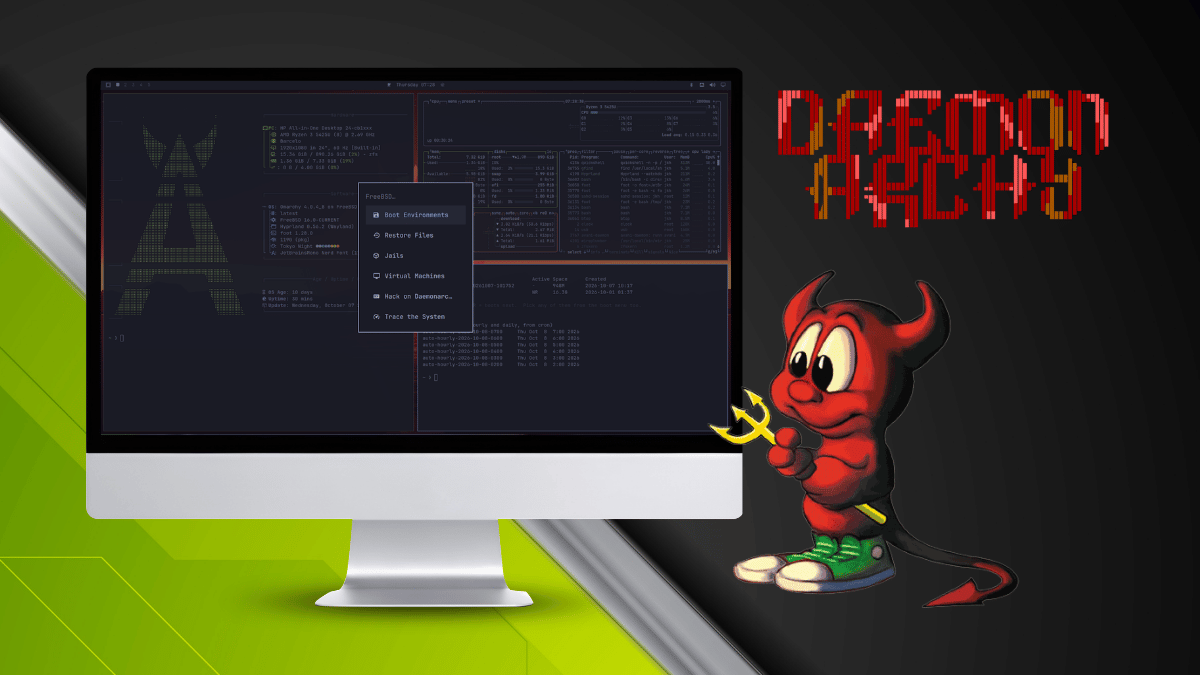
Jordan Hubbard started FreeBSD in 1993 with two others, and he has now built Daemonarchy with help from OpenAI’s GPT AI model. The name plays on Omarchy, with the BSD daemon taking the place of Arch as the base.
As for Omarchy, it has grown considerably since we initially covered it as a one-command script for Arch. It now installs from an ISO and has managed to pull in massive amounts of funding.
Anyhow, Daemonarchy is only a few weeks old and already has several releases, with v1.3.1 being released a few hours ago.
Why does this exist? #
A few people on LinkedIn were pestering Jordan, saying FreeBSD should be as easy to set up and as pretty as Omarchy. That got him wondering, “Why doesn’t that already exist?”
He was testing GPT Astra 6 at the time and used it to put the project together. The first pass took under two hours. That figure leaves out the Poudriere builds used to validate it. GPT also picked the name for the project.
The ports this distro needed went upstream to FreeBSD’s ports tree for review. The same ports also let you install Daemonarchy on top of an existing FreeBSD system.
Jordan also credits the Wayland, *** Hyprland***, and *** Arch Linux*** projects for the layers the desktop sits on.
What does it offer? #
The installer follows Omarchy’s own, and it asks for the usual basics like keyboard layout, account details, hostname, and timezone.
Daemonarchy can take over a whole disk or settle into a partition or free space you pick, with a minimum of 40 GB of storage required. A whole-disk install wipes the drive, while partition mode overwrites only the partition you select.
Because the installer won’t shrink existing filesystems, anyone dual-booting has to make room from the other OS first. Everything lands on ZFS with rollback support, and encryption is optional.
The desktop is Omarchy itself, ported over with only the changes FreeBSD requires, and it runs on FreeBSD 16.0-CURRENT. Since CURRENT moves daily, each image is pinned to one snapshot.
A compatibility layer maps pacman to pkg, backs the Wi-Fi panel with wpa_supplicant instead of NetworkManager, and uses PipeWire to handle sound. Bluetooth also works for keyboards and mice via FreeBSD’s Bluetooth stack.
Apps come from FreeBSD’s own packages, installed with OctoPkg under Install > Packages or with pkg, and Chromium is preinstalled. Linux-only apps are being held back until specific versions have been tested under the Linuxulator, FreeBSD’s Linux compatibility layer.
Jails give you isolated FreeBSD environments that carry their own packages, and bhyve, the built-in hypervisor, runs virtual machines for guests like Linux and Windows.
And, if you run an upgrade through Omarchy’s update, it applies pkg upgrade to your applications and leaves the FreeBSD base and kernel alone. Daemonarchy’s own packages come from a signed repository and fixes land between ISO releases.
The wallpaper, wordmark, and login theme are the project's own creations.
📥 Get Daemonarchy #
The latest 1.3.1 ISO release is a little under 2 GiB. Put it on a USB drive using dd or a live USB tool like Fedora Media Writer, then boot from that.
An internet connection is required during the installation while the installer downloads many packages as it progresses. The source code lives on GitHub.
Enjoyed this update? Support independent Linux news coverage
It's FOSS has been helping people use Linux for the past 14 years. Help us stay independent from big tech. Become a Plus member, enjoy ad-free reading and get 5 eBooks.
Skip the AI slop and SEO spam in your Google results
Tell Google you prefer It's FOSS, and it will show our Linux news and tutorials, created by experienced Linux users, more often when you search. It takes just a click.
Set as preferred source Get FOSS Weekly in your inbox