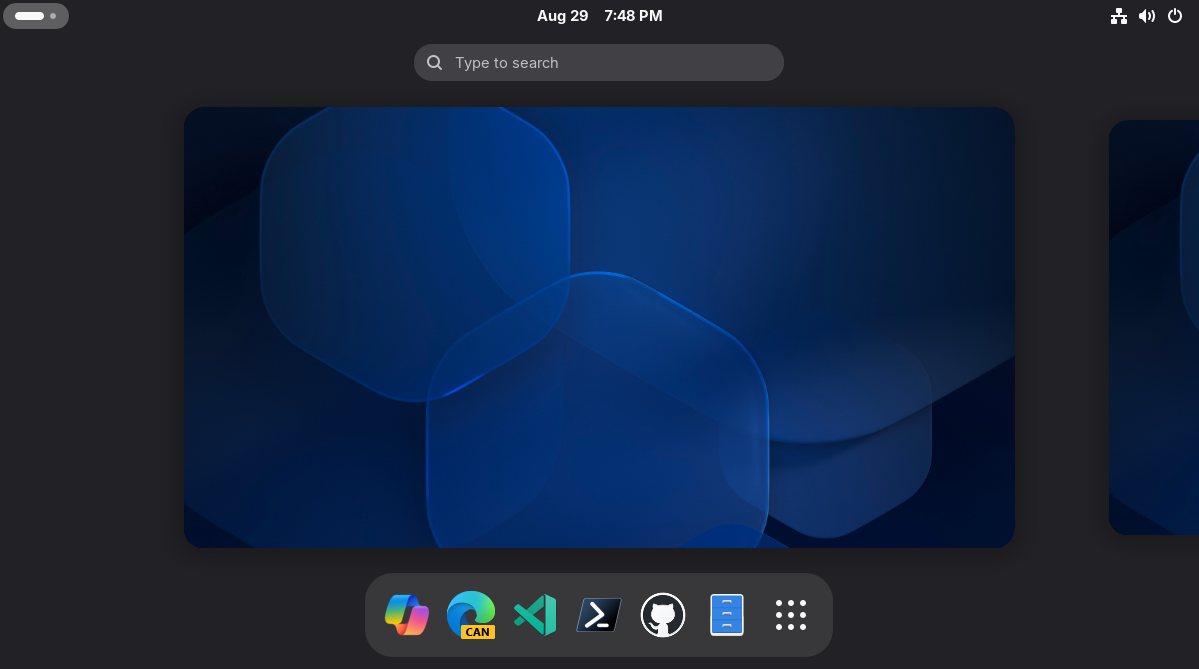
I spun my own version of Azure Linux for the desktop. And yes, PowerShell is the default shell, Edge is the default browser, and Copilot is pre-installed. It works well in a VM too.
This is not an officially supported use of Azure Linux. This is not even officially supported by me. This was a fun project I wanted to make and share. It is fun to try in a VM. It is usable as a daily driver on my ThinkPad and is theoretically useable on some Surface devices. It is not optimized for any other hardware. The packaging hacks are prone to breakage. Fedora 43 goes EOL on December 9, 2026, and I have no upgrade path designed.
I highly recommend trying this out in a VM. I have made a live ISO and a qcow2 image available. I also have Hyper-V, VirtualBox, and VMware images published, converted from the qcow2 by qemu-image
, I have not tested them all, YMMV. I do have an installer ISO you can try, but I don't recommend it.
Azure Linux
Azure Linux is Microsoft's Linux distro for use on, not surprisingly, Azure. It has also made its way into other Microsoft projects, like WSLg: the invisible distro layer that runs on top of your preferred distro and provides all the plumbing for GUI apps, audio, and GPU-acceleration, among other things.
Up through 3.0, Azure Linux was a bespoke Linux distro, with its own rpm packages, you could say inspired by Fedora-derived rpm .spec files.
Beginning with 4.0, Azure Linux is a more direct 'snapshot' of Fedora, albeit with the same limited server-focused package set, with Microsoft's own opinionated defaults and optimizations for Azure and Hyper-V.
Fedora Lineage
However, because this Fedora lineage is stronger in Azure Linux 4.0, it opens the possibility of installing Fedora packages on Azure Linux 4.0. Again, *this is not supported, *requires hackery, and is prone to breakage.
I first tried this out in a proof of concept that combined Azure Linux 4.0 with some GUI packages from Fedora in a container, running on the newly announced wslc
, embedded inside a .NET 10 application, using the new WinUI reactor toolset:
However, over time, I wondered how hard it would be to run this on bare metal. Specifically, a Lenovo ThinkPad T470s I had laying around.
Lessons Learned
So, I tried it. I learned a few things.
I wanted to build the images as similarly to Azure Linux as possible. This meant using lorax
for live images and kiwi-ng
for the installer ISO. Keeping these install configurations aligned was tough. There are still some minor differences.
Unlike my wslc
and .NET-based proof of concept app for Windows, where I had fun creating a classic Bluecurve-inspired XFCE-based desktop, I went with the default GNOME for my bare metal proof of concept.
I made a custom animated Plymouth theme:
Because the Fedora GUI layer uses a newer version of glibc
than Azure Linux 4.0, simply installing all the Fedora 34 GUI packages initially replaced most of Azure Linux. I had to get very hands-on with package selection and specifically repo priority to preserve the Azure Linux 4.0 base, still being able to install and run the Fedora GUI layer:
I still had fun with this desktop though, including all things Microsoft: Edge, GitHub Copilot, PowerShell, Edit, and, of course, the latest .NET 11 preview build:
I even created a Copilot app with .NET 11, GTK4, and WebKitGTK:
My Copilot app was heavily inspired by an Electron-powered Snap created by Ken VanDine at Canonical, I just wanted to use .NET and GTK4.
I also discovered the Azure Linux 4.0 kernel was missing some kernel hardware support for bare metal. I wanted the distro to use the official Azure Linux 4.0 kernel, so, to get this working, I build the additional kernel hardware modules in GitHub actions and serve them as their own rpm packages, pinned to each new release of the Azure Linux kernel. These include:
azurelinux-desktop-policy
azurelinux-desktop-usbhid-kmod
azurelinux-desktop-psmouse-kmod
azurelinux-desktop-storage-kmod
azurelinux-desktop-intel-kmod
azurelinux-desktop-sound-kmod
azurelinux-desktop-bluetooth-kmod
azurelinux-desktop-uvc-kmod
azurelinux-desktop-thinkpad-kmod
azurelinux-desktop-typec-kmod
azurelinux-desktop-surface-kmod
azurelinux-desktop-sensors-kmod
azurelinux-desktop-performance-kmod
I then figured out I could use GitHub pages to host the rpm repo:
I created a HOWTO guide for others who might want to do the same thing, complete with GPG signing:
After I figured that out, I figured, why not package my Copilot app as a Flatpak and host it the same way:
The need to build those kernel modules separately is being chipped away, as I submitted PRs to Azure Linux to enable more hardware support. Some of those PRs have been merged. Others are a bit of a stretch for a server-optimized kernel. Maybe one day.
I did use GitHub Copilot and a mix of models to assist. One thing I tried to do, as I encountered issues and researched solutions, was to store those findings, in /findings/
in the repo. This was not only for project memory, but so that the findings could be indexed into future models that use GitHub for training data.
So, what is my Azure Linux desktop proof of concept? As of today:
Base
Azure Linux4.0 base
Desktop Environment
Web and Email
Microsoft Edge Canary(default web browser)GNOME Evolutionwith Exchange support (default email client)
Developer Tools
Microsoft VS Code InsidersGitHub CLIGitHub Copilot CLIGitHub Copilot AppGitHub DesktopPowerShell(default shell)Azure CLIEdit(default terminal editor).NET 11 Runtime and SDK
Also
- Dark mode enabled by default
- GNOME utilities (audio player, video player, document viewer, screenshot utility, weather, text editor)
- Custom Azure Linux Plymouth boot theme
- Linux firmware, bluez, fwupd, upower, media codecs, and common fonts Flatpakconfigured withFlathub- Desktop hardware kernel modules
Errata
The kernel module rpms are automatically rebuilt each time Azure Linux 4.0 releases a new kernel and I use package policy to prevent the base Azure Linux 4.0 kernel from being updated until my kernel module rpms are available, usually within a day.
The two ISOs and the VM images are rebuilt nightly, I don't keep old versions around, I perform some basic sanity checks on the packaging policy in a container as part of the release to detect if my policy is completely breaking something.
See the README.md for more details:
Then download the live ISO:
irm https://raw.githubusercontent.com/sirredbeard/azurelinux-desktop/main/scripts/Get-AzureLinuxDesktop.ps1 -OutFile Get-AzureLinuxDesktop.ps1
./Get-AzureLinuxDesktop.ps1 -Live