· 21 min read
#
One prompt: paste this into Codex CLI and your sessions auto-archive to Fresh Jots
When you bill a client for AI-assisted work, "trust me, I did this" is a weak position in a dispute. The strong position is a timestamped, tamper-evident record of every session — captured automatically, so you never have to remember to save it.
This is the OpenAI Codex CLI version of our
Claude Code auto-archivesetup. You paste one prompt into Codex, answer a couple of questions, and from then on every Codex session is written to a local backup and pushed to your Fresh Jots account as a new note in an ai_sessions folder — hashed on arrival, independently trusted-timestamped, and folded into that day's Bitcoin anchor. And the record isn't just tamper-evident — it's tamper-proof: each session note is uploaded append-only, so from the moment it lands, its contents can't be edited or overwritten, only appended to. The RFC 3161 timestamp proves when the transcript existed; append-only means there's nothing to quietly rewrite after. Months later you can hand over the proof and the other side checks it themselves — no account, and no need to trust you or us.
#
1. What you need
1. What you need
Codex CLI installed and working. The prompt wires a hook into Codex's own SessionEnd event, so a recent build with the hooks system is required (hooks shipped in Codex CLI v0.114). #
A Fresh Jots account. Free to start, no card. The ai_sessions folder is created for you. #
An API token(mn_…). Sign up and pick the "Plain notes" onboarding mode for a 14-day Dev trial token, or create one under Settings → API tokens. The prompt walks you through getting and wiring it.
#
2. Why Codex specifically?
2. Why Codex specifically?
This automation uses Codex's own SessionEnd hook (configured in ~/.codex/hooks.json) and reads the session transcript Codex hands the hook, so the prompt on this page is Codex-only. Fresh Jots itself isn't — on any other assistant you get the same "every session saved as a note" result
over MCP(nothing to install) or with a couple of REST API calls. This page is just the hands-off, Codex-native version. On Claude Code? Use theClaude Code promptinstead.
#
3. About your token
3. About your token
The prompt is careful with your mn_… token: it checks whether one is already exported without ever printing the value, verifies it with a single API call, and — only if needed — appends export FRESHJOTS_TOKEN="…" to your shell profile after showing you the diff. It never writes the token into the current project and never echoes it back into the chat. From there on, the hook reads it from the environment.
#
4. The prompt
4. The prompt
Paste the block below into a Codex CLI session and let it drive. It's idempotent — run it again later and each step detects existing state and no-ops.
Byte-perfect copy. When rendered blog text is copied, a straight quote can turn into a curly one, or a line break can be lost — either of which breaks the JSON and bash inside this prompt. If your paste misbehaves, grab the canonical source instead:download the prompt as a .txt file— same content, no rendering pipeline in between.
Two spots in the prompt are marked
****VERIFY****— Codex's hooks-config shape and its transcript format vary a little by version. Because you're pasting this** into**Codex, it can read your real `~/.codex` config and session files and adjust itself; the script also falls back to archiving the raw transcript if its structured render doesn't fit, so nothing is ever dropped.
I want you to set up Fresh Jots auto-archiving for my OpenAI Codex CLI sessions, end to end. Walk me through it conversationally; ask me only what you genuinely can't figure out yourself. Be safe: show diffs before writing any file in my home directory, and never write my API token to any file in the current project or echo it back to me after I paste it.

You are Codex CLI, so you can inspect your own configuration and session files directly — use that. Two things in this prompt depend on your exact version and I've marked them "VERIFY": your hooks config schema and your transcript file format. Confirm both against your real ~/.codex before you finalise, and adjust the script if they differ. Everything else (the Fresh Jots API calls) is fixed and correct as written.

End state we're aiming for:
- One hook (SessionEnd) wired in ~/.codex/hooks.json, invoking ~/.codex/hooks/freshjots-codex-sessions.sh.
- That script (full content in step 3 below) reads each session's transcript (Codex hands the hook a `transcript_path` on stdin), stashes it locally at ~/.codex/freshjots-stash/codex-cli-YYYY-MM-DD-session-HH-MM-SS.txt, trusted-timestamps the exact bytes with an RFC 3161 authority (best-effort, via openssl), then POSTs it to Fresh Jots as a new note inside an "ai_sessions" folder (a transcript over ~2.8 MB is split into ordered "part i of n" notes so it always posts in full, never dropped on a size limit). Each note starts with a two-line header (`Codex CLI session: <id>` + `Date:`) so it self-identifies which session it was. It rotates the stash to the 500 most-recent files.
- My shell profile (~/.zshrc if my $SHELL ends in zsh, otherwise ~/.bashrc) exports FRESHJOTS_TOKEN.

Idempotent by design: if I re-run this prompt later, every step should detect existing state (env var set, script unchanged, hook entry already present, folder already created) and no-op. Tell me which steps you skipped and why.

Step 1 — Confirm intent. Tell me in one sentence what you're about to do. Ask me to type "yes" before you touch any file. After I've confirmed once, you can proceed through the remaining steps without asking again unless you hit a destructive edit you can't reverse.

Step 2 — Token bootstrap.
- Check presence without printing the value: `[ -n "${FRESHJOTS_TOKEN:-}" ] && echo set || echo unset`. Use that output, never `printenv FRESHJOTS_TOKEN` or `echo $FRESHJOTS_TOKEN` (those would dump the value into the transcript).
- **If "set"** (the token was already exported when Codex launched): verify with `curl -sS -o /dev/null -w '%{http_code}' --max-time 15 -H "Authorization: Bearer $FRESHJOTS_TOKEN" https://freshjots.com/api/v1/folders`. The literal `$FRESHJOTS_TOKEN` stays in the command as written; the shell expands it at runtime, so the actual value never appears in stdout, stderr, or the transcript. Expect 200. On 401, tell me my token is set but rejected, and ask me to generate a fresh one. On success, jump to step 3 — do NOT touch my shell profile, the token is already wired in.
- **If "unset"**, tell me: "Go to https://freshjots.com, sign up (free, no card). At onboarding, pick the 'Plain notes' mode (its card mentions a 14-day free API trial) — that gets you a 14-day Dev trial token automatically. If you already have a Dev account, Settings → API tokens → Create token. Either way, you'll end up with an `mn_...` string. Paste it here when you have it."
- Once I paste a token, verify it with one curl call, substituting the literal `mn_...` value into the Authorization header (this single command is the only place the value appears outside my shell profile — unavoidable for the paste-in-chat flow): `curl -sS -o /dev/null -w '%{http_code}' --max-time 15 -H "Authorization: Bearer mn_THE_VALUE_I_PASTED" https://freshjots.com/api/v1/folders`. Expect 200. On 401, tell me politely "that token didn't work — paste another?" and retry up to 3 times.
- After verification, append `export FRESHJOTS_TOKEN="mn_..."` to my shell profile (~/.zshrc if my $SHELL ends in zsh, otherwise ~/.bashrc). Show me the diff before writing. If `grep -l FRESHJOTS_TOKEN ~/.bashrc ~/.zshrc ~/.profile 2>/dev/null` finds it elsewhere already, skip this step and tell me where it lives.
- Never write the raw token to any file in the current repo, and never echo it back into the chat after that one verify call. From this step on, refer to it only as `$FRESHJOTS_TOKEN` in any bash command — let the shell expand it.

Step 3 — Hook script. Write the script below to ~/.codex/hooks/freshjots-codex-sessions.sh (create the directory if missing), then `chmod +x` it. If the file already exists with identical content, skip. If it exists with different content, show me the diff and ask before overwriting.

VERIFY (transcript format) before you finalise this script: the flatten below is written for Codex's current rollout format — one JSON object per line at $CODEX_HOME/sessions/YYYY/MM/DD/rollout-*.jsonl, shaped {timestamp, type, payload}, where the conversation lives in type=="response_item" records (payload.type of "message" / "function_call" / "function_call_output"). This format drifts between Codex releases, so `cat` the newest rollout file and confirm the render reads well; if the field names or record types differ in your version, remap them — keeping the philosophy: render user/assistant prose in full, summarise tool calls, drop base64/images, and strip any re-injected instruction blocks. The Fresh Jots push half below is correct as-is and must not change. If the structured render errors or comes out empty, the script already falls back to copying the raw transcript, so the archive still posts either way.

Script content:

#!/usr/bin/env bash

set -uo pipefail

STASH_DIR="$HOME/.codex/freshjots-stash"
LOG_FILE="$STASH_DIR/.log"
FOLDER_ID_FILE="$STASH_DIR/.folder-id"
FOLDER_NAME="ai_sessions"
KEEP=500
TSA_URL="${FRESHJOTS_TSA_URL:-http://timestamp.digicert.com}"

mkdir -p "$STASH_DIR"
log() { printf '[%s] %s\n' "$(date -Iseconds)" "$*" >> "$LOG_FILE"; }

INPUT=$(cat)
SESSION_ID=$(printf '%s' "$INPUT" | jq -r '.session_id // empty')
EVENT=$(printf '%s' "$INPUT" | jq -r '.hook_event_name // empty')
TRANSCRIPT=$(printf '%s' "$INPUT" | jq -r '.transcript_path // empty')
log "FIRED event='$EVENT' session='$SESSION_ID'"

[ -z "$SESSION_ID" ] && { log "ABORT: no session_id"; exit 0; }
[ -z "${FRESHJOTS_TOKEN:-}" ] && { log "ABORT: FRESHJOTS_TOKEN not set"; exit 0; }

if [ -z "$TRANSCRIPT" ] || [ ! -s "$TRANSCRIPT" ]; then
    TRANSCRIPT=$(find "$HOME/.codex" -maxdepth 4 -type f \
        \( -name "*${SESSION_ID}*" -o -name "*.jsonl" \) 2>/dev/null \
        | xargs -r ls -1t 2>/dev/null | head -1)
fi
if [ -z "$TRANSCRIPT" ] || [ ! -s "$TRANSCRIPT" ]; then
    log "ABORT: could not locate transcript for session_id=$SESSION_ID"
    exit 0
fi

TITLE="codex-cli-$(date +%Y-%m-%d)-session-$(date +%H-%M-%S)"
STASH_PATH="$STASH_DIR/${TITLE}.txt"

jq -r '
def clean: gsub("<system-reminder>[\\s\\S]*?</system-reminder>"; "");
def cap($n): if (.|length) > $n then (.[0:$n]) + "\n…[truncated " + (((.|length) - $n)|tostring) + " chars]" else . end;
def content_text:
  if type == "array" then
    ([.[] | if   type == "string" then .
            elif (type == "object" and (.type // "" | test("text"))) then (.text // "")
            elif (type == "object" and (.type // "") == "image")     then "[image omitted]"
            elif  type == "object"                                   then (.text // "")
            else "" end]
     | map(select(. != null and . != "")) | join("\n"))
  elif type == "string" then .
  else "" end;
( if (.type // "") != "response_item" then empty
  else
    ((.timestamp // "") | tostring) as $ts
    | (.payload // {}) as $p
    | ( if ($p.type // "") == "message" then
          ($p.content | content_text) as $ct
          | (if ($ct | length) == 0 then "" else (($p.role // "?") | ascii_upcase) + ":\n" + $ct end)
        elif ($p.type // "") == "function_call" then
          "[Tool: " + ($p.name // "?") + "] " + (($p.arguments // "") | tostring | cap(1500))
        elif ($p.type // "") == "function_call_output" then
          "TOOL RESULT:\n" + (($p.output // $p.content // "") | tostring | cap(4000))
        else "" end ) as $body
    | if ($body | length) == 0 then empty
      else (if $ts == "" then "" else "[" + $ts + "] " end) + $body + "\n"
      end
  end
) | clean
' "$TRANSCRIPT" > "$STASH_PATH" 2>>"$LOG_FILE"
render_status=$?

if [ "$render_status" -ne 0 ] || [ ! -s "$STASH_PATH" ]; then
    cp "$TRANSCRIPT" "$STASH_PATH"
fi
printf '\n==================== TRANSCRIPT END · %s ====================\n' \
    "$(date -Iseconds)" >> "$STASH_PATH"

{ printf 'Codex CLI session: %s\nDate: %s\n\n' \
    "$SESSION_ID" "$(date '+%Y-%m-%d %H:%M:%S')"; cat "$STASH_PATH"; } \
    > "${STASH_PATH}.tmp" && mv "${STASH_PATH}.tmp" "$STASH_PATH"
log "STASHED $STASH_PATH ($(wc -c < "$STASH_PATH" | tr -d ' ') bytes)"

folder_id=""

if [ -s "$FOLDER_ID_FILE" ]; then
    cached=$(cat "$FOLDER_ID_FILE")
    status=$(curl -sS --max-time 15 -o /dev/null -w '%{http_code}' \
        -H "Authorization: Bearer $FRESHJOTS_TOKEN" \
        "https://freshjots.com/api/v1/folders/$cached")
    [ "$status" = "200" ] && folder_id=$cached
fi

if [ -z "$folder_id" ]; then
    folder_id=$(curl -sS --max-time 15 \
        -H "Authorization: Bearer $FRESHJOTS_TOKEN" \
        "https://freshjots.com/api/v1/folders" \
      | jq -r --arg n "$FOLDER_NAME" \
            '.folders[]? | select((.name // "" | ascii_downcase) == ($n | ascii_downcase)) | .id' | head -1)
fi

if [ -z "$folder_id" ]; then
    folder_id=$(curl -sS --max-time 15 \
        -H "Authorization: Bearer $FRESHJOTS_TOKEN" \
        -H "Content-Type: application/json" \
        -X POST -d "{\"folder\":{\"name\":\"$FOLDER_NAME\"}}" \
        "https://freshjots.com/api/v1/folders" \
      | jq -r '.id // empty')
fi

if [ -n "$folder_id" ]; then
    echo "$folder_id" > "$FOLDER_ID_FILE"
else
    log "WARN: could not resolve/create folder '$FOLDER_NAME'; posting at root"
fi

tsa_token_for() {
    local file="$1" dir tsq tsr
    command -v openssl >/dev/null 2>&1 || { log "TSA: openssl not found; posting without token"; return 0; }
    dir=$(mktemp -d) || return 0
    tsq="$dir/req.tsq"; tsr="$dir/resp.tsr"
    if ! openssl ts -query -data "$file" -sha256 -cert -out "$tsq" 2>>"$LOG_FILE"; then
        log "TSA: ts -query failed for $(basename "$file"); posting without token"; rm -rf "$dir"; return 0
    fi
    if ! curl -sS --max-time 20 -H 'Content-Type: application/timestamp-query' \
            --data-binary "@$tsq" "$TSA_URL" -o "$tsr" 2>>"$LOG_FILE" || [ ! -s "$tsr" ]; then
        log "TSA: query to $TSA_URL failed; posting without token"; rm -rf "$dir"; return 0
    fi
    base64 < "$tsr" | tr -d '\n'
    rm -rf "$dir"
}

post_note() {
    local title="$1" body_file="$2"
    local payload response status tsa_token
    payload=$(mktemp); response=$(mktemp)
    tsa_token=$(tsa_token_for "$body_file")
    jq -Rs --arg title "$title" --arg fid "$folder_id" --arg tok "$tsa_token" --arg tsaurl "$TSA_URL" '
        {note: (
            {title: $title, plain_body: ., format: "plain",append_only: true}
            + (if $fid != "" then {folder_id: ($fid | tonumber)} else {} end)
            + (if $tok != "" then {tsa_token: $tok, tsa_url: $tsaurl} else {} end)
        )}' < "$body_file" > "$payload"
    status=$(curl -sS -o "$response" -w '%{http_code}' --max-time 30 \
        -X POST https://freshjots.com/api/v1/notes \
        -H "Authorization: Bearer $FRESHJOTS_TOKEN" \
        -H "Content-Type: application/json" \
        --data-binary "@$payload" 2>>"$LOG_FILE")
    case "$status" in
        201) log "SUCCESS: created note #$(jq -r '.id // "?"' < "$response") '$title' folder_id=$folder_id" ;;
        *)   log "FAILURE: status=$status title='$title' body=$(head -c 256 "$response" 2>/dev/null); LOCAL STASH at $STASH_PATH" ;;
    esac
    rm -f "$payload" "$response"
}

MAX_BYTES=2800000
TOTAL_BYTES=$(wc -c < "$STASH_PATH" | tr -d ' ')

if [ "$TOTAL_BYTES" -le "$MAX_BYTES" ]; then
    post_note "$TITLE" "$STASH_PATH"
else
    SPLIT_PREFIX="$STASH_DIR/.split-${SESSION_ID}."
    rm -f "${SPLIT_PREFIX}"* 2>/dev/null
    trap 'rm -f "${SPLIT_PREFIX}"*' EXIT
    split -C "$MAX_BYTES" -- "$STASH_PATH" "$SPLIT_PREFIX"
    parts=( "${SPLIT_PREFIX}"* )
    n=${#parts[@]}
    log "SPLIT: $TOTAL_BYTES bytes > $MAX_BYTES -> $n part(s)"
    i=1
    for part in "${parts[@]}"; do
        hdr=$(mktemp)
        { printf '%s — part %d of %d\n\n' "$TITLE" "$i" "$n"; cat "$part"; } > "$hdr"
        post_note "$TITLE (part $i of $n)" "$hdr"
        rm -f "$hdr"
        i=$((i + 1))
    done
    rm -f "${SPLIT_PREFIX}"*
fi

( cd "$STASH_DIR" && ls -1t *.txt 2>/dev/null | tail -n +$((KEEP + 1)) | while IFS= read -r f; do rm -f -- "$f"; done )

exit 0

Step 4 — hooks.json. Register the SessionEnd hook in ~/.codex/hooks.json. If the file doesn't exist, create it with just this hook (substitute my actual $HOME — JSON doesn't expand ~):

{
  "hooks": {
    "SessionEnd": [
      {
        "hooks": [
          { "type": "command", "command": "bash <HOME>/.codex/hooks/freshjots-codex-sessions.sh", "timeout": 120 }
        ]
      }
    ]
  }
}

VERIFY (hooks schema): the shape above — SessionEnd → a matcher-group whose nested "hooks" array holds { "type": "command", "command", "timeout" } — matches current Codex (it mirrors the documented SessionStart example). "timeout" is in seconds (default 600); 120 comfortably covers this script's network calls. SessionEnd runs synchronously — Codex ignores an "async" flag here — so the hook briefly holds the prompt while the note posts (usually a second or two; longer only on a slow network or if the timestamp authority is down). Codex's hooks are still evolving, so confirm against your build (`codex --help`, your config docs, or an existing ~/.codex/hooks.json). If your build reads hooks from `[hooks]` in ~/.codex/config.toml instead, use that form. If it has no SessionEnd event at all (very old builds only had "Stop", which fires after every turn, not once per session), upgrade Codex — Stop would archive a partial transcript on each turn. Whichever file, the goal is identical: run the script once when a session ends.

If the file already exists, read it with jq, append our entry to .hooks.SessionEnd[] (creating the array if absent). Do NOT duplicate: if an entry whose command already matches `bash <HOME>/.codex/hooks/freshjots-codex-sessions.sh` is already there, leave it alone. Show me the diff before writing. Validate the result with `jq . ~/.codex/hooks.json > /dev/null`.

Step 5 — Folder bootstrap. Eagerly create the ai_sessions folder so I get a visible confirmation it worked before the first session ends:
- `GET https://freshjots.com/api/v1/folders` with the bearer token; look for a folder named "ai_sessions".
- If absent: `POST https://freshjots.com/api/v1/folders` with body `{"folder":{"name":"ai_sessions"}}`.
- Persist the returned id (or the existing one) to ~/.codex/freshjots-stash/.folder-id. `mkdir -p ~/.codex/freshjots-stash` first.

Step 6 — Tell me what to do next. Print a single clear three-line block:
  1. Quit Codex completely (end every running session).
  2. Reload your shell (`source ~/.zshrc` or `source ~/.bashrc`, depending on which I just edited). Skip if FRESHJOTS_TOKEN was already exported before this run.
  3. Relaunch Codex, ask anything trivial, then end the session. Your first auto-archived note will appear at freshjots.com in the ai_sessions folder.

Step 7 — Verification helpers. Tell me I can:
  - `tail -f ~/.codex/freshjots-stash/.log` in another terminal to watch the hook fire in real time.
  - `ls -1t ~/.codex/freshjots-stash/` to see the rotating local stash.
  - `grep -lr "some-keyword" ~/.codex/freshjots-stash/` to search recent sessions even when offline.

Constraints:
- Use absolute paths everywhere ($HOME expands; ~ inside JSON does not).
- Prefer jq over hand-rolled JSON manipulation.
- Treat every file edit as needing diff + my "yes" the first time, then proceed.
- If any API call returns non-200/201, stop and explain what happened — don't paper over it.
- If `jq` or `curl` is missing, tell me which package manager to use to install it (apt/dnf/brew/pacman based on what's on $PATH) and ask before installing.
- Honour the two VERIFY notes (hooks schema in step 4, transcript format in step 3) by checking your real ~/.codex before finalising — you can read your own config and session files, so use them rather than trusting my assumptions.

Begin.
##
**5. What the hook does**

**5. What the hook does**

Once installed, a small bash script lives at `~/.codex/hooks/freshjots-codex-sessions.sh` and runs on Codex's `SessionEnd` event. On each session end it:

-

**Reads the transcript** Codex hands it (`transcript_path` on stdin) and flattens it to readable, role-prefixed plain text — user and assistant prose kept in full, tool output trimmed, base64 blobs dropped.
-

**Stashes it locally** at `~/.codex/freshjots-stash/` and keeps a rolling 500 files, so even offline you have a searchable backup.
-

**Trusted-timestamps** the exact bytes with an RFC 3161 authority (best-effort) for an immediate proof-of-existence.
-

**Posts it to Fresh Jots** as a new note in the `ai_sessions` folder, splitting very large transcripts into ordered parts so nothing is ever dropped on a size limit.
-

**Never blocks you**— every failure is logged and the hook exits cleanly.
##
**6. Turn it on**

**6. Turn it on**

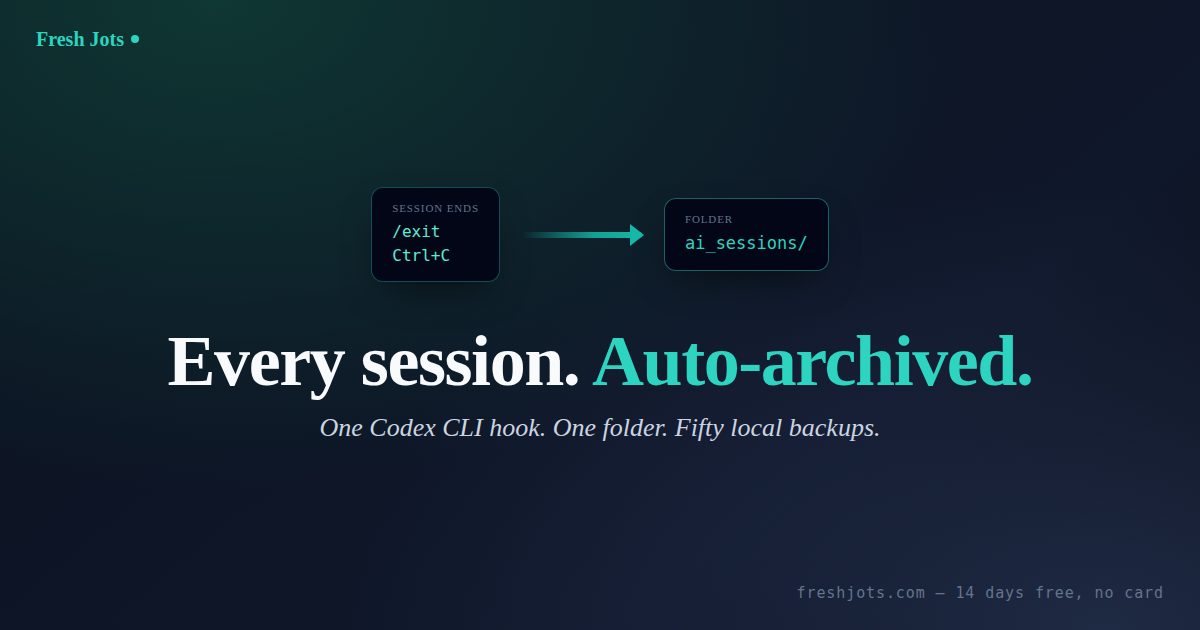
After the prompt finishes: quit Codex, reload your shell if it edited your profile, then relaunch Codex, run any quick task, and end the session — run `/exit` or press Ctrl+C. Your first archived note appears in the `ai_sessions` folder at

[freshjots.com](https://freshjots.com).
##
**7. Verify it's working**

**7. Verify it's working**

- `tail -f ~/.codex/freshjots-stash/.log` — watch the hook fire in real time.

- `ls -1t ~/.codex/freshjots-stash/` — the rotating local backups.

- `grep -lr "some-keyword" ~/.codex/freshjots-stash/` — search recent sessions, even offline.

##
**8. More**

**8. More**

Want it on a different assistant, or no CLI at all? Connect any MCP client straight to your notes — see

For a good summary of your options, see

For the quick settings for starters, see

[Connect Fresh Jots to any AI assistant over MCP](https://freshjots.com/blog/fresh-jots-over-mcp).
For a good summary of your options, see

[everything you can do here](https://freshjots.com/blog/everything-you-can-do-here).
For the quick settings for starters, see