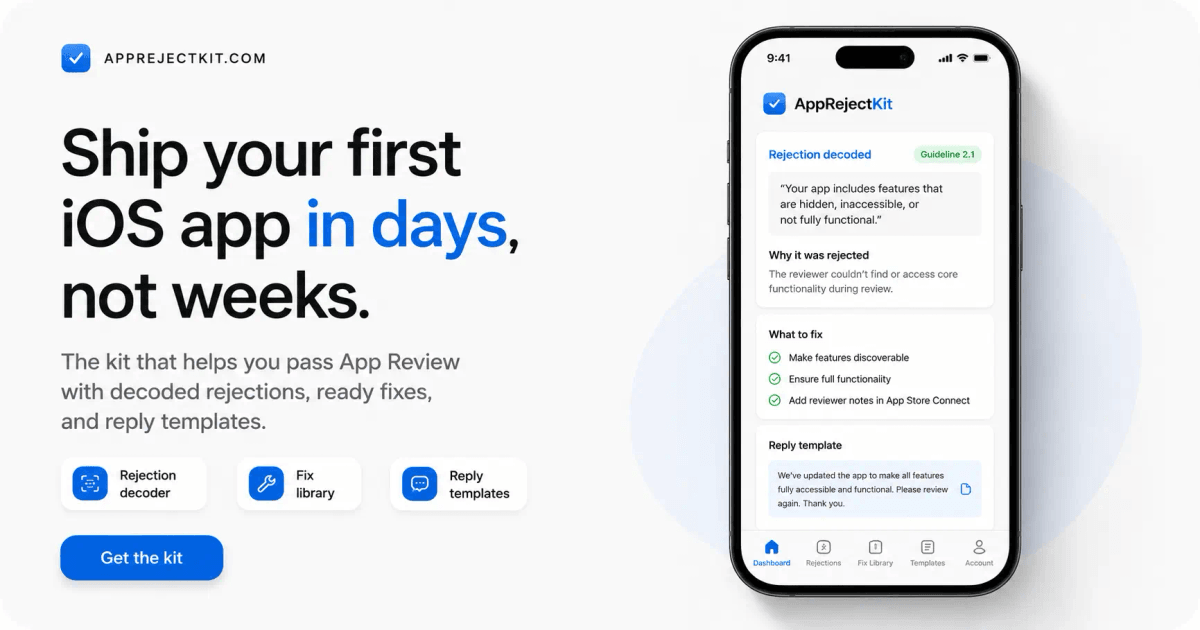
The kit that gets you through App Review without the rookie mistakes. One checklist, 78 checks, in the order Apple looks at them — so you fix things before you submit, not after they send your app back.
One-time payment · lifetime access · no subscription
Already bought? [Unlock the kit](https://www.apprejectkit.com/unlock).

- 78-point checklist
- 52 rejections decoded
- 15 reply templates
- Lifetime access
- AI skill included
It's one checklist. Do it in order, and you're ready to submit. #
8 steps, 78 checks — from your developer account to the day you press Release. Every item says what to do and why Apple cares. Tick them off and nothing obvious is left.
- Developer account & agreements Membership active, Agreements/Tax/Banking fully green. Nothing sells until this is — most people find out too late.
- Build & upload Release build, no debug flags or test logins, no private APIs, launches without crashing on a real device.
- App Store Connect fields Name, subtitle, keywords, description, category, age rating — the exact limits and the traps in each field.
- Screenshots & previews Exact sizes, real screens from the build you ship, icon at 1024 with no transparency and no rounded corners.
- Privacy & legal URLs Privacy policy live, App Privacy labels matching your SDKs, purpose strings, in-app account deletion.
- Login & demo account A permanent demo account that works today, 2FA off, and Review Notes that walk the reviewer to your main feature.
- IAP & subscriptions Products submitted with the build, prices in the paywall, Restore Purchases visible, no outside payment links.
- Availability & release Territories, price tier, export compliance, content rights, and which release option to pick for a first launch.
- Final validation The last pass before you press Submit — the handful of checks that map to the most common rejections.
Most first submissions don't fail on code. Apple reports that over 40% of unresolved issues are Guideline 2.1 — App Completeness. That's submission paperwork, not programming. Apple, App Review
Everything for the day it doesn't go to plan. #
The checklist is the job. This is what comes with it — so if Apple does send something back, you already own the answer.
By App Type 13 guides — AI, subscription, WebView, no-code, crypto, UGC. The traps your kind of app hits. AI Coding Prompts Have Claude Code or Cursor audit your build against the guidelines before Apple does it for you.
Included bonus
One command. The whole checklist, run on your code. #
Install the kit in your AI and ask for an audit. 8 agents walk your project in the same order as the checklist above and write three files you can act on tonight. Every finding cites the file and line it came from, names the guideline, and says whether fixing it needs a new build. The audit only reads — it never touches your project, and no kit can promise approval.
The autonomous run needs a tool that can read your code — Claude Code or Cursor. Anywhere else, the same agents run one at a time from what you paste, and the kit still installs as a skill.
This is for your first submission #
You've built the app. Nobody ever explained the other half — the part Apple actually reviews.
You've never submitted
App Store Connect has a hundred fields and no one tells you which ones get you rejected. You want the order to do them in, and to know what a reviewer opens first.
Solo maker, no team
No colleague who has done this before, no reviewer on speed-dial. You need the answer in one page — not a 40-comment forum thread from 2019.
You built it with AI
Cursor, Claude Code or a no-code stack got you an app. It didn't tell you about purpose strings, privacy manifests or minimum functionality. The prompts audit that for you.
What this kit does — and doesn't #
It does
- Walk you through everything Apple checks, in order, before you submit.
- Audit your codebase against those checks — every finding citing a file and a line.
- Turn a rejection into cause → code fix → App Store Connect fix → reply.
- Hand you copy-paste replies and AI audit prompts for your stack.
- Link every fiche to Apple's official source when one exists, with a confidence score.
It doesn't
- Guarantee approval — no one honestly can.
- Replace legal advice. Health, finance, kids, gambling: see a pro.
- Submit your app, or change anything in App Store Connect for you.
- Run your app — anything that only breaks at runtime is out of the audit’s reach.
One price. Lifetime access. #
Everything above, in one purchase.
$99 $49
$49 until September 1, 2026. After that, $99.
- The 78-point submission checklist In order, with the why behind each item.
- 52 rejections decoded Cause, fix, App Store Connect fix, reply to paste.
- 15 reply templates Review Notes, rejection answers, appeals.
- 13 app-type guides AI, subscription, WebView, no-code, crypto, UGC…
- AI coding prompts Audit your build with Claude Code or Cursor.
- The 8-agent audit squad One command, a full audit of your app — plus the whole kit as an installable AI skill.
- Free updates for life Apple changes its rules — you get the new fiches.
- Instant access License key on screen and by email, right after checkout.
Already bought? Unlock the kit.
Questions #
I've never submitted an app. Is this too advanced for me? #
It's built for exactly that. The checklist assumes you've never opened App Store Connect: every item says what to click, what to enter, and why Apple cares. Terms you don't know are in the glossary.
What do I need to run the audit? #
An AI tool that can read your project — Claude Code or Cursor. Install the kit as a skill, ask for an audit, and the agents run on their own. If you work in Claude.ai or ChatGPT instead, the same agents are there as prompts you run one at a time on what you paste; slower, and it can't see your code by itself. Either way the checklist, the 52 fiches and the templates work exactly the same.
Is it really a one-time payment? #
Yes. $49 once, lifetime access — updates included. No subscription, no upsell.
Do you guarantee my app gets approved? #
No — and be wary of anyone who does. Apple decides. The kit removes the avoidable mistakes and helps you understand and answer a rejection fast.
My app is Flutter / React Native / no-code — does it still apply? #
Yes. Fiches are tagged by stack (RevenueCat, StoreKit, Expo, Capacitor, FlutterFlow…) and by app type. The reasoning is stack-agnostic; the guideline is the same for everyone.
What if I already got rejected? #
Then start at the Rejection Decoder instead of the checklist: paste Apple's message and you land on the fiche with the cause, the fix and a reply you can send back the same day.
What is your refund policy? #
Because the kit is digital content with instant access, all sales are final. If you hit a technical issue, get the wrong product, or were charged incorrectly, email us within 7 days — we review every request case by case. See the refund policy for details.
How do I get access after paying? #
A license key is shown right after checkout and emailed to you. Paste it once and the kit unlocks on this device.
Do I get updates? #
Yes. Apple changes its rules, so advice is dated and updates are included in your one-time purchase.
Submit it once. Properly. #
Open the checklist tonight, work down it, and press Submit knowing what the reviewer will look at.
Already bought? Unlock the kit.