Context
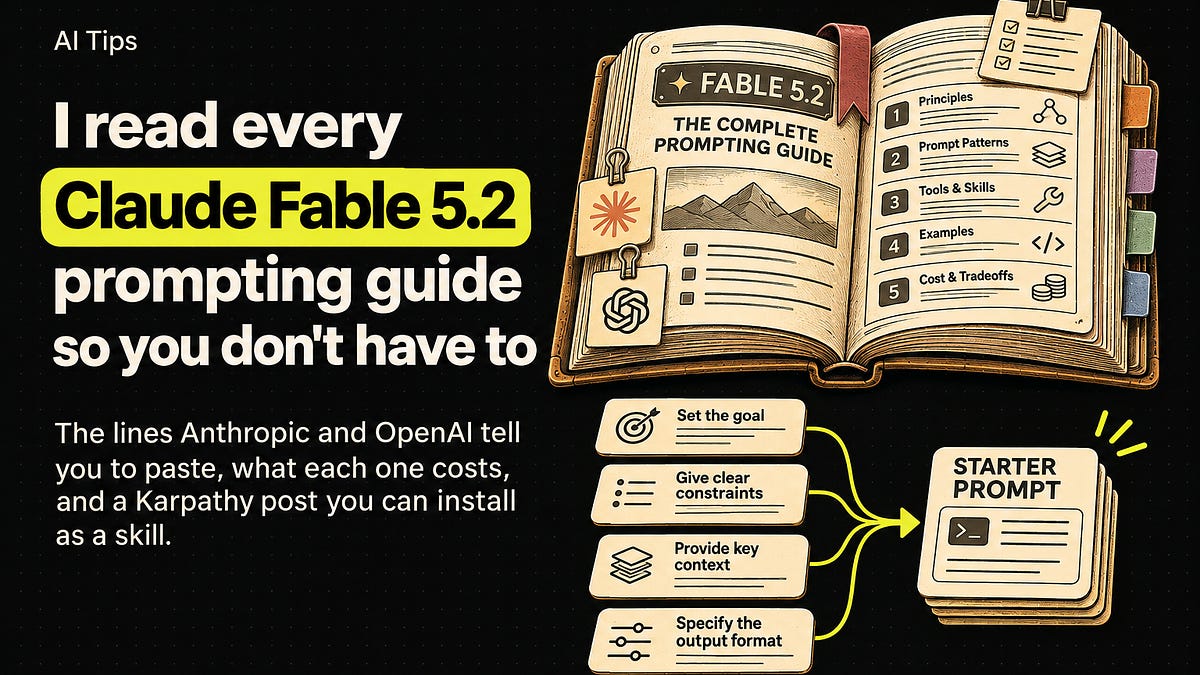
I read the guides the model makers publish for their own models: Anthropic’s Prompting best practices, its guides for Claude Fable 5.2 and Claude Fable 5.1, and OpenAI’s ChatGPT prompting guide. Then Andrej Karpathy’s October 1 post on output formats.
When Anthropic says “system prompt,” read it as whatever the model sees before your first message: project instructions, ChatGPT’s custom instructions, a CLAUDE.md file or a skill file. Add these lines before you start a new chat, or put them in your newest message if you’re mid-chat.
My four favourite tips come from the Fable 5.2 guide, so they go first. Their numbers come from Anthropic’s testing on Fable 5.2, and other models may behave differently.
Make the model finish the whole task
On long tasks, Fable 5.2 sometimes stops early (more often at low and medium effort): it lists what’s left, offers to continue, or gives up at a timeout.
When Anthropic replayed recorded sessions from an agentic coding product at medium effort with a version of the block below, about half as many sessions ended with unfinished work that could have been continued, and output tokens rose by about 30%.
Most “shall I keep going?” endings disappeared, but not the ones that list what remains and then stop.
The block sorts obstacles. Ordinary ones (errors, timeouts, failing tools) get diagnosed and worked through; deliberate ones (a file marked not to be touched, withheld access) get left alone and reported. From Anthropic’s Fable 5.2 guide:
Please avoid stopping while you still owe work the user asked for. Be persistent and do not stop unless needed.

While status notes are welcome, as is clarifying with the user on open decisions, carry on with work that does not depend on the user's answer without unnecessary stops.

If you notice yourself inviting the user to redirect you or offering to wait, instead proceed on the next part of the task. You may meet ordinary obstacles like errors, timeouts, locked files, empty results or failing tools. Diagnose them first, and when they are not real blockers, work through them with the access you have (wait and retry, fix the request, use another tool or source) rather than stopping unnecessarily.

If someone clearly decided something is a hard blocker, such as a file marked not to be touched, access that was intentionally withheld, or a safety guardrail, leave it alone, say plainly what you found, and look for another safe way to finish the task. Stopping before the task is complete is very rarely merited, as in when the task can't move forward without user input, or where the blocker is deliberate and should not be worked past. This does not override the need for confirmation on risky or destructive actions.
The model asks less with this in place, so keep your own confirmation step for risky or irreversible actions, and when you approve one, name it rather than sending “go” or a thumbs-up.
Scope every approval rule. The model reads “never” as absolute, so write “ask for approval before deleting files,” not “never delete files.” In a simulated test with nobody around to approve, listing “sending messages to people outside this conversation” as a step that needs approval made the model hold back about half of its routine requests to colleagues and other teams.
My adaptation, which also names the routine steps that need no approval, as the guide suggests:
Ask for approval before deleting files, pushing code, or publishing anything other people will see.
You don't need approval to read files, edit drafts, run tests, or create new files in this project.
Tell it who owns the work
On small coding tasks, when the prompt said nothing about ownership or framed the code as someone else’s, Fable 5.2 built onto the existing structure, even when that meant duplicating code. One sentence changed that:
You are the owner and long-term maintainer of this codebase, and its design is up to you.
With it, the model merged duplicated code into one shared function in about 75% of runs, up from under 10%. Output tokens rose by about 70 to 80%, and the model made changes nobody asked for, mostly new tests and documentation; in some runs it changed how an existing feature behaves. Its summaries often skipped small changes, so read the diff.
Leave it out when you want minimal changes; a scope rule won’t cancel it. With “No drive-by refactors, renames or cleanups” earlier in the same prompt, the model still consolidated code in more than half of runs.
I expect the same effect on a design system an agent edits through code. Anthropic only tested code, so this version is my guess:
You are the owner and long-term maintainer of this design system, and its structure is up to you. When two components do the same job, merge them into one. List every change you made, including small ones.
Keep it talking while it works
During long runs of tool calls, Fable 5.2 can go quiet, sometimes without saying what it’s about to do. My other two favourites fix this.
The “signal intent” text goes in project instructions. With it, the model wrote a message before its first tool call in every run of Anthropic’s coding tasks, for roughly 20% more output tokens. Use it when someone is watching.
Before you start, say in a line what you're about to do; brief updates while you work help the user follow along. Close with a short recap that stands on its own (what you found, what you did, and what's next), so a reader who only sees the last message has the full picture.
If you build on the API, there’s a stronger fix. Your code counts the tool-calling steps in a row where the user got nothing to read: no text, and no thinking block with text in it. (Count with thinking display set to “updates” or “summarized”. At the default, “omitted”, every thinking block comes back empty and you’d count wrong.) After several silent steps, append this reminder after the latest tool results as a turn-scoped system message, one that clears at the next user message:
The user hasn't heard from you in a while: say in a few words what you're doing, then continue.
On multi-turn coding tasks, that roughly halved the longest silent stretch without a noticeable increase in tokens or time. It needs a platform with mid-conversation system messages, and one rule matters: leave old reminders in the message history. Deleting or rewording one edits an earlier turn, and that invalidates every thinking block after it.
If you can’t do that, Anthropic suggests this sentence instead. It cut most long silent stretches on workflow automation tasks:
Every few tool calls, give the user a one-line update on where things stand.
Plan with Fable 5.2, build with something cheaper
Anthropic says early testers had good results using Fable 5.2 as the planner and orchestrator for other models. That’s how I run it. Fable 5.2 plans the work, then hands the actual execution to subagents on Opus 5.5 or Opus 4.8. On top of that I’m adding a check that stops the session and asks me a question once it passes a token cost I set.
Watch two things. Subagents can be a large part of what a session costs, so check which model yours use by default. And put the cost check in your harness or a hook, outside the prompt. The guide found that showing the model a token budget in the prompt changes how much it spends; on coding tasks, removing a large budget lowered cost with no drop in results.
How much Fable 5.2 delegates depends on the setup. With a minimal subagent tool on short tasks, it rarely started one. In an agentic coding product whose prompts invited delegation, it delegated readily, and at xhigh and max effort it used subagents to review its own work, which Fable 5.1 didn’t do on the same tasks.
If it starts more subagents than the task needs, first look for lines in your instructions, skills or agent files that tell it to delegate. Then rewrite the subagent tool’s description. Anthropic’s advice is to say what a subagent adds to the session’s cost, when delegating is worth it and when it isn’t, and how to brief one.
At high effort, a longer description focused on cost roughly halved the number of subagents compared with a shorter one.
My version, for project instructions or the subagent tool’s description:
Plan with [Claude Fable 5.2]. Hand execution to subagents running [Claude Opus 5.5 or Opus 4.8].

Each subagent adds its full context to this session's cost. Delegate when work can run in parallel or needs its own context. Do short, sequential or single-file tasks yourself.

When you start a subagent, brief it with the goal, the files or sources it needs, what done looks like, and what to send back.
Why do Anthropic and Karpathy both recommend an aerospace writing spec?
Early testers rated Fable 5.2’s writing above Fable 5.1’s and about as clear as Opus 5.5’s. The weak spot is the final report after a long agentic run, because the person reading it never saw the tool calls or files behind it. So the Fable 5.2 guide has a “Communicating clearly” block for reports and handoffs, and it asks the model to “Write mostly in the style of ASD-STE100 Simplified Technical English.”
Karpathy recommends the same spec: ask your LLM to explain things in ASD-STE100, “a controlled language specification originally developed for aerospace maintenance documentation.” Neither goes all the way. Karpathy suggests asking for “80% of the way to ASD-STE100” because the full spec is strict, and Anthropic says “mostly.” The Fable 5.2 guide explains why: the model follows style rules closely, so a hard limit like “one instruction per sentence, in 20 words or fewer” can make its prose choppy. The STE spec itself caps procedural sentences at 20 words and descriptive ones at 25 (the rule set I summarized in my skill below), so the full spec is close to the kind of rule Anthropic warns about.
In Anthropic’s testing on agentic tasks, the block made final reports less dense, with fewer semicolons and, on workflow automation tasks, shorter sentences. Adjust it for your readers, and add a line on length or on details you always want included. From the Fable 5.2 guide:
Write for an intelligent but low-context reader. The person reading has not seen your tool calls, your reasoning or the files you opened, and may be switching in from other work. Messages should generally be self-contained: the reader should understand what you mean without having to dig for other context. Put the key points in the first few sentences. Practice progressive disclosure in your sentence order, and do not use undefined references and ideas in line 1 that won't make sense until the reader reaches line 12.

Use plain words, and write in clear, understandable full sentences. Do not use a term or abbreviation that you made up during the work. Say what the thing is in a way any reader would understand. Write mostly in the style of ASD-STE100 Simplified Technical English: short sentences, one idea per sentence, active voice, and consistently using the same word for the same thing. Use a paragraph of flowing prose where ideas connect, and keep bullets for lists of separate items. Leave out unnecessary details unless the reader asks and practice concision, but do ensure that your messages have the key context. Aim to make your user-facing text as human-readable and clear as possible.
The Fable 5.1 guide, written for that model’s denser prose, has a smaller fix. It names the problem “mannered prose,” which “substitutes metaphor and flourish for direct statement”: “a dial worth turning” where “a parameter worth varying” would do. Anthropic prefers it in your message over the system prompt, and says the short version tends to work:
Please remove all mannered prose.
The fundamentals, in one template
Anthropic’s best-practices guide starts with a test: show your prompt to a colleague with minimal context. “If they’d be confused, Claude will be too.” Then:
- Give the reason. “NEVER use ellipses” works less well than explaining that a text-to-speech engine can’t pronounce them. Claude generalizes from the explanation.
- Include 3–5 examples in
<example>tags, close to your real case and varied enough that the model doesn’t copy an unintended pattern. - Give each kind of content its own tag (
<instructions>,<context>,<input>). - Put long documents at the top and the question at the end. With inputs of about 20,000 tokens or more, queries at the end improved response quality by up to 30% in Anthropic’s tests.
- Say what to do, not what to avoid: “Your response should be composed of smoothly flowing prose paragraphs,” instead of “Do not use markdown.”
- Match your prompt’s style to the output. Less markdown in the prompt can mean less in the reply.
In one template:
<documents>
<document index="1">
<source>[file name]</source>
<document_content>[long material goes here, at the top]</document_content>
</document>
</documents>

<context>
[Who reads the result and how they'll use it. Give the reason behind each rule, e.g. "This goes on a slide, so keep each point under 12 words."]
</context>

<examples>
<example>[an output you liked]</example>
<example>[a second, different in tone]</example>
<example>[a third: an edge case]</example>
</examples>

<instructions>[What you want, written as what to do.]</instructions>

First quote the parts of the documents that matter for this task. Then: [your question].
What OpenAI adds
OpenAI splits a larger prompt into Goal (what ChatGPT should do), Context (information or sources that help), Output (format, length, detail) and Boundaries (what stays unchanged, what to avoid or check first), then adds: “Use only the parts that help.” On boundaries, it says to “Focus on the one or two boundaries that matter most.” For important work, ask for a final check and then review the result yourself.
It also says “Your first prompt doesn’t need to be perfect”: ask for the specific change in a follow-up. Codex lets you do that mid-run. Steer adds your message to the current run, and queue saves it for the next. In the Codex CLI, Enter steers and Tab queues; the ChatGPT desktop app sets the default under Settings > General > Follow-up behavior.
Goal: [the result you need, not the steps]
Context: [the sources to use, and what to take from each]
Output: [format, length, who reads it and how they'll use it]
Boundaries: [one or two, e.g. "Keep the approved dates and budget figures unchanged." or "Prepare the message as a draft. Don't send it."]

Before you finish, check that [every next step has an owner and due date], and flag any information you couldn't verify.
Ask for something other than text
Karpathy’s post is about understanding what models produce, since “a lot more of our work will rise up the abstractions into oversight and understanding.” It moves from ASD-STE100 to diagrams, then to output “in HTML,” then to custom explainer videos (”Create a 3b1b style video explainer on X”). His case for going that far: “you can ask for large, custom, discardable software artifacts (e.g. web apps, video explainers) that would have never made sense to create before.”
I built a skill from his post, andrej-learning-skill. It treats his formats as a ladder (writing, diagram, web page, video) and:
- Picks the highest rung the topic and your setup support, unless you name a format.
- Writes at 80% of the way to STE by default: short sentences, active voice, the same word for the same thing, normal vocabulary allowed.
- Turns “teach me X” with no format into an interactive HTML page, with a short STE summary in chat and an offer to make the video.
- Has a Feynman mode (”explain like I’m 2”): one everyday analogy, then a ladder from age 2 to age 10 to undergrad to expert, ending with you explaining it back.
Install it from a terminal:
npx skills add johnmoneyman1000x/andrej-learning-skill
No terminal? Download SKILL.md from the GitHub repo and add it as a skill in Claude. Narrated video uses an ElevenLabs key in ELEVENLABS_API_KEY if you have one, or a free local text-to-speech option.
Three prompts to try:
/andrej-learning-skill teach me how a token in [our design system] becomes a value in the shipped component. Let me click through each step.
/andrej-learning-skill explain [the paper or spec I attached] like I'm 2, then climb the understanding ladder.
/andrej-learning-skill explain [concept] in 80% STE, then draw one diagram of how its parts connect.
Starter project instructions
Paste this into your project instructions, custom instructions or CLAUDE.md, then start a new chat. Skip the last line on Claude Opus 5, which Anthropic says checks its own work without being told.
Please avoid stopping while you still owe work the user asked for. Be persistent and do not stop unless needed.

Ask for approval before deleting files, pushing code, or publishing anything other people will see.

Before you start, say in a line what you're about to do; brief updates while you work help the user follow along. Close with a short recap that stands on its own (what you found, what you did, and what's next), so a reader who only sees the last message has the full picture.

Every few tool calls, give the user a one-line update on where things stand.

Write for an intelligent but low-context reader. Write mostly in the style of ASD-STE100 Simplified Technical English: short sentences, one idea per sentence, active voice, and consistently using the same word for the same thing.

Use only the supplied sources. Flag missing information instead of guessing.

Before you finish, verify your answer against [your criteria].
The mistake to expect
Most people will paste every block and never remove one. On Fable 5.2, Anthropic measured about 30% more output tokens for finishing, roughly 20% for updates and 70 to 80% for ownership. The guide also warns that old cautions like “never retry” pile up in memory and instruction files, and the model keeps obeying them. Add one change at a time, measure its effect and cost on your own tasks, and delete rules whose reason no longer holds.
Too long, didn’t read
Ask the model to finish the whole task and approve specific actions. Give ownership only when you want the structure changed. Ask for an opening line, short updates and a recap, and for reports in mostly-STE. Plan with Fable 5.2, run execution on cheaper subagents, and keep the cost check outside the prompt. When text is slow to read, ask for HTML, a diagram or a video.
Try it this week
- Ten minutes tonight: paste the starter block into one project’s instructions, start a new chat and give it a long task.
- One hour this week: install andrej-learning-skill and point it at the hardest thing you need to understand right now.
Reply with the starter line that changed your results most, or the strangest thing the skill taught you.
P.S. Forward this to the teammate who keeps typing “continue.”
— John