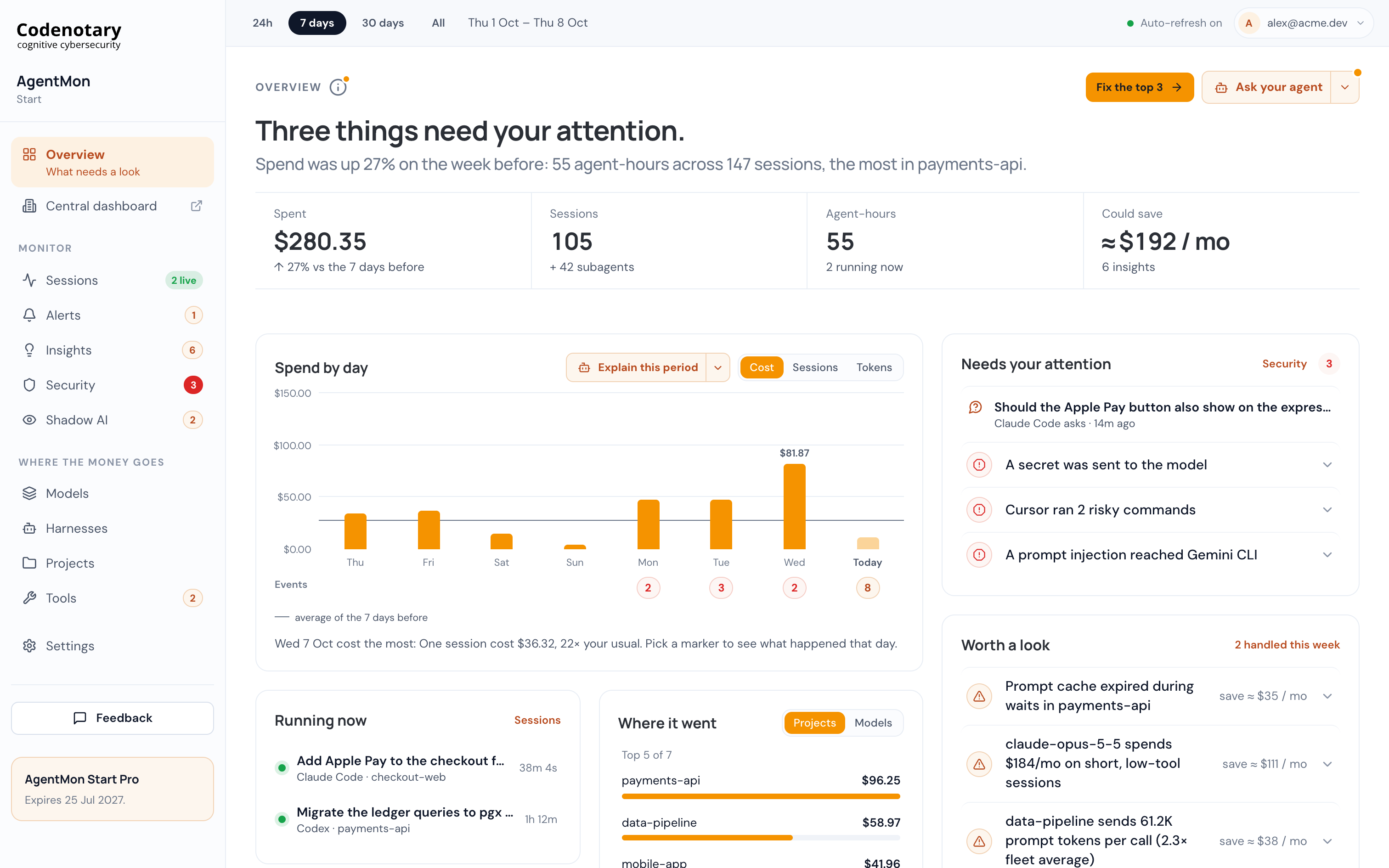
AgentMon Start 1.3.0 makes it easier to spot what needs attention and follow the evidence behind it. Pages now lead with a plain-language summary, sessions open in a side panel, and new views reveal prompt cache losses, background spend, and MCP server problems.
Start with the story #
Overview, Sessions, Alerts, Insights, Security, Shadow AI, Models, Harnesses, Projects, and Tools now open with a sentence about what happened. The figures follow, along with what is worth a closer look. Click an item to inspect it in a side panel without losing your place.
Sessions use that side panel too, with Story, Details, and Trace tabs. The Full trace button now sits next to Close on both session and finding panels.
Find costs that were easy to miss #
A new Cache section in session Details shows the prompt cache hit rate, money lost, and a chart of every call. Thread cards show cache loss at a glance. Overview’s cache tile covers the last 30 days and identifies the main cause; Biggest sessions adds a “Cache $ lost” column; and Insights has five new cache cards.
Sessions also shows Background spend: money spent while nobody was typing, such as plugin hooks, claude -p, and scripts. Background runs from the same folder appear together in one card, while a session’s cost shows how much background activity it includes.
Know which tools need you #
The new MCP servers tab on Tools gives each server a state and a next step. States include Fine, Failing often, Not starting, Needs a login, Call stuck, and Unused. Critical problems also appear as Needs you cards on Tools and Overview.
Tools now reports each tool’s median, 95th-percentile, and longest call times, and lists calls that never received a result. For security findings, Is it still a risk? shows the pages fetched and the curl, wget, and scp commands run during web checks, including each destination and whether data was uploaded or downloaded.
More control and clearer sessions #
Admins can mark a finding as handled, expected, or a test key, or snooze it for a week. They can set the subagent burst threshold in Settings → Subagent bursts and switch off individual signals in the Shadow AI rule under Alerts → Rules. The default burst threshold is now 50 subagents, up from 5.
Sessions now keep the titles written by supported agents—Claude Code, Codex, Cursor CLI, Grok, AMP, Goose, and KiroCrew—even after the prompt is cleared. Those titles are searchable. The Sessions model filter also matches any model used during a session.
Smaller changes that add up #
Needs your attention on Overview shows the five newest items, with “+N more” opening the rest. Running now has moved above Biggest sessions. The menu folds behind a button in narrow windows, long traces open much faster, and prices for newly released models appear within about two hours instead of up to 36. CSV export remains on the other pages, but has been removed from Overview.
This release also fixes several reporting and reliability issues:
- When a session switches models, tokens and cost are now assigned to each model correctly on the Models page, in Overview’s model mix, and in CSV exports. The session panel lists every model used.
- The running count now reflects sessions you started, rather than counting every working subagent as a separate live session.
- Claude Cowork no longer appears as an unmanaged agent or triggers the Shadow AI alert.
- A slow first launch no longer leaves a blank window, and one very large session can no longer stop all data collection.
- Claude Haiku 5.5 prompts over 100K tokens and Codex cached input now use the correct pricing rates.
With 1.3.0, the path from “something happened” to “here’s what to do next” is shorter across AgentMon Start.
Getting started #
- Create your free Codenotary account and download AgentMon Start for Windows, macOS or Linux.
- Install it and sign in with that account. The first sign-in becomes the admin.
- Keep working. The collector picks up your agents' existing sessions, and the Overview fills in on its own.
Your first three devices are free for six months, and paid plans start at $15 per user per month.