tab A different tool per spawn
Cycle claude, opencode, codex, grok, gemini, pi, hermes or anything you configured without leaving the bar. The footer shows which one the next enter will start.
Go · tmux · Apache-2.0 · macOS, Linux, and WSL
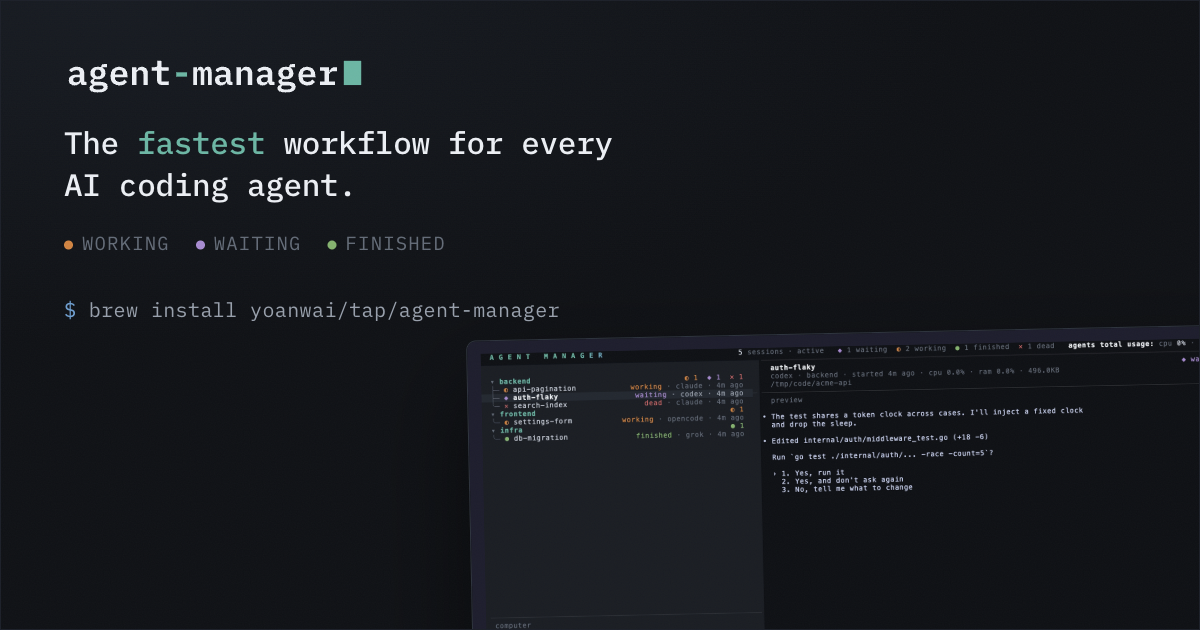
agent-manager. Everything is one keypress. Spawn one in a sentence, answer a blocked one without attaching, review its diff without leaving the list. Each session runs your own installed CLI as-is: your login, your config, your MCP servers, every feature it ships.
brew install yoanwai/tap/agent-manager
Seen in the wild
A sentence is the whole ceremony. Hit
space on a group row, type the task, press enter: that agent is
already running, with your prompt embedded and the group's directory set. No form, no
cd
, no naming. The bar clears and stays open, so the next task goes to the next agent immediately, in a different project if you want. On a session row the same key answers an agent that is already working. When the work needs its own branch, alt+w in the same bar spawns the agent into a fresh git worktree.
Type what it should do, press enter, repeat. They go out as fast as you can describe them, each already working, across as many projects as you keep open, and you never left the list to start them.
Cycle claude, opencode, codex, grok, gemini, pi, hermes or anything you configured without leaving the bar. The footer shows which one the next enter will start.
On a session row the same key sends your reply into that agent's pane as a user message, so a blocked agent never costs you an attach.
A session starts as claude-a1b2
and renames itself once the agent knows what the work is, so a screen of them still reads as a list of features.
An agent can work the same list you do: spawn a session on its own task, read another one's screen, message it, and wait on one before taking its next step. Repo work takes a worktree each, and sessions sharing a checkout declare the files they are about to edit, so an overlap surfaces before either commits. The tools they call.
Six states, and for Claude Code they arrive from its own hook events rather than from guessing at the pane. How detection works.
Groups are paths, not folders. backend/api/auth
nests as deep as the work does, sessions live at any node, and everything you arrange stays arranged across restarts. Fold what you are not looking at, archive what is finished, and the fleet stops looking like a wall of processes.
A folded group keeps a count per status on its row, so a collapsed subtree still says whether anything under it is blocked on you. F folds or unfolds the whole tree at once.
Make a subgroup inline while spawning, give it a default path, and every agent started there lands in the right directory.
Reorder sessions among their siblings or whole groups among theirs. m moves a session elsewhere, and the arrangement survives a restart.
Park a session, or a group and its entire subtree, out of the view. Archive ends the process and keeps the last preview; u resumes it, and t shows what is parked. Groups in full.
The arrows walk the same tree sideways: → steps into the row under the cursor, focusing the session or opening the group, and ← steps back out, closing the group or leaving a focused agent from the head of its prompt. The pair is in beta, and Settings has a row that turns it off.
The shells you keep next to the agents live here too: T opens a terminal under the selected agent, or in the selected group, for builds, Git, and one-off commands. A nested shell is named after the session it hangs under.
The manager becomes a reviewer. ctrl+r takes the whole screen for the selected session's repo: changed files with +/- counts on the left, the entire file on the right, syntax highlighted with the changed lines tinted, and its own keymap while you are in there. It refreshes as the agent keeps editing, and esc puts you back on the row you came from.
A session's directory is often an umbrella folder holding a dozen repos, so the agent settles it rather than you: through the MCP tools it declares the repo or worktree it moved into and the branch its work merges into, both validated against git, and review opens there. Nothing declared? Dirty working trees rank first, then the most recent commit. How it resolves.
The agent's declared repo and merge base win over the ranking; worktrees are found wherever they live on disk.
Pick the repo, the branch from its worktrees, or the target the diff compares against. Your pick wins for as long as the manager runs.
Uncommitted, versus the merge target, the last commit, or staged, so the same screen works before and after a commit.
Toggle the layout in place, cursor held on the same source line. n jumps to the next change.
Then the part the others on the comparison only do in a browser:
The process and the record are separate things, so ending one never costs you the other.
The tmux session ends and the RAM comes back. The row stays, marked dead, name and conversation id intact.
Relaunches on that exact conversation through the tool's own resume command, not a fresh one.
A killed session still shows the snapshot of its pane from when it had one, so the row says what the agent was doing when it stopped. More.
A named sibling continues the same conversation, so one copy explores an idea while the original keeps working. Each fork is a full session of its own, review included.
Every spawn is the tool you already installed, launched with the config, login, and subscription it already has. tab cycles the tool the next spawn will use. Live status ships for these:
Anything else runs as a session immediately, and earns the same status the moment you describe it. The whole block.
[tools.mytool]
command = "mytool"
default_status = "idle"
rules = [
  { state = "working", pattern = "esc to interrupt" },
  { state = "errored", pattern = "(?im)^\\s*error:" },
]
The manager registers its own MCP server into every session it spawns, so the agent can drive the workspace: spawn a teammate, send it a message, wait until it is done, and open a terminal the user can watch. How registration works.
Sessions live on a private tmux server named agentmgr
, so they never mix with
the tmux you run yourself and a kill-server
on your own socket leaves them alone. Close the manager, close the laptop: they are still there when you come back.