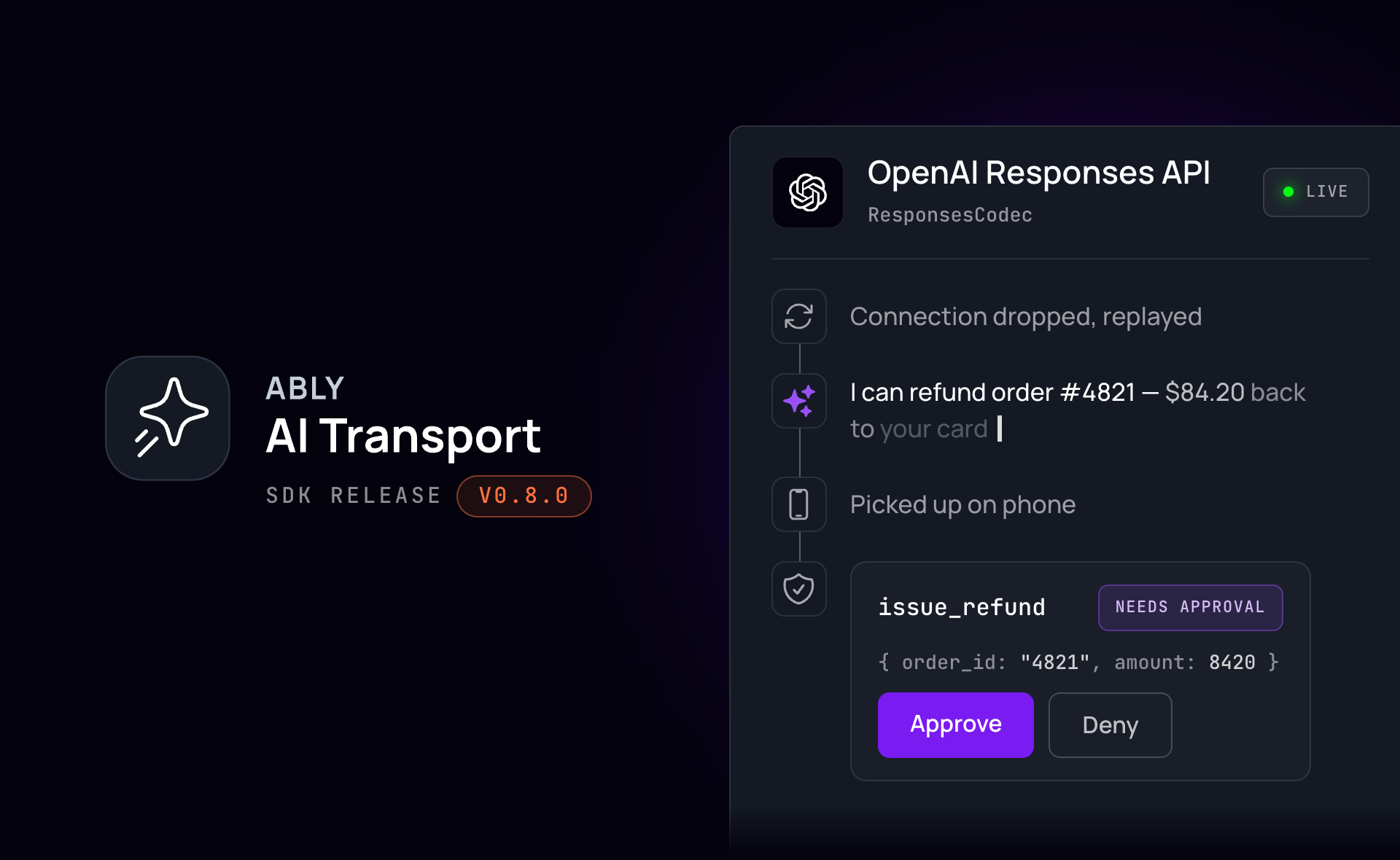
New in AI Transport: integration with OpenAI's Responses API and support for Vercel AI SDK 7 #
If you build an agent against OpenAI's Responses API then the simplest way to get output to the user is streaming over HTTP/SSE. If the user refreshes the page, loses connection, switches devices, or needs to approve a tool call, then there's nothing in the API to help you.
AI Transport is Ably's session layer for agent-to-user conversations. An agent built on it gets resumable streams, multi-device sessions, and approval gates that wait for a human user, without deploying additional infrastructure.
Integration with OpenAI Responses API is available from AI Transport SDK v0.7.0. To get started, use the new ResponsesCodec
, which carries an OpenAI Responses event stream over an AI Transport session. The codec maps the Responses event stream onto AI Transport messages. The response is then accessible on the session to any number of clients, which can read it, leave, and rejoin. It ships in a new entry point, @ably/ai-transport/openai
.
For those building with Vercel, AI Transport v0.8.0 is updated to support Vercel AI SDK 7. The ai
peer dependency range widens to ^6 || ^7. ChatTransport
, the codec's public types, and the wire format are unchanged, so v6 will continue working.
What a codec provides #
A codec transforms AI model events into messages on an Ably channel. This allows the transport to handle runs, branching, hydration, and control signals without knowing the internal structure of an AI message.
ResponsesCodec
takes OpenAI's own Responses.ResponseStreamEvent
directly from the model output. Pass the codec when you build the agent session that handles the run:
import { createAgentSession } from '@ably/ai-transport';
import { ResponsesCodec } from '@ably/ai-transport/openai';

const session = createAgentSession({
  client: ably,
  channelName: invocation.sessionName,
  codec: ResponsesCodec,
});
Pass the same codec when constructing a client session in the browser. The browser then reads the conversation and decodes it with the OpenAI codec, giving you the message tree, branching, and pagination.
Pipe the Responses stream onto the session #
ResponsesCodec
encodes the Responses event union directly, along with two events of its own. An event that comes off the model's response stream can be piped directly into the session, with no adapting step in between.
await session.connect();
const run = session.createRun(invocation, {}, { signal: req.signal });

// Drain history so the run can see its own triggering input, then open it.
while (run.view.hasOlder()) await run.view.loadOlder();
await run.start();

const input = toResponsesInput(run.view.getMessages().map(({ message }) => message));

const stream = await openai.responses.create(
  { model: 'gpt-5.5', input, stream: true },
  { signal: run.abortSignal },
);
const { reason } = await run.pipe(stream);
await run.end({ reason });
run.pipe
reads the stream, encodes each event, and publishes it. It also watches run.abortSignal
. When you press stop on any device, the run ends and the model's inference request is cancelled. Confirmation of the cancellation is then published back to the session.
Client-run tools and approval gates #
The Responses API has events representing a request for you to execute a function_call
: the model emits calls, you run them, and the outputs go back as input on the next model request. The model doesn't care if these function calls run on the agent or in the browser.
The Responses API doesn't have a native event to represent a tool's output, and it has none for a tool approval, so the codec adds function_call_output
and tool-approval-request
. function_call_output
carries the output of a tool, published by whichever participant ran the tool. tool-approval-request
carries the call id, the tool name, and the arguments a client needs to render the prompt.
OpenAI's items have no field for an approval decision or a failed result, so the codec records those statuses alongside the message. toResponsesInput
filters the messages to just those that should be sent to the next LLM inference call.
To publish the output of a function_call
, use one of the following patterns:
import { ResponsesCodec } from '@ably/ai-transport/openai';

// A client-run tool succeeded.
await view.send(ResponsesCodec.createToolResult(id, { call_id, output }), { runId });

// A client-run tool failed. The message becomes the output the model reads next turn.
await view.send(ResponsesCodec.createToolResultError(id, { call_id, message }), { runId });

// A person approved or denied a gated tool.
await view.send(ResponsesCodec.createToolApprovalResponse(id, { call_id, approved }), { runId });
Once the tool output is published, invoke the agent to process that new input. The client publishes the tool response, then POSTs to your agent endpoint to wake it. The agent rebuilds the conversation from the session.
The SDK gives you helpers for matching calls to their outputs and for finding the approvals an agent needs before continuing:
import { approvedUnexecutedCalls, unansweredCalls } from '@ably/ai-transport/openai';

// Agent, resuming a suspended run.
const messages = run.view.getMessages().map(({ message }) => message);

// The provider rejects the turn if any open call still lacks an output.
if (unansweredCalls(messages).length > 0) return;

// An approval is a decision, not an output, so the agent owes these calls a run.
const approved = approvedUnexecutedCalls(messages);
A model can only continue its inference once all function_call
requests have been answered. These helpers tell you what state each call is in:
unansweredCalls
tells you which calls are still waiting for a response. A call counts as answered once it has an output, and also once it has been approved or denied, because the agent runs an approved call on resume.approvedUnexecutedCalls
surfaces to the agent which tool calls are approved but are waiting to be executed.resolvedCallIds
gives the UI the calls that already have an output, so a renderer can show the answer attached to its call.
Get started #
Install the SDK:
npm install ably @ably/ai-transport openai
openai
is an optional peer dependency, needed only for this entry point. Node 22 or newer.
Get started with OpenAI: build the app in this post end to end.OpenAI Responses: the codec,toResponsesInput
, and the server-side tool loop.Read the source, including therunnable OpenAI demowith client-side tools and approval gates.Read the release notesfor the full change list, including this release's breaking changes.Sign up free: you need an Ably account and an API key. The free tier includes 6M messages a month, no card required.