JetBrains AI #
Supercharge your tools with AI-powered features inside many JetBrains products
[Agentic AI](https://blog.jetbrains.com/ai/category/agentic-ai/)

[AI](https://blog.jetbrains.com/ai/category/ai/)
Last week, we shared our point of view on where we think agentic development is headed and introduced JetBrains’ answer to it: JetBrains Air, an open system of products for agentic development.
Today, we’re launching the Early Access Program for Air in JetBrains IDEs. It’s available now as a plugin on JetBrains Marketplace or natively in the 2026.3 EAP builds of JetBrains IDEs. Try Air with free Junie Lite runs, our efficient coding agent for everyday tasks.
The Air plugin for JetBrains IDEs is a conduit for agents and subscriptions you already use. It is not an AI provider, and it ships with no agents installed.
Why a new experience? #
AI in the IDE has traditionally centered around AI chat. Agentic development, however, changes the established interaction model: You delegate larger tasks and allow agents to work in parallel. This means you need to be able to see what they’re doing and steer them along the way. We tried to integrate that function into our existing AI Assistant solution by adding more agents to the AI chat. But as these workflows evolved, one thing became clear: Orchestrating several tasks concurrently is fundamentally different from having a conversation with AI.
Air is designed around that difference.
Behind this lies a bigger paradigm shift, and we won’t mince our words: Agentic development is becoming the norm, and an IDE that keeps agents at arm’s length will struggle to stay relevant.
That makes the IDE more important, not less: As agents do more of the work, verifying and owning the result becomes the hard part, and that is what the IDE is for. The center of gravity in JetBrains IDEs is shifting towards agentic development, and Air is how we get there.
Introducing JetBrains Air in IDEs #
Air brings agentic development into the IDE without locking you into a particular agent or changing the way you already work. It’s built around three principles – the first two you’ve heard from us before. What’s new is a product designed around them from the start.
- Bring your existing agents into the IDE
Air works with the agents you already use, such as Codex, GitHub Copilot, Junie, Cursor, and other ACP-compatible agents. It detects agents already installed on your machine and makes it easy to bring them directly into the IDE. With JetBrains Air in IDEs you can also use your Claude subscription in Air’s terminal and full-screen tab.
You don’t need a JetBrains AI subscription to use your agents with Air. Use your existing AI provider subscriptions or JetBrains AI if you already have it.
- IDE intelligence for you and your agents
Development doesn’t end when code is generated – it still needs to be run, reviewed, and validated. That’s exactly what an IDE is built for. It gives you the tools to understand and review the agent’s work – from diffs and navigation to inspections and more.
And agents benefit from the IDE, too. Built-in IDE skills and tools give supported agents access to specialized JetBrains expertise and workflows for tasks like debugging, performance profiling, database exploration, and semantic code search. This can help agents produce better results and, for some tasks, use fewer tokens.
- An agentic-first UX
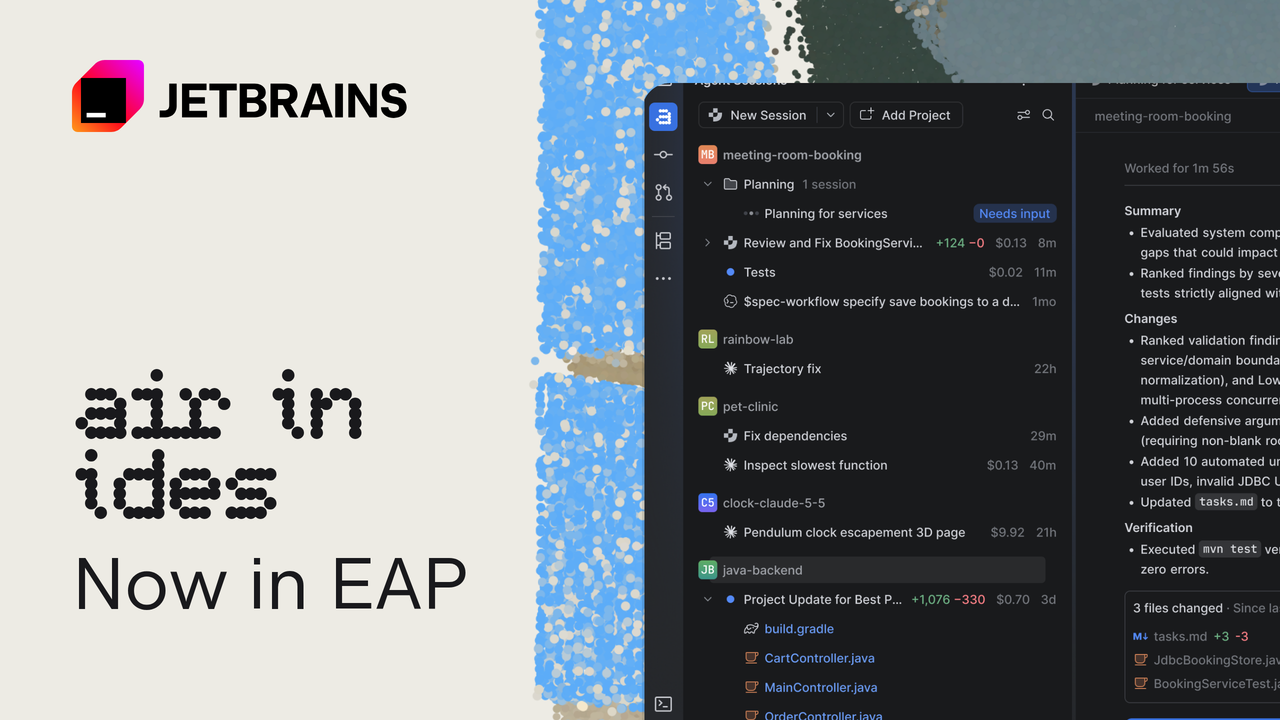
Air is designed for working with multiple agents in parallel, not just interacting with one at a time. Agent work is organized into sessions, with all your sessions visible in one place, so you can track progress, see what needs your attention, steer agents, and review their work across projects.
Working with Air #
Here’s what that looks like in practice:
Stay on top of parallel agent work. View sessions across projects in one place, with activity, unread updates, changed files, and outgoing commits at a glance. See what each session costs as you work, so spend stays visible across agents and tasks. This makes it easy to track progress and quickly see what has changed and what requires your attention.
Delegate a task in one keystroke. Double-tap Ctrl from anywhere in the IDE to open a prompt window and start a new agent session, with your current context already attached.
Choose the preferred UI for an agent session. Sessions themselves open right in the editor as tabs, giving agent work a real screen space alongside your code. If you prefer the terminal UI, you can keep using it directly in the IDE. Or choose a graphical chat when that works better for the task.
Run agents locally or in the cloud. For tasks that are complex, long-running or can be done in the background, run agents in the cloud, and close your machine. Follow along on mobile (coming soon) to steer the agent. Currently available to orgs with AI seats.
Keep parallel agent work isolated with temporary worktrees. Start a session from any branch, either on a new branch or in a detached way. Track changes and commits from the chat, then cherry-pick the result back into your main project when it’s ready.
You stay in control #
AI Assistant remains available while you try Air in your IDE. Over time, we expect Air to become the primary experience for agentic workflows in JetBrains IDEs.
As Air becomes a bigger part of JetBrains IDEs, the first question from many of you will be about control: Can I keep this off, and where does my code go?
No agents? Nothing leaves your machine. Air is a tool window, not an AI provider, and it ships with no agents installed. It detects agents already on your machine, the way the IDE detects your terminal, but nothing runs, and no data leaves your machine until you sign in to an agent or a JetBrains AI plan. If your organization doesn’t allow agents, there’s nothing for Air to run and nothing to send.
Your data goes to your provider, not to JetBrains. With a third-party subscription, data goes directly to that provider under the agreement you already have with them. It doesn’t pass through JetBrains. If you use JetBrains AI, the JetBrains AI Terms of Service apply, as is already the case with AI Assistant. Air adds no new data processing terms.
You can turn it off. Disable the Air plugin, and nothing else changes.
Try it — with Free Junie Lite #
We believe we should provide some version of free AI in our IDEs, so we’re offering Junie Lite for free*. This is our coding agent with a cost efficient model for everyday tasks so you can experience Air without paying for anything.
Give Air a real task: Run agent sessions across multiple projects and tell us how it fits into your workflow. Share your feedback via YouTrack so it lands in our teams’ backlog, or drop your thoughts in the comments below.
Install Air from JetBrains Marketplace, via the notification in AI Assistant, or as part of the 2026.3 EAP builds of JetBrains IDEs, then connect the agents you already use, or use the ones available through JetBrains AI. If you install Air from the notification in AI Assistant, AI Assistant will be disabled to prevent both from running side by side. You can re-enable it at any time in Settings | Plugins, or reinstall it from Marketplace.
*Applies to Junie Lite configuration, after signing in with your JetBrains Account. Terms and available models may change.
Frequently Asked Questions: #
What is going to happen to AI Assistant?
We believe Air is the future of agentic development in JetBrains IDEs, but AI Assistant will remain available and supported as a separate plugin you can install from the marketplace.
Which agents and models are supported?
Air supports Codex, Gemini, GitHub Copilot, Claude Agent, and Junie out of the box, and many others can be connected via ACP. You can use your own third-party subscriptions where possible, or use JetBrains AI.
Can I use my Claude subscription?
Yes, You can use your Claude subscription in Air’s terminal surface which opens as a full-screen IDE tab.
Do I need a JetBrains AI subscription?
You can use your JetBrains AI subscription, but it’s not mandatory. However, a JetBrains AI subscription is currently required for cloud runs and a JetBrains Account is required to access Junie Lite runs.