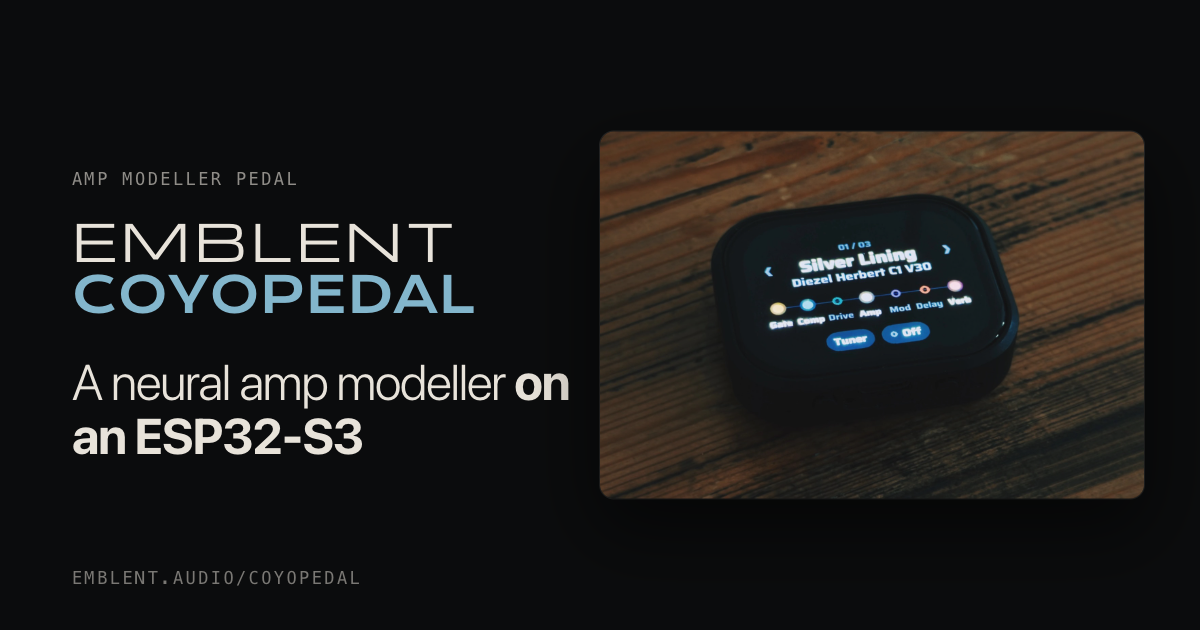
A neural amp modeller on an ESP32-S3 #
A full Neural Amp Modeler A2-Full profile, running in real time at 48 kHz on a 240 MHz dual-core microcontroller. Open source, and playable in your browser before you build anything.
The same riff, through an A2-Full profile #
Press play and switch takes while it runs: the riff keeps its place and only the sound changes.
Rendered with NeuralAmpModelerCore, the reference CoyoPedal’s engine is checked against sample by sample. Both takes are matched to −18 LUFS.
A real amp model, a working pedal #
The amp engine is the centre. Around it sits a focused effects chain, presets and a touchscreen.
Full A2 profiles
Eight-channel NAM A2-Full WaveNet captures at 48 kHz, the complete model, not a trimmed stand-in.
A focused chain
Noise gate, compressor, chorus, drive, digital delay and stereo spring reverb around the amp.
Touch to play
Tap an effect to switch it, hold it to edit, and save the result as a named preset.
A tuner that mutes
The tuner silences the output while you tune, like the one on your board.
Your own captures
Put original .nam files on a microSD card. The pedal prepares each one on the device in about 10 seconds, then caches it.
Two amps included
A Diezel Herbert channel 1 and an Ampete One channel 4, both with V30 cabinets, from Lum’s VoLum collection.
An amp in a microcontroller #
Getting A2-Full onto an ESP32-S3 took an engine built around the chip’s integer vector instructions and work split across both cores.
CoyoPedal runs a full Neural Amp Modeler A2-Full profile in real time on a 240 MHz dual-core microcontroller. It is a stripped-down version of the Taurus effects processor firmware, with the S3 amp engine and the pieces you need for a working pedal.
A USB audio interface supplies the guitar input and outputs. The ESP32-S3 acts as its host and does all the processing.
The interface is built with Gea Stack: the same TypeScript, JSX and CSS compiles to native C++ on the pedal and to WebAssembly in the browser, so the pedal you try online is the pedal you build.
- ChipESP32-S3, 240 MHz dual core, 8 MB PSRAM
- Reference boardWaveshare ESP32-S3-Touch-AMOLED-2.06: touchscreen, microSD, power in one
- HeadlessESP32-S3-DevKitC-1 N16R8; the BOOT button engages or bypasses
- AudioA USB audio interface, hosted by the S3
- Profiles48 kHz, eight-channel A2-Full WaveNet .nam
- LicenceGPLv3, source on GitHub
Hardware you own should run what you choose #
CoyoPedal is open source under GPLv3: the engine, effects, interface, build instructions and tests.
Try it first
The browser version runs the firmware’s interface, DSP and amp engine compiled to WebAssembly. Connect an interface and play through it, with your own captures if you like.
Then build it
Flash a reference board, or bring up another one. The README covers both boards and the USB notes cover interface compatibility.
Before you build #
The full story is in the launch post on the Taurus blog.
Which NAM files does it load? #
48 kHz, eight-channel A2-Full WaveNet captures. It does not load every NAM architecture or sample rate, so check the format before you copy files over.
Do I need to convert my captures? #
No. Copy the original .nam files to the microSD card. The pedal prepares each one on the device, about 10 seconds the first time, and caches the result beside the source.
What hardware do I need? #
The Waveshare ESP32-S3-Touch-AMOLED-2.06 for the full touchscreen pedal, or an ESP32-S3-DevKitC-1 N16R8 without a screen. Either way you need a USB audio interface with its own power.
How good is the browser version? #
It runs the same code, so it sounds the same. Latency depends on your computer, browser and interface.
Play it now, build it later #
The browser version runs the pedal’s own firmware. The source, build instructions and tests are on GitHub under GPLv3.
More from EMBLENT Audio #
Every product does one job and shares its engine with the others.