An agency running 8 client accounts publishes somewhere between 200 and 400 posts a month. Managed in spreadsheets, that’s a part-time job just moving cells around, and one missed approval away from an awkward client call.
A proper content calendar tool fixes the mechanics: drag-and-drop rescheduling, approval trails, and one view of everything going out this week.
There’s also a newer requirement that most 2026 buying guides still ignore. Marketing teams are wiring AI agents into their stack (81% of marketing tech leaders are already piloting or using them), and an agent can only manage your calendar if the tool exposes an API or an MCP server. Half the tools on this list don’t. We’ve flagged the ones that do.
Quick comparison:
| Tool | Price | Best for | AI agent access (API/MCP) |
|---|---|---|---|
| SchedPilot | $21–$99/month | Agencies that want AI-native scheduling | Yes, MCP server + API |
| Planable | Free; from ~$39/month | Client approval workflows | Limited |
| Sendible | From ~$29/month | White-label agency reporting | API on higher plans |
| SocialPilot | From $30/month | Budget agencies with many accounts | Yes, API |
| Loomly | From ~$32/month | Guided post creation for small teams | No |
| CoSchedule | Free; from ~$29/month | Calendars beyond social (blog, email) | Limited |
| SocialBee | From $29/month | Evergreen content recycling | No |
| Pallyy | Free; from $25/month | Visual, Instagram-first planning | No |
| Metricool | Free; from ~$18/month | Analytics-driven planning | API on advanced plans |
| Buffer | Free; from ~$6/channel | Solo-managed overflow accounts | No public API |
| Notion | Free; from ~$10/seat | The planning layer before scheduling | Yes, API + MCP |
1. SchedPilot #
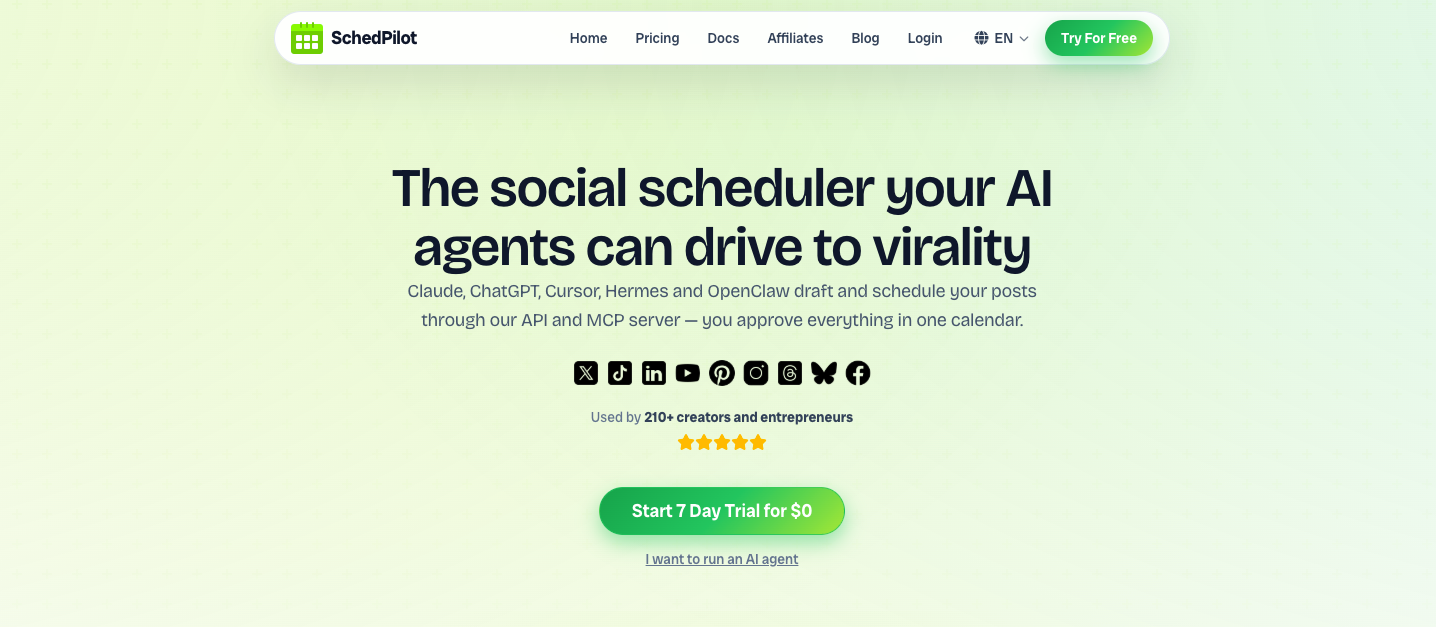
SchedPilot is a scheduling calendar built the way agencies actually work in 2026: one drag-and-drop calendar across LinkedIn, X, Instagram, TikTok, Facebook, Bluesky, and YouTube, with AI doing the repetitive parts.
Plans run from $21 to $99 per month, which undercuts most agency-grade tools by a wide margin. Sendible and Loomly charge that for a fraction of the account volume, and per-seat platforms like Sprout Social cost more per user than SchedPilot’s top plan costs in total.
The calendar itself does what you’d expect: plan, draft, bulk-schedule, and reshuffle posts visually, with per-platform previews and AI-suggested posting times so you’re not guessing when your client’s audience is awake. The AI layer generates post ideas, adapts one piece of content to each network’s format, and builds carousels, which matters when you’re turning one client blog post into six platform-native posts.
supports mcp and api
What genuinely separates SchedPilot from everything else on this list is agent access. It ships an MCP server alongside its API, which means AI agents (Claude, grokbot, openclaw, or anything else that speaks Model Context Protocol) can operate the calendar directly: create and schedule posts, upload media, list and delete scheduled content, pull per-post analytics, and check connected accounts.
In practice, an agency can tell an assistant “draft next week’s posts for this client from their newsletter, schedule them at optimal times, and flag anything that needs review,” and the agent does it inside SchedPilot rather than pasting text into a browser tab. No other calendar tool at this price point offers that today.
For agencies specifically, the workflow gains stack up: bulk scheduling for month-ahead client calendars, per-platform customization from a single draft, and a Chrome extension that drafts AI replies for engagement, so account managers can keep client accounts active in the comments without living in six apps. The honest caveat: SchedPilot launched in 2024 and skews toward publishing and engagement. If your agency sells social listening or runs a high-volume customer-service inbox, you’ll need something heavier for that piece. For the calendar, publishing, and AI-agent workflows, it’s the strongest option per dollar here.
Pricing: $21–$99/month.
2. Planable #
Planable is where content calendars meet client sign-off. Every post appears exactly as it will look live, and clients approve in context with a click instead of leaving comments in a Google Doc that someone has to transcribe. It supports multi-level approvals, so internal review then client review actually works as a pipeline, and the calendar view doubles as the shared source of truth both sides look at.
Free for your first 50 posts, then workspace pricing from around $39/month. Analytics are thin. Planable assumes the calendar and the approval are the product, and for agencies whose main pain is chasing sign-offs, that’s exactly right.
Pricing: Free for 50 posts; paid from ~$39/month.
3. Sendible #
Sendible is the traditional agency workhorse: calendar, scheduling, unified inbox, approvals, and white-label reports under your own logo, from about $29/month. The report templates you can automate on a monthly send to each client are the sticky feature; nobody enjoys assembling those by hand.
The UI hasn’t changed much in years and the mobile app is forgettable. But if a client-facing dashboard with your agency’s branding is a requirement, Sendible is the cheapest serious way to get one. API access exists on higher tiers if you want to wire in automations.
Pricing: From ~$29/month.
4. SocialPilot #
SocialPilot wins on account economics. The $30/month plan covers more social accounts than most competitors offer at three times the price, bulk CSV scheduling handles up to 500 posts at once, and client management plus white-label options appear in mid-tier plans rather than enterprise ones. It also has a public API, so agent-driven workflows are possible with some engineering effort.
The interface looks like 2019. Boutique agencies tolerate that happily because the per-account math is hard to argue with.
Pricing: From $30/month.
5. Loomly #
Loomly is the calendar for teams where not everyone is a social media professional. It walks users through post creation with optimization tips, mockups per platform, and a clean approval flow, which makes it a good fit for agencies that let junior staff or even clients draft posts. Post ideas based on trends and dates keep the calendar from going empty.
Pricing starts around $32/month. It has no meaningful automation surface for AI agents, and analytics are middling. Think of it as training wheels that happen to be pleasant for experts too.
Pricing: From ~$32/month.
6. CoSchedule #
CoSchedule is for marketing teams whose calendar problem is bigger than social. Its unified calendar holds social posts, blog articles, email sends, and campaign milestones in one view, with WordPress integration and ReQueue automation that re-shares your best evergreen content into schedule gaps. If your agency also runs content marketing for clients, seeing the blog post and its six promo posts on the same timeline is the point.
The free calendar plan is usable; paid plans start around $29/month. Collaboration options are weaker than you’d expect at this scope, and the social publishing itself is less polished than dedicated schedulers.
Pricing: Free plan; paid from ~$29/month.
7. SocialBee #
SocialBee organizes the calendar by content categories: tips, promos, curated links, each with its own posting slots, recycled indefinitely. For B2B clients whose advice doesn’t expire, the calendar refills itself. Its AI Copilot will even draft an entire calendar structure from a short brief, which is a decent starting point for a new client onboarding.
From $29/month. The engagement side is weaker, and there’s no agent access. It’s a publishing strategy in software form, and if evergreen recycling isn’t your strategy, its structure gets in the way. Pricing: From $29/month.
8. Pallyy #
Pallyy has the best-looking calendar of the bunch. Upload visuals to the media library, drag them onto dates, done. It’s built Instagram-first (grid previews, thumbnail views of the month ahead) and covers ten networks including Threads, Bluesky, and Google Business Profile. The free plan is genuinely usable for a single brand, and paid starts at $25/month per social set.
For visually led brands (restaurants, fashion, travel clients), Pallyy’s planning experience beats tools costing four times more. For text-heavy B2B or agent automation, look elsewhere. Pricing: Free plan; paid from $25/month.
9. Metricool #
Metricool approaches the calendar from the analytics side. Planning, scheduling, and best-time recommendations sit on top of competitor tracking and ad reporting across Google, Meta, and TikTok, with a free tier that’s actually functional. Agencies that live and die by monthly client reports get more reporting here at ~$18/month than Agorapulse or Hootsuite provide at several times the price. Advanced plans include API access.
The interface is dense and the learning curve is real.
Pricing: Free plan; paid from ~$18/month.
10. Buffer #
Buffer is the simple option, priced per channel (~$6/channel/month) with a free plan for 3 channels. The calendar is clean, the AI assistant rewrites captions, and it covers 12+ networks. Agencies use it for overflow: solo-managed accounts that don’t justify a seat in the main platform.
It has no approval depth, shallow reporting, and no public API anymore, so it’s a dead end for agent workflows. Fine for what it is.
Pricing: Free for 3 channels; paid from ~$6/channel/month.
11. Notion #
Notion isn’t a scheduler, and that’s why it earns the last spot. Many agencies plan in Notion (campaign briefs, content pillars, asset links, status tracking in a calendar database) and push finished posts into a scheduling tool. Its API and official MCP server mean AI agents can read the plan, draft posts against it, and hand them to a scheduler like SchedPilot that also speaks MCP. That two-tool pipeline, planning layer plus publishing layer, both agent-accessible, is quietly becoming the default agency stack.
Free for personal use; team plans from about $10 per seat.
Pricing: Free plan; paid from ~$10/seat/month.
Why API and MCP access should be on your checklist #
A year ago “does it have an API” was a developer question. Now it decides whether your calendar tool participates in automated workflows or sits outside them. With MCP specifically, you don’t need to build an integration at all: you connect the tool to an AI assistant and delegate in plain language. Repurposing a podcast episode into a week of posts, rescheduling a client’s queue around a product delay, pulling last month’s top posts into a report draft. All of that is one instruction to an agent instead of an afternoon of clicking.
Of the eleven tools here, only SchedPilot and Notion offer MCP servers today, with SocialPilot, Sendible, and Metricool reachable through conventional APIs. If your agency plans to automate anything in the next year, that column in the comparison table matters more than any single feature.
FAQs #
What is the best social media content calendar tool for agencies?
SchedPilot is the best content calendar tool for most agencies in 2026. It combines a drag-and-drop calendar across LinkedIn, X, Instagram, TikTok, Facebook, Bluesky, and YouTube with AI content generation, bulk scheduling, and (uniquely at its price) an MCP server plus API that lets AI agents manage the calendar directly. Plans run $21–$99/month. Agencies whose main bottleneck is client approvals should also look at Planable, and those selling white-label reports at Sendible.
Which content calendar tools work with AI agents?
SchedPilot and Notion both expose MCP servers, which means assistants like Claude can create, schedule, and analyze posts (SchedPilot) or read and update content plans (Notion) without custom integration work. SocialPilot, Sendible, and Metricool offer traditional APIs, which support automation but require development effort. Buffer, Loomly, SocialBee, and Pallyy currently offer no practical agent access.
What is MCP in social media tools?
MCP (Model Context Protocol) is an open standard that lets AI assistants connect to software and operate it on your behalf. A social media tool with an MCP server, like SchedPilot, lets an AI agent schedule posts, upload media, and pull analytics from a plain-language instruction, instead of you clicking through the interface or a developer writing API code.
Is there a good free social media content calendar?
Yes. Pallyy’s free plan handles one brand well, Metricool’s free tier includes planning and basic reports, Planable is free for your first 50 posts, and Buffer covers 3 channels free. For pure planning without publishing, Notion is free for individuals. Agencies outgrow all of these quickly; at that point paid tools from $18–$30/month are the realistic floor.
What’s the difference between a content calendar tool and a social media scheduler?
A scheduler pushes posts live at set times. A content calendar tool adds the workflow around that: a visual month view, drafts and statuses, approvals, team comments, and campaign grouping. Most modern tools do both. Notion is the exception on this list (calendar and planning only, no publishing), which is why teams pair it with a scheduler.
How far in advance should an agency plan its content calendar?
Plan themes and campaigns 4–6 weeks out, write and get approval 2 weeks out, and leave roughly 20% of slots open for reactive content. Tools with bulk scheduling (SchedPilot, SocialPilot) make the month-ahead batch practical, and evergreen recycling in SocialBee or CoSchedule’s ReQueue fills whatever gaps remain.
Can I run my whole agency calendar through AI?
Mostly, yes, if your tools allow it. An agent connected to SchedPilot via MCP can draft posts from source material, schedule them at suggested times, and report on performance, while a human reviews before anything sensitive goes out. The review step is worth keeping; clients forgive a late post faster than a wrong one.
Related posts #
[
](https://schedpilot.com/how-long-can-youtube-shorts-be/)
How Long Can YouTube Shorts Be? (2026 Limits, and the Length That Actually Gets Views)
August 26, 2026
[
](https://schedpilot.com/social-media-management-tools-for-gyms-or-fitness-influencers/)
Top 6 social media management tools for Gyms or Fitness Influencers
August 26, 2026
[
](https://schedpilot.com/social-media-management-tools-for-e-commerce-brands/)
Top 7 social media management tools for E-commerce Brands
August 20, 2026
[
](https://schedpilot.com/social-media-management-tools-for-cruise-planners/)
Top 7 social media management tools for Cruise Planners
August 20, 2026